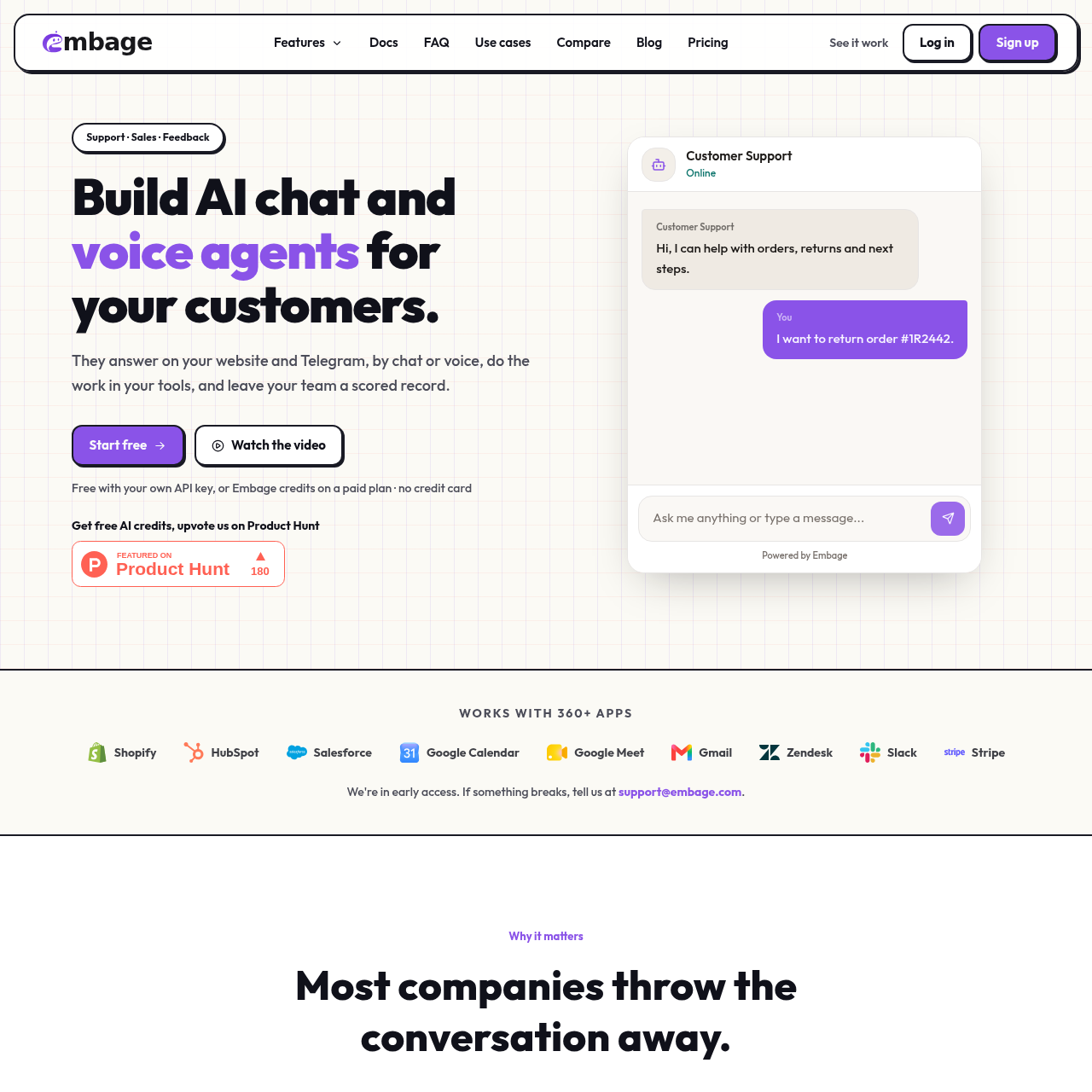
Embage builds no-code customer chat and browser voice agents that use company content, connected tools and post-conversation records.
Customer SupportBuilds customer-facing support, sales…Embeds chat or browser voice on a…Searches a knowledge base before…Runs tool workflows during conversations
Listed on AIToolly
What Is Embage? Product Overview
What the product does and how it is positioned
Embage is a no-code platform for building customer-facing AI agents for support, sales and feedback workflows.
Agents can communicate through website chat, browser voice and Telegram, search supplied documents, call connected apps and leave structured conversation records.
What Can You Use Embage For?
Source-supported ways to use the product
Customer support
Create agents that answer customer questions, use documentation, save support tickets and hand conversations to a team member.
Sales and lead capture
Use chat or voice agents to collect missing details, save leads and connect actions to sales and scheduling tools.
Feedback collection
Collect customer feedback in conversations and preserve it as records for filtering, editing and follow-up.
How to Use Embage
The documented workflow, where available
1
Build
Choose a support, sales or feedback purpose and shape the agent's tone without code.
2
Connect
Add documentation, forms and the applications the agent should use during conversations.
3
Embed
Place a snippet on a website or connect the agent to Telegram.
From conversation to structured follow-up
Embage combines conversational interaction with structured records and post-conversation analysis. An agent can collect information, save a ticket, lead or feedback record, and then produce a score, summary and listed next steps.
Datastore templates cover tickets, sales CRM, feedback and events.
Agents can ask for missing fields before saving a record.
Conversation analysis includes sentiment, action items and knowledge gaps.
Human handoff is available during chat and voice interactions.
What to Test Before Choosing Embage
Checks to run with your own material and workflow
Confirm that the required website, Telegram or browser voice channel is supported for the intended workflow.
Verify that the planned documents are available in the listed file formats or as web pages.
Check that the required business applications are among the connected tools available to the agent.
Review how conversation records, logged tool calls and encrypted API keys fit the organization's data requirements.