Nimbia favicon

Nimbia

Nimbia is an AI-powered onboarding agent that conducts live, interactive screen-sharing calls to guide new users through software products using voice and browser control.

Customer Support24/7 automated onboardingMulti-language supportContext-aware question answeringLive Screen-Sharing
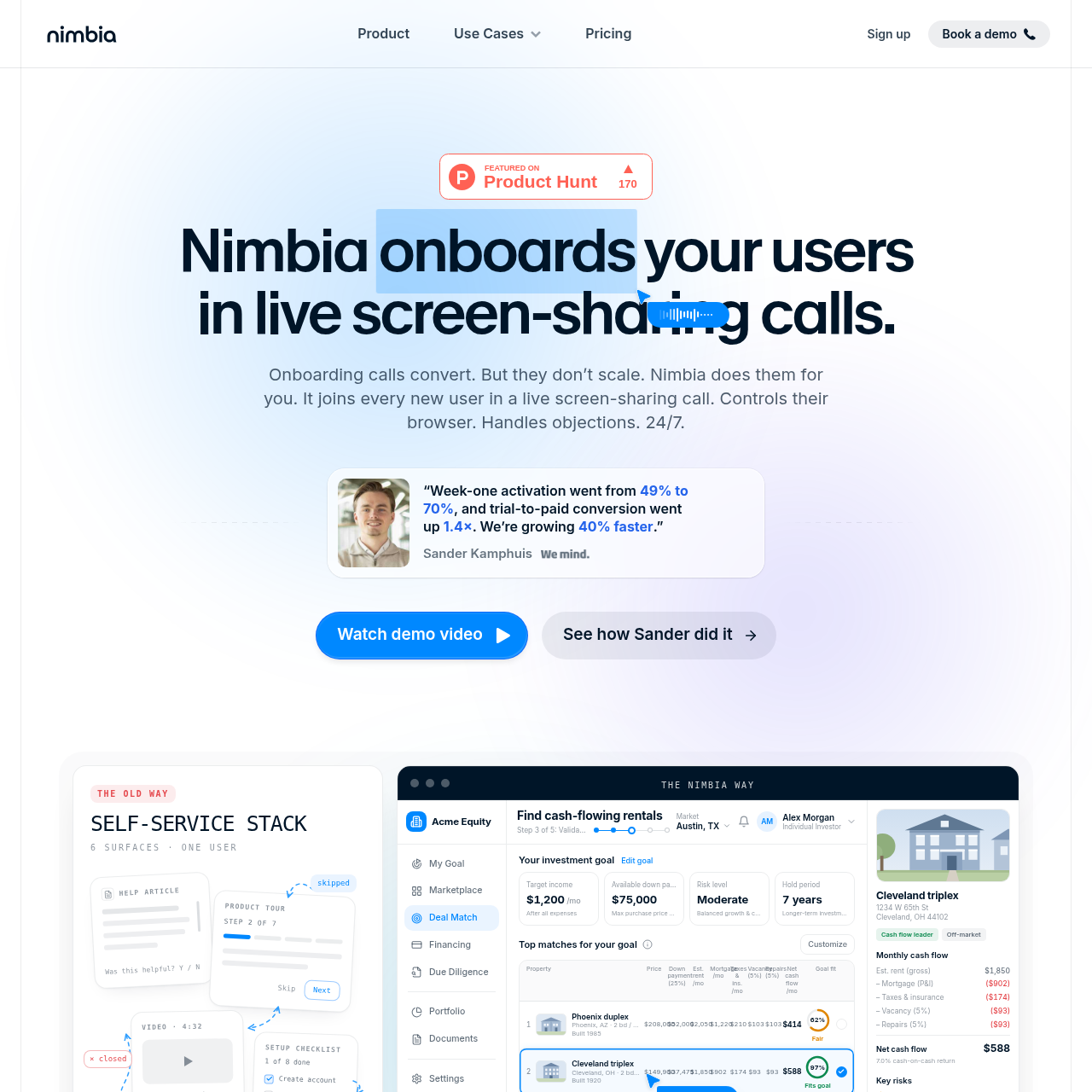
Nimbia product interface screenshot
Listed on AIToolly

What Is Nimbia? Product Overview

What the product does and how it is positioned

Nimbia is an automated onboarding solution designed to conduct live screen-sharing sessions with new users to demonstrate product value.

The platform scales high-touch onboarding by providing 24/7 availability across different time zones and languages, integrating directly into existing tech stacks.

What Can You Use Nimbia For?

Source-supported ways to use the product

Trial-to-Paid Conversion

Automating the activation process for trial users by showing them the product's value through a live, guided session.

Founder-Led Onboarding

Scaling the personalized onboarding calls typically handled by founders to every single user without increasing headcount.

How to Use Nimbia

The documented workflow, where available

  1. 1

    Training

    The system analyzes provided call recordings, documentation, or a test account to learn the UI and understand product workflows.

  2. 2

    Installation

    A single-line JavaScript snippet is added to the application's code to enable the agent within the product.

  3. 3

    Live Deployment

    New users receive a real-time screen-sharing call where the AI guides them through their first actions and answers questions.

Direct Browser Interaction

Nimbia distinguishes itself from standard support bots by its ability to manipulate the user's interface directly. During a live session, the AI does not simply provide instructions; it actively clicks buttons, navigates menus, and populates fields to ensure the user reaches specific milestones.

  • Real-time navigation of complex SaaS dashboards
  • Automated form filling and field entry
  • Visual demonstration of multi-step workflows
  • Elimination of manual navigation errors for new users

What to Test Before Choosing Nimbia

Checks to run with your own material and workflow

  • Confirm the AI can accurately navigate specific complex UI elements within your application.
  • Verify the multi-language support covers the primary regions of your user base.

Nimbia Sources and Last Checked

What was checked and when

Official source
https://nimbia.ai/
Last checked

Nimbia Frequently Asked Questions

Answers based on the source-checked product record

How does Nimbia learn a product?

Nimbia explores a test account or analyzes provided call recordings and help documentation to understand the UI and product workflows.

What technical setup is required?

Integration involves adding a single-line script snippet to the application, similar to installing a chat widget or analytics tool.

Can users interact naturally with the AI?

The AI supports real-time voice conversations, allowing users to interrupt and ask follow-up questions as the agent guides them through the product.

Does it support global users?

The platform provides 24/7 onboarding capabilities and can conduct sessions in any language to accommodate users in different time zones.

How does it interact with the UI?

Instead of just providing text instructions, the agent controls the user's browser to click buttons and fill in fields during the live call.

Explore other recently added tools in the same category.