Knocket AI favicon

Knocket AI

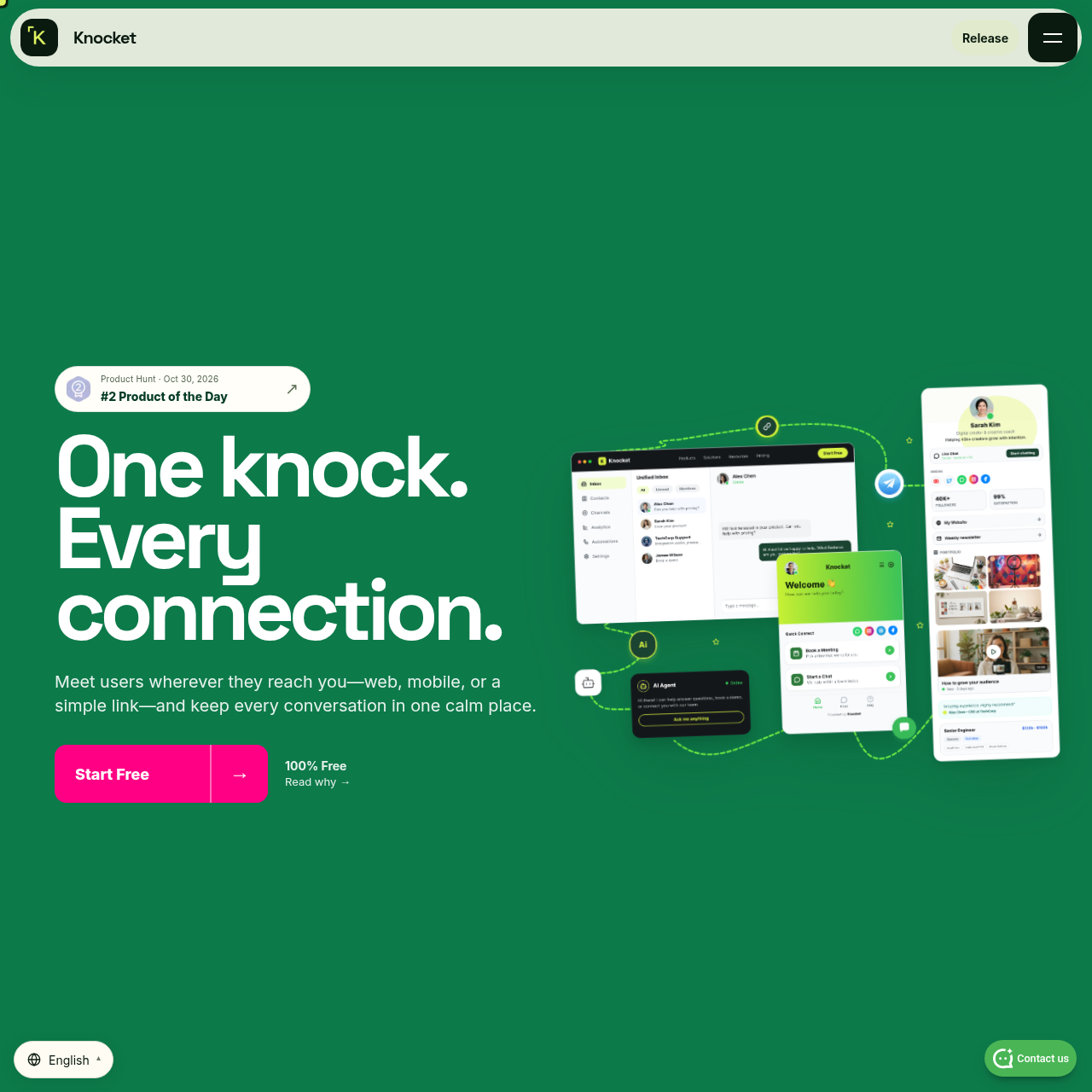
Knocket is a multi-surface contact platform and AI messaging tool that connects web widgets, shareable contact pages, and mobile apps into a single inbox with automated agent support.

Customer SupportCentralizes user conversations…Automates replies using an AI agent…Customizes user-facing interactionsWeb Widget
Knocket AI product interface screenshot
Estimated monthly visits
148K
Data period:
Listed on AIToolly

What Is Knocket AI? Product Overview

What the product does and how it is positioned

Knocket provides a unified contact layer designed to connect conversations across websites, standalone contact pages, and mobile applications.

The platform consolidates user inquiries from web, email, Telegram, and mobile apps into a centralized inbox where human operators or an AI agent can respond.

What Can You Use Knocket AI For?

Source-supported ways to use the product

Website Live Chat Support

Organizations deploy a web widget using a script tag to conduct live conversations directly on their websites.

Unified Multi-Channel Messaging

Teams consolidate messages from email, Telegram, web chat, and mobile applications into a single shared inbox.

Automated AI Inquiries Handling

Operators supply background knowledge to an AI agent to automatically handle incoming questions across supported surfaces.

How to Use Knocket AI

The documented workflow, where available

  1. 1

    Choose your surface

    Select the entry point for visitor communication, including a web widget, mobile widget, or standalone contact page.

  2. 2

    Configure the experience

    Define operational settings such as tone of voice, welcome messages, and team availability.

  3. 3

    Connect AI

    Supply the relevant knowledge base information required for the AI agent to handle questions.

  4. 4

    Connect your channels

    Integrate communication channels including Telegram, email, web chat, and mobile applications.

  5. 5

    Go live and reply

    Manage ongoing incoming interactions directly from the unified inbox or allow the AI agent to respond automatically.

Multi-Surface Contact Layer and Unified Inbox

Knocket consolidates user messaging across three distinct surfaces: an embeddable website widget, a dedicated shareable contact page, and in-app mobile widgets designed for iOS and Android.

Behind these customer-facing surfaces, incoming messages from web, mobile apps, email, and Telegram flow into a centralized inbox. Operators can manage conversations manually or delegate responses to an AI agent trained on provided knowledge.

  • Single-script-tag embedding for website chat widgets.
  • Dedicated shareable contact pages for direct visitor outreach.
  • Native in-app support widget for iOS and Android environments.
  • Consolidation of Telegram, email, web, and mobile communications into one inbox.

What to Test Before Choosing Knocket AI

Checks to run with your own material and workflow

  • Verify that the web script tag integrates cleanly with existing website templates and frameworks such as WordPress, Shopify, or React.
  • Check how the AI agent is configured and whether the knowledge ingestion format matches available organizational documentation.
  • Confirm that notification and reply workflows function as expected across Telegram, email, and the unified inbox.

Knocket AI Sources and Last Checked

What was checked and when

Last checked

Knocket AI Frequently Asked Questions

Answers based on the source-checked product record

What user-facing surfaces does Knocket provide?

Knocket supports an embeddable web widget added via a script tag, a standalone shareable contact page, and mobile widgets for iOS and Android.

Which communication channels can be integrated into Knocket?

The platform supports integrating web chat, mobile app interactions, Telegram, and email into a single inbox.

Can Knocket respond to customer messages automatically?

Yes, users can connect an AI agent and supply knowledge to enable automated responses to incoming user queries.

What settings can be configured during the setup process?

Setup configuration includes defining the conversational tone, setting welcome messages, and specifying availability schedules.

What mobile platforms are supported by the mobile widget?

The mobile widget is documented to provide in-app support for iOS and Android applications.

Explore other recently added tools in the same category.