superlog
Superlog: The AI-Powered Observability Agent That Fixes Bugs via OpenTelemetry and Automated Pull Requests
Superlog is a Y Combinator-backed observability agent that automates the instrumentation, monitoring, and fixing of software bugs. By leveraging a coding agent, Superlog installs well-structured logs, traces, and metrics via OpenTelemetry with a single prompt. It prevents observability drift through continuous scanning, eliminates alert fatigue by grouping errors into incidents, and provides automated resolution pull requests for identified issues. With support for MCP and seamless Slack integration, Superlog delivers zero-hassle observability that helps engineering teams maintain high-performance infrastructure without vendor lock-in.
2026-06-05
11.0K
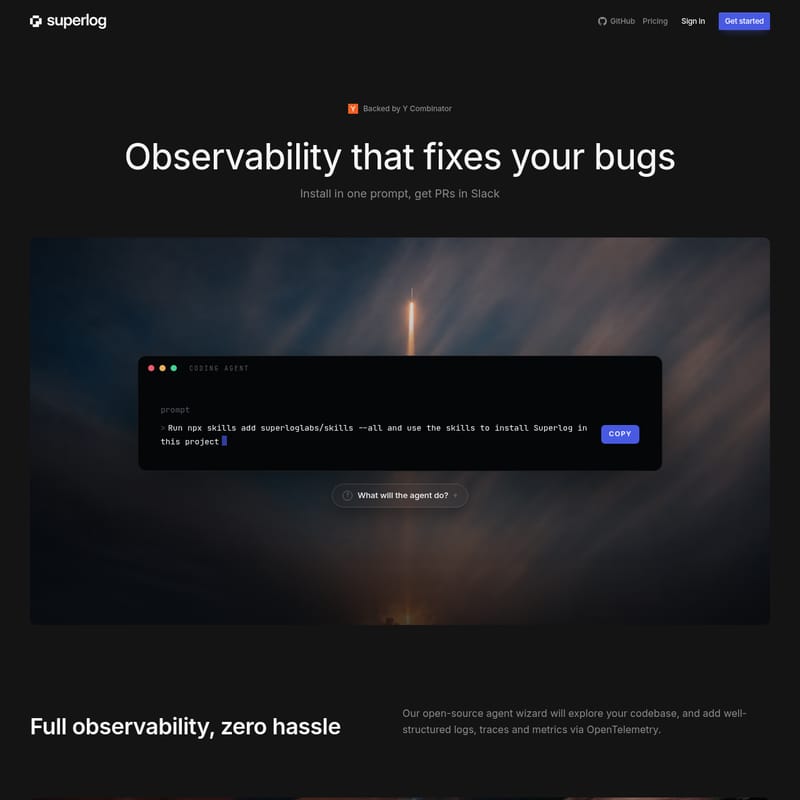
superlog Product Information
Superlog: The AI-Powered Observability Agent That Fixes Your Bugs
In the modern software development lifecycle, maintaining visibility into complex systems often feels like a full-time job. Engineers are frequently bogged down by manual instrumentation, fragmented monitoring tools, and an overwhelming volume of alerts. Superlog changes this paradigm by offering "Observability that fixes your bugs." Backed by Y Combinator, Superlog is not just a monitoring platform; it is an intelligent coding agent that automates the entire observability pipeline, from installation to incident resolution.
What's Superlog?
Superlog is an open-source agent wizard designed to provide full observability with zero hassle. It functions as a specialized coding agent that explores your codebase to automatically add logs, traces, and metrics. Unlike traditional tools that require manual configuration for every new service or endpoint, Superlog scans your codebase and infrastructure to ensure your monitoring is always up to date.
At its core, Superlog is built on OpenTelemetry, ensuring that you have high-quality, standardized data without any vendor lock-in. By integrating directly with your development workflow, Superlog can identify bugs, assess their impact, and even prepare Pull Requests (PRs) to fix them, effectively closing the loop between detection and resolution.
Key Features of Superlog
1. Zero-Hassle OpenTelemetry Instrumentation
Superlog simplifies the complex task of instrumenting an application. By running a single prompt, the Superlog coding agent explores your codebase (including APIs, workers, and web components) to add well-structured request spans, queue metrics, and structured error logs. This ensures that your application is fully observable from day one.
2. Continuous Scan to Prevent Observability Drift
Software systems evolve rapidly, and monitoring often lags behind. Superlog prevents "observability decay" by continuously scanning your codebase and infrastructure. It automatically adds new alerts, metrics, and dashboards as your project grows. Whether it is a new vendor timeout or a specific failure rate like checkout.failure_rate, Superlog ensures your dashboards—such as those for queue depth and worker lag—are always relevant.
3. Fingerprinting and Incident Grouping
One of the biggest challenges for DevOps teams is alert fatigue. Superlog solves this by using fingerprinting to merge similar errors into clear-cut incidents. Instead of receiving a storm of repeated logs for a single root cause, Superlog identifies the core issue—such as a database being down—and groups all related errors (API errors, queue errors, etc.) under one SEV-1 incident.
4. Severity and Impact Assessment
Superlog provides more than just raw data; it provides context. Every incident is assigned a severity score (SEV1-3) and an impact assessment. For example, if a Stripe credential is not set, Superlog will flag it as a SEV-1 incident with a high revenue impact because the "checkout is down." This prioritization allows teams to focus on what matters most.
5. Automated Bug Resolution
Superlog takes observability a step further by preparing a resolution PR for every incident. If the system detects a bug, it generates the code necessary to fix it. If the "Confidence Gate" fails, Superlog posts its findings for the investigating team and pulls in the specific engineers who can provide the necessary context to resolve the issue quickly.
6. Zero-Click Insights via MCP
All logs, traces, metrics, alerts, and dashboards are fully available through MCP (Model Context Protocol). This means you don't have to maintain another platform or click through endless menus. You can interact with your observability data via prompts, such as asking Superlog to prepare a cloud cost dashboard for a specific service.
How to Use Superlog
Getting started with Superlog is designed to be as fast as possible, requiring only a single prompt to onboard your entire project.
Installation Steps:
- Run the Initialization Command:
Open your terminal in your project directory and execute the following command:
npx skills add superloglabs/skills --all - Deploy the Agent: Use the added skills to allow the Superlog agent to install itself within your project. The agent will automatically find your services (e.g., api, worker, web).
- Review the Automated PR:
Superlog will open a PR (e.g.,
superlog/install-otel) containing the added request spans, queue metrics, and structured logs. Once merged, your project is fully instrumented. - Monitor via Slack: Integrate Superlog with Slack to receive PRs and incident summaries directly in your communication channels.
Use Case: Resolving a Critical Checkout Failure
Imagine a scenario where your production environment is experiencing checkout failures because a Stripe secret is missing.
- Detection: Superlog identifies an
HTTP 400: Unauthorizederror originating from thecheckout-api. - Grouping: Instead of sending dozens of individual error logs, Superlog groups them into a single SEV-1 Incident titled "Checkout is down."
- Analysis: Superlog determines the impact (Revenue Impact) and identifies the cause: "Stripe credential not set."
- Resolution: Superlog automatically prepares a Pull Request that validates the credential on boot, returns an actionable setup error, and adds a regression test for the payment path.
- Communication: The team receives a notification in Slack with a summary of the fix and a link to "View PR," allowing for a zero-click transition from problem to solution.
FAQ
Q: Does Superlog lead to vendor lock-in? A: No. Superlog is built on OpenTelemetry, an open standard. You own your data and your instrumentation; Superlog simply automates the process of managing it.
Q: How does Superlog reduce alert fatigue? A: Superlog uses intelligent fingerprinting to group similar errors into a single incident. This prevents your team from being overwhelmed by repeated logs for the same underlying issue.
Q: Can Superlog help with cloud costs? A: Yes. Through its MCP integration, you can prompt Superlog to create custom dashboards, such as a cloud cost dashboard for specific services, displaying spend, deploys, and cost anomalies.
Q: What happens if the automated fix isn't perfect? A: Superlog includes a Confidence Gate. If the agent is not entirely sure about a fix, it will post its findings for your engineering team and pull in the relevant engineers to provide context rather than merging a risky PR.
Q: Is Superlog open source? A: Yes, Superlog features an open-source agent wizard that explores your codebase to implement observability best practices.