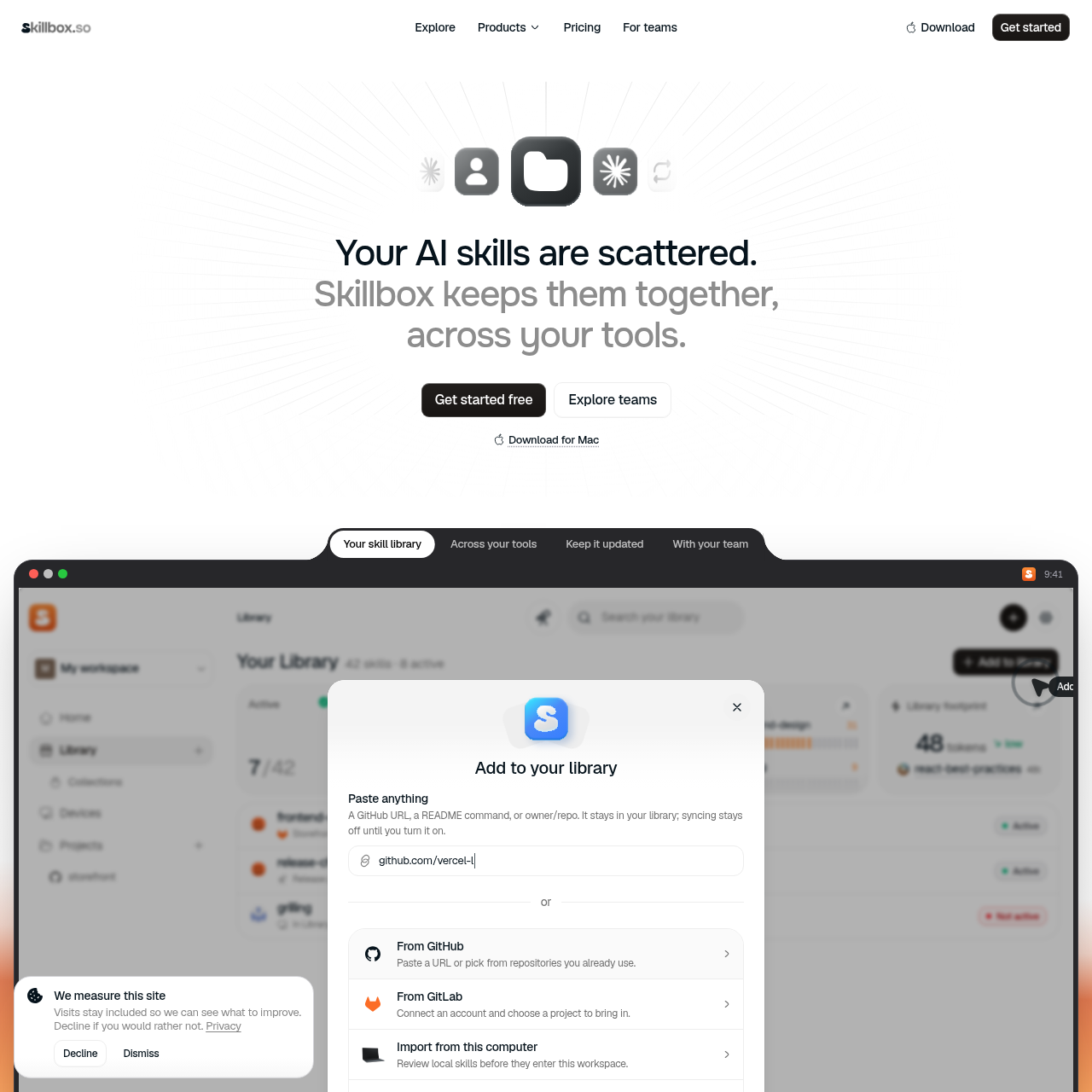
Skillbox organizes coding skills, connects selected versions to project tools, and provides inspection, update review, and security checks.
Code & ITImports skills from a computer, GitHub,…Delivers active skills to folders used…Shows differences between an incoming…Pauses unused installs while retaining…
Listed on AIToolly
What Is Skillbox? Product Overview
What the product does and how it is positioned
Skillbox is a skill library for bringing coding skills together from local files, GitHub, GitLab, and its Explore area.
It connects an active selection to folders used by coding tools, while providing project assignment, version review, inspection, and workspace sharing features.
What Can You Use Skillbox For?
Source-supported ways to use the product
Organize distributed coding skills
Use one library to collect skills from local machines, repositories, and the Explore area.
Select skills by project
Assign different active skill sets to projects so each coding tool receives the skills relevant to that project.
Review repository changes
Inspect incoming instructions and file changes before deciding whether to promote an updated skill.
Share team practices
Place skills and collections in a shared workspace for teammates to find and use.
How to Use Skillbox
The documented workflow, where available
1
Add a skill
Paste a repository URL, connect GitLab, import a local skill, or select a skill from Explore.
2
Inspect the skill
Read its instructions, inspect bundled files, and preview how it responds in a text-based conversation.
3
Choose project scope
Activate the skill for connected machines or restrict it to the project where it belongs.
4
Review updates
Compare incoming instructions and files with the current version before applying or skipping the change.
5
Monitor maintenance
Review machine state, pause unused installs, and examine conflicts or overlapping skills.
Skill version management
Skillbox separates an incoming repository version from the version currently in use, allowing changes to be reviewed before they affect active copies.
The interface can show changed instructions and files, while update settings can follow suitable versions automatically or hold every change for review.
Available updates can be promoted or skipped.
Conflicts with customizations can be reviewed before replacement.
Paused skills remain in the library.
What to Test Before Choosing Skillbox
Checks to run with your own material and workflow
Confirm that the connected coding tools and project folders match the environments the team intends to manage.
Verify whether the desired repository, local-file, and Explore import path is available for each skill source.
Review update settings to determine whether changes are held for approval or followed automatically.
Check security findings and executable permissions before allowing a skill version to sync.
Answers based on the source-checked product record
What sources can Skillbox import skills from?+
The source documents imports from a computer, GitHub, GitLab, and the Explore area, along with pasted GitHub URLs and README commands.
Can skills be assigned to individual projects?+
Yes. Skillbox shows project-specific selection and can deliver an active skill set only inside the project where it belongs.
Can users inspect a skill before activating it?+
Yes. The documented inspection flow includes reading instructions, reviewing bundled files, previewing the skill in chat, and editing its instructions.
How does Skillbox handle skill updates?+
Incoming versions remain separate from the active copy, and users can review changes, skip an update, promote it, or choose an update approach that holds changes for review.
Does sharing a skill install it for every teammate?+
No. The source says that sharing a skill makes it available to the workspace but does not automatically install it for every person.
More Code & IT AI tools
Explore other recently added tools in the same category.