Talyn favicon

Talyn

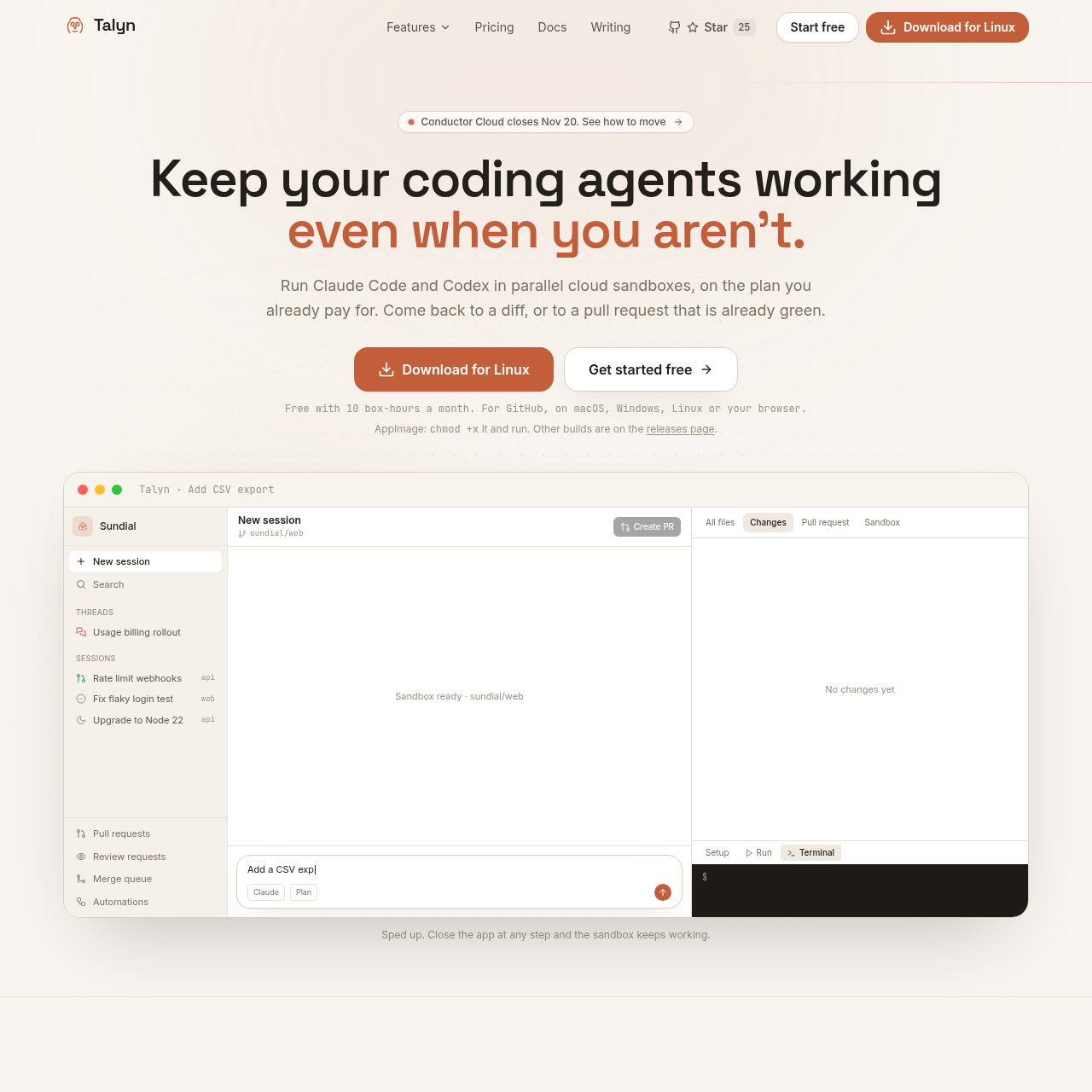
Talyn runs Claude Code and Codex in separate cloud sandboxes so GitHub coding tasks can continue even after the app closes.

Code & ITCloud sessions can continue after the…The desktop app supports sessions in…For an opted-in pull request, Talyn can…Parallel coding sessions
Talyn product interface screenshot
Listed on AIToolly

What Is Talyn? Product Overview

What the product does and how it is positioned

Talyn gives each cloud session its own branch and sandbox, allowing multiple coding tasks to run in parallel without sharing a working copy.

Threads group work across repositories, while opt-in pull request maintenance can address failing checks, merge conflicts, and review comments.

What Can You Use Talyn For?

Source-supported ways to use the product

Coordinate a change across repositories

A team can describe an API, web app, and documentation change in one thread, and Talyn starts a separate session in each repository that needs work.

Start a session when a check fails

A configured GitHub automation can start a coding session when checks fail on a dependency update.

How to Use Talyn

The documented workflow, where available

  1. 1

    Select GitHub repositories

    The Talyn GitHub App is installed on the repositories selected for access.

  2. 2

    Describe the task

    A task prompt goes into a session, or a shared goal goes into a thread that starts sessions across the relevant repositories.

  3. 3

    Inspect the changes

    The session shows the code diff and pull request status, and a cloud session can be reopened later in a browser.

  4. 4

    Opt in to pull request handling

    Pull request maintenance and merge queue entry require opt-in, and GitHub branch protection still applies.

Pull request maintenance and merging

Talyn can open a pull request and, when maintenance is enabled for it, address failing checks, conflicts, and review comments on the same branch.

Merge queue entry is opt-in rather than an automatic consequence of opening a pull request. Merges use GitHub's merge API and remain subject to branch protection.

  • Per-pull-request opt-in is the default.
  • An optional workspace default can flag every new pull request a user opens.

What to Test Before Choosing Talyn

Checks to run with your own material and workflow

  • Confirm that all repositories needed for the workflow are on GitHub and can be selected for Talyn GitHub App access.
  • Review the pull request opt-in controls and verify that the merge workflow fits the repository's branch protection settings.
  • Check whether the workflow needs cloud sessions, local Git worktrees in the desktop app, or both.

Talyn Sources and Last Checked

What was checked and when

Official source
https://www.talyn.dev/
Last checked
Category
Code & IT

Talyn Frequently Asked Questions

Answers based on the source-checked product record

Does Talyn support repositories outside GitHub?

No. Talyn connects through a GitHub App installed on selected repositories. It does not support GitLab or Bitbucket.

Does a session keep running after the app closes?

Cloud sessions continue in their sandboxes after the app closes and can be reopened later in a browser.

Can Talyn run a session locally?

Yes. The desktop app can run a session in a local Git worktree or move an existing Claude Code conversation into a cloud sandbox.

Does Talyn merge every pull request it opens?

No. Merge queue entry is opt-in, and merges follow GitHub branch protection. An optional workspace default can flag new pull requests a user opens.

What happens to a sandbox when its session is archived?

Talyn deletes the sandbox when its associated session is archived.

Explore other recently added tools in the same category.