Invofox Self Serve favicon

Invofox Self Serve

Invofox Self Serve is an automated document processing API that parses PDFs and images into structured JSON and Markdown, featuring classification, table extraction, and zero-retention compliance.

Organization & AutomationAutomated extraction of structured…Re-checking and self-correcting…Delivery of extraction results via REST…Handling large multi-page PDF files
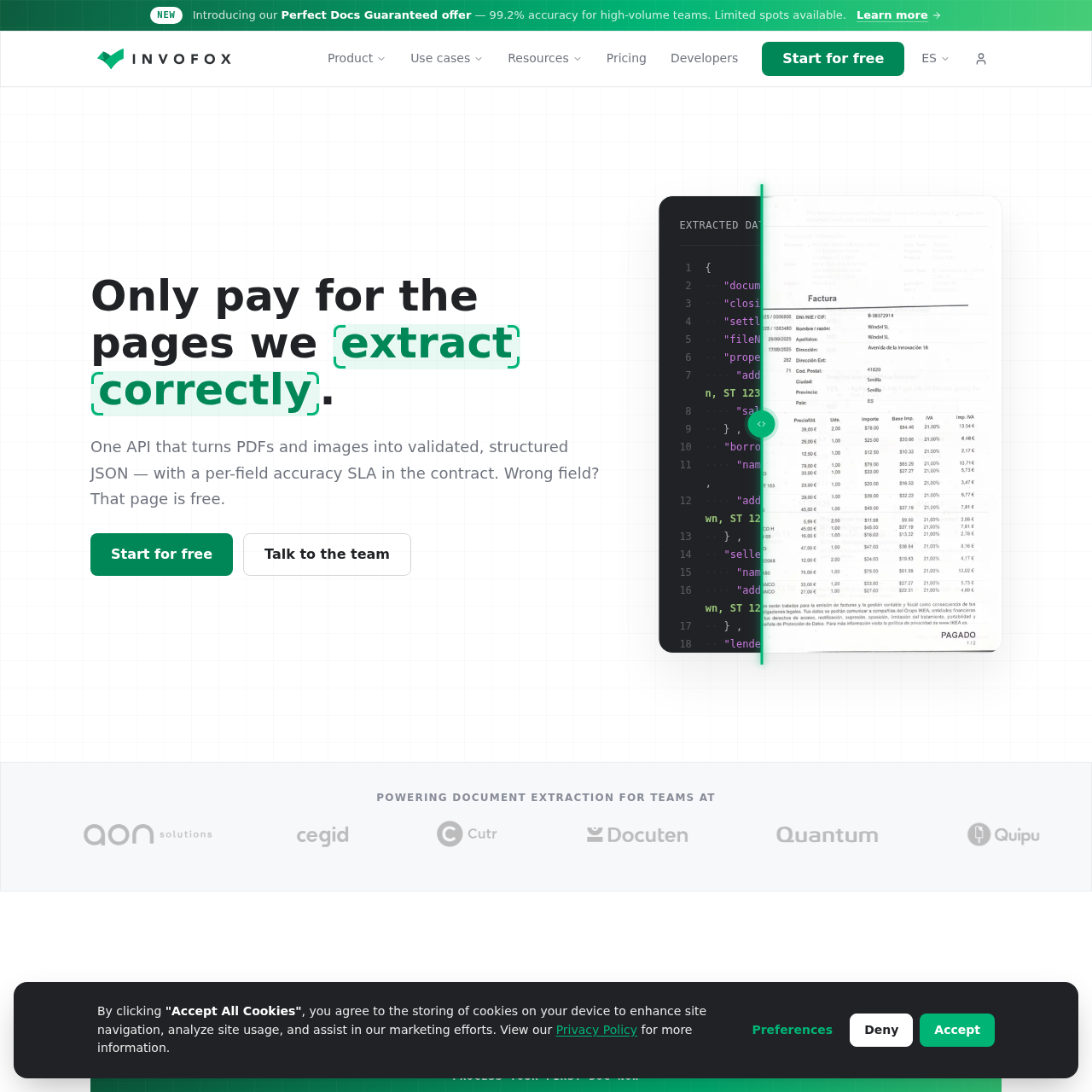
Invofox Self Serve product interface screenshot
Listed on AIToolly

What Is Invofox Self Serve? Product Overview

What the product does and how it is positioned

Invofox provides a unified document extraction API designed to convert unstructured PDFs, scanned pages, and images into normalized JSON datasets and Markdown for downstream LLM and database applications.

The system handles the entire ingestion lifecycle, including document deskewing, dual-pass OCR, document splitting, classification, tabular reconciliation, and automated confidence scoring.

What Can You Use Invofox Self Serve For?

Source-supported ways to use the product

Accounts Payable Automation

Extracting vendor details, tax identifiers, dates, and line-item totals from supplier invoices into structured JSON payloads.

Mortgage and Lending Verification

Parsing borrower information, loan terms, and settlement values from mortgage forms and Closing Disclosures.

Multi-Document Bundle Splitting

Automatically separating batch-uploaded PDFs containing mixed files such as bank statements and payslips into discrete classified records.

Payroll Document Processing

Extracting employer data, employee identification numbers, and remuneration totals from standard employee payslips.

How to Use Invofox Self Serve

The documented workflow, where available

  1. 1

    Account Creation

    Create an account and generate the necessary API keys.

  2. 2

    Model Selection

    Select the required standard document models or establish a custom schema.

  3. 3

    Document Ingestion

    Transmit documents via a POST request to the extraction endpoint.

  4. 4

    Result Delivery

    Receive the validated, schema-mapped JSON or Markdown output directly or via webhook.

Document Intake, Processing, and Delivery Pipeline

Invofox processes unstructured document uploads through a sequential technical pipeline. When files are received via the REST API endpoint, integrity checks handle password-protected or corrupted files before routing them into pre-processing modules for deskewing, denoising, and sharpening.

Text and structural elements are interpreted using a dual-pass OCR system that isolates layout geography while transcribing text. Multi-page batches are divided by an automated page splitter, after which classification models categorize the document type. Extracted tables, currencies, and dates are then normalized, cross-checked against business rules, and returned via webhook or polling along with confidence scores and region provenance.

  • Dual-pass OCR for simultaneous layout mapping and text reading
  • Automated splitting and categorization of mixed-document bundles
  • Table and line-item reconstruction with cross-field subtotal reconciliation
  • Traceable extraction provenance connecting fields to bounding page regions

What to Test Before Choosing Invofox Self Serve

Checks to run with your own material and workflow

  • Confirm that incoming document layouts are compatible with supported standard models or provide sample files to configure a custom schema.
  • Verify whether non-Latin script extraction is required for your target language mix before deploying to production.
  • Check that your architecture can consume responses either synchronously, through polling, or via webhooks.
  • Review organizational compliance rules to determine whether default EU processing, US processing, or self-hosted deployment is required.

Invofox Self Serve Sources and Last Checked

What was checked and when

Last checked

Invofox Self Serve Frequently Asked Questions

Answers based on the source-checked product record

Which document types are supported out of the box?

Invofox supports invoices, receipts, delivery notes, purchase orders, payslips, bank statements, utility bills, ID documents, contracts, tax forms, and US mortgage forms such as closing disclosures.

What happens when an extraction error occurs?

Users can submit corrections back to the feedback endpoint, which updates the pipeline configuration to help reduce the same error from repeating across future documents.

Where is document data processed and stored?

Processing occurs by default within the European Union, with US processing available upon request. Scale and Enterprise plans can opt into zero-retention mode, while on-premise deployments are restricted to Enterprise contracts.

Which file formats can be uploaded to the API?

The platform accepts PDF files, scanned documents, and image formats including PNG and JPG for extraction.

Which languages are natively supported by Invofox?

The platform natively supports Latin-script languages such as English, Spanish, Portuguese, French, Italian, and German, while non-Latin scripts require a separate configuration window.

Explore other recently added tools in the same category.