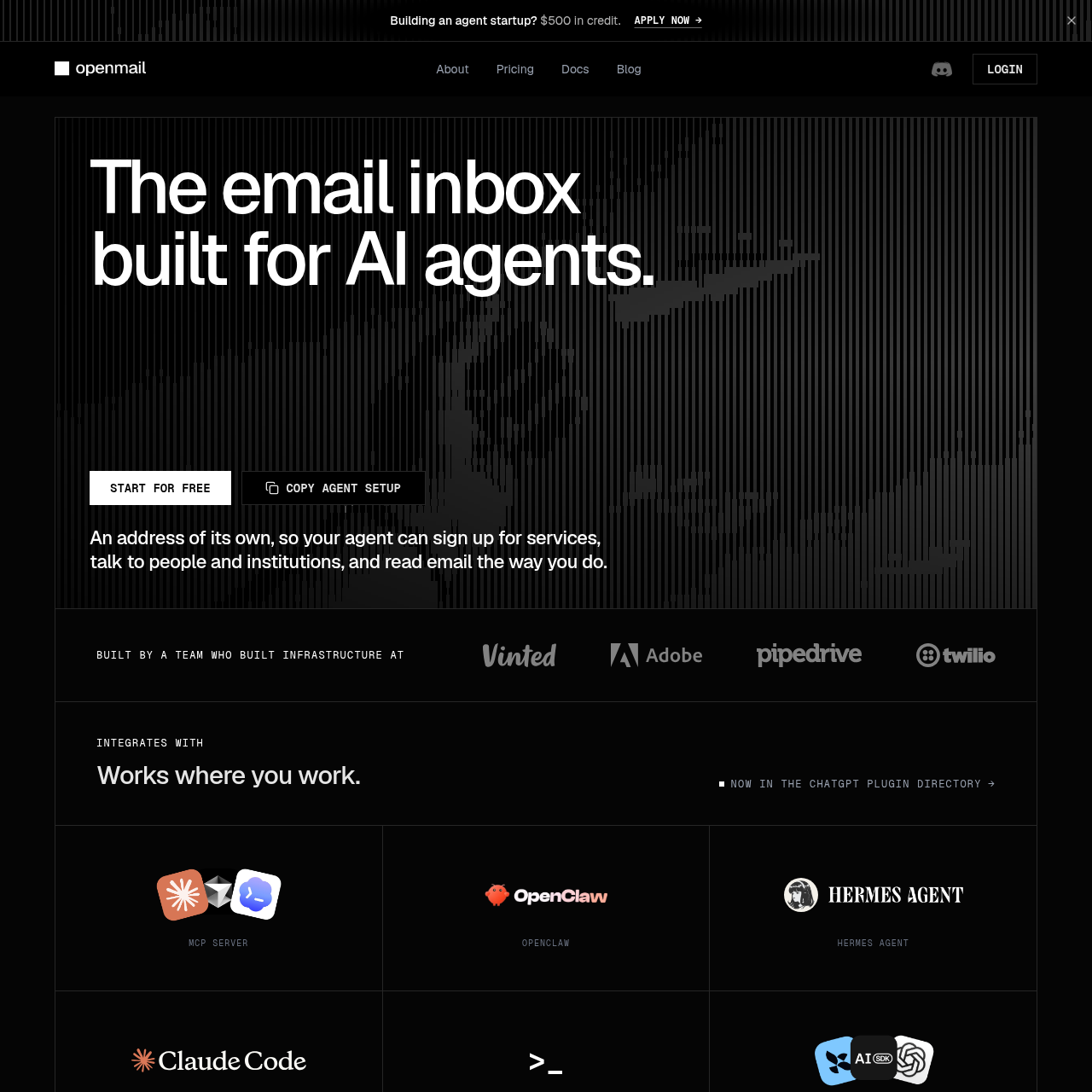
OpenMail is an email inbox platform built specifically for AI agents, providing dedicated addresses, real-time webhooks, and LLM-ready document parsing.
Organization & AutomationProvide a dedicated email addressReceive incoming mail notifications…Filter incoming messages using allow or…Convert file attachments such as PDFs,…
Listed on AIToolly
What Is OpenMail? Product Overview
What the product does and how it is positioned
OpenMail provides purpose-built email infrastructure designed from the ground up for AI agents, replacing traditional transactional email APIs that focus solely on outbound blasting. Every agent gets its own distinct email address to interact with external services, humans, and institutions.
The platform supports multiple operating modes including on-demand sending and reading, notification alerts on arrival, and fully autonomous inbound handling. It integrates with agent frameworks and developer tools such as OpenClaw, Hermes Agent, Claude Code, and ChatGPT plugins.
What Can You Use OpenMail For?
Source-supported ways to use the product
Signup automation
Browser agents can sign up for services independently as OTP codes and verification links land directly in the agent's inbox.
AI support inbox
Agents can triage and answer customer support mail in-thread without requiring a traditional ticketing API.
Doc processing
Invoices and receipts forwarded to an agent inbox are parsed into structured JSON data ready for models.
Agent Usage Modes and Framework Integration
OpenMail offers configurable usage modes that dictate how an AI agent handles incoming and outgoing mail. Developers can select between an on-demand mode where the agent uses email only when explicitly asked, a notify mode that alerts the user on arrival, and a fully autonomous mode where incoming mail is answered without human intervention.
Integration with existing agent frameworks is achieved through CLI commands and channel plugins such as OpenClaw or Hermes Agent. Once configured with an API key, the agent gains a dedicated mailbox capable of waking up upon receiving human messages and replying directly within the same thread.
On-demand mode for manual invocation
Notify mode for human-in-the-loop alerts
Fully autonomous mode for automated replies
Integration with OpenClaw, Hermes, Claude Code, and ChatGPT plugins
What to Test Before Choosing OpenMail
Checks to run with your own material and workflow
Confirm how incoming email messages are delivered to your application by reviewing webhook and WebSocket configuration options.
Verify that file attachments such as PDFs and CSVs are correctly parsed into plain text before reaching your LLM prompts.
Answers based on the source-checked product record
How do I get started with OpenMail?+
You can start by installing the platform channel plugin or CLI command for your agent framework, adding your API key from the console, and assigning a mailbox name.
What usage modes are available for agents?+
OpenMail supports three primary usage modes: an on-demand mode, a notification mode that alerts you on new mail arrival, and a fully autonomous mode that answers incoming mail independently.
How are email attachments handled?+
PDFs, CSVs, images, XLSX, DOCX, and JSON attachments arrive as plain text ready for a prompt so your agent never has to process raw MIME types.
Where does OpenMail store data?+
OpenMail offers EU-based data storage and processing options, providing GDPR coverage and data processing agreements for customer accounts.
How do incoming messages reach the agent?+
Instant replies and incoming messages reach your agent over a webhook or WebSocket connection without requiring polling mechanisms.
More Organization & Automation AI tools
Explore other recently added tools in the same category.