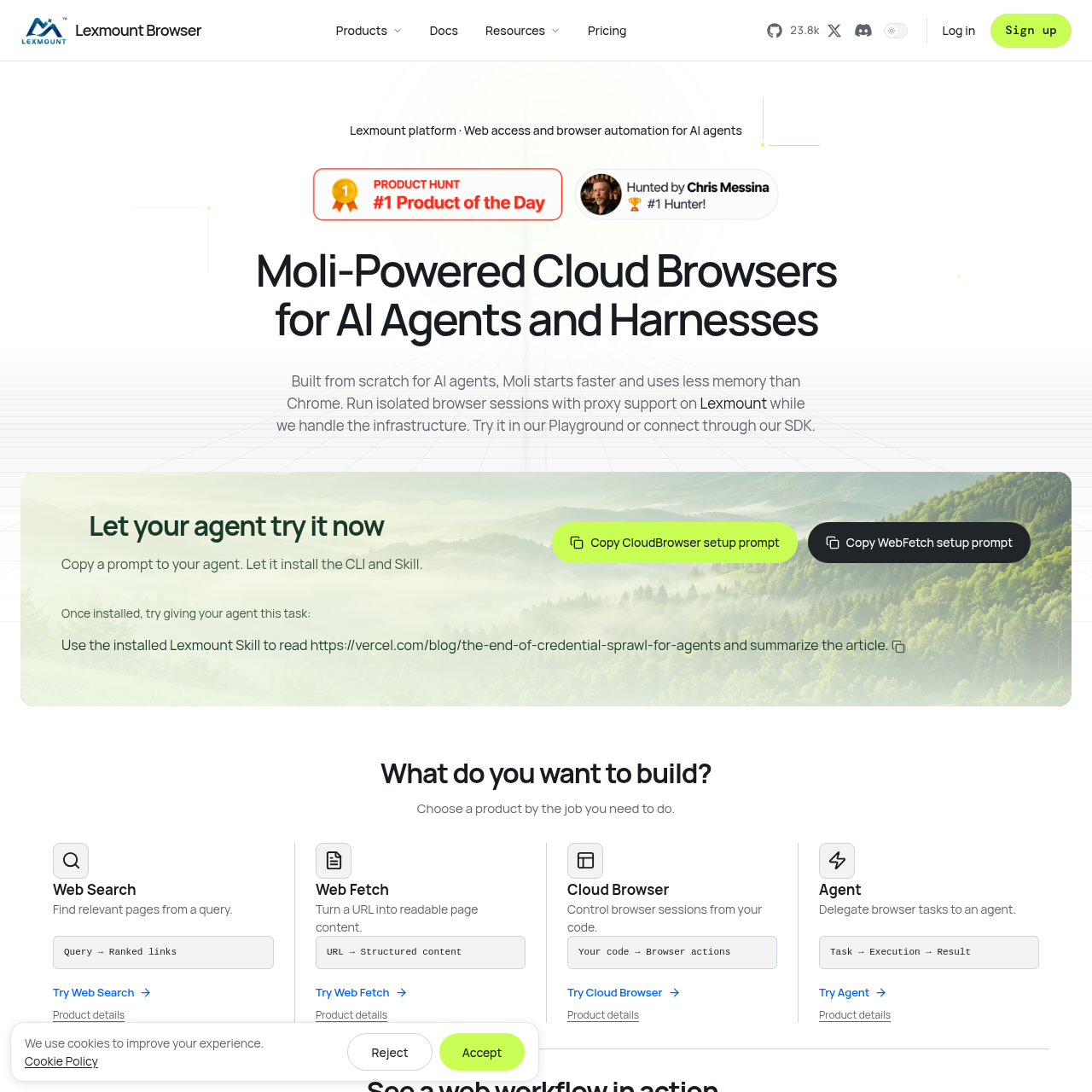
Moli by Lexmount is a browser engine and managed cloud-browser option for AI agents, with APIs for search, fetching, automation, and task execution.
Organization & AutomationSearchTurn a URL into structured content.Control browser sessions from code.Delegate browser tasks to an agent.
Estimated monthly visits
22K
Data period:
Listed on AIToolly
What Is Moli by Lexmount? Product Overview
What the product does and how it is positioned
Moli by Lexmount is an engine designed for AI-agent browser work. It can be used through the Playground, an SDK, or supported CLI and Skill setup.
The broader Lexmount offering combines Web Search, Web Fetch, Cloud Browser, and Agent products. Moli is the engine, while Cloud Browser is the managed service for browser sessions.
What Can You Use Moli by Lexmount For?
Source-supported ways to use the product
Web content extraction
Use Web Fetch to turn a selected URL into structured content for an application.
Documentation research
Combine Web Search, Web Fetch, and Cloud Browser to find documentation, read details, and interact with a page.
Agent browser tasks
Delegate a browser task to an agent and receive an execution result.
Programmatic browser control
Control managed browser sessions from application code through the Cloud Browser API.
How to Use Moli by Lexmount
The documented workflow, where available
1
Find relevant pages
Submit a query to Web Search to retrieve relevant documentation or other ranked links.
2
Read page content
Pass a selected URL to Web Fetch to obtain structured page content.
3
Interact with the page
Use Cloud Browser to control the browser and take actions on the selected page.
Choosing between Moli and Chromium
Lexmount describes Moli as the default Playground engine for structure and interaction tasks. Chromium is positioned for persistent contexts, extensions, file workflows, and compatibility-sensitive visual tasks.
Moli supports DOM, text, links, forms, and network responses.
Chromium is documented for broader compatibility and specific session features.
Engine capabilities should be checked before selecting an engine.
What to Test Before Choosing Moli by Lexmount
Checks to run with your own material and workflow
Confirm that the selected engine supports the required browser capabilities.
Verify whether observability features are available for the intended engine and session settings.
Check the documented proxy setup and limits for the planned network route.
Review whether persistent contexts, extensions, or file workflows require Chromium instead of Moli.
Answers based on the source-checked product record
What is Moli by Lexmount?+
Moli is Lexmount's browser engine for AI agents. It is used with Cloud Browser for managed sessions and can also be explored through the Playground or connected through an SDK.
What can the Lexmount web products do?+
Web Search finds relevant pages, Web Fetch turns a URL into structured content, Cloud Browser controls browser sessions from code, and Agent delegates browser tasks for execution.
How does Moli differ from Chromium in the documentation?+
Moli is presented for structure and interaction tasks, including DOM, text, links, forms, and network responses. Chromium is documented for broader compatibility, persistent contexts, extensions, and file workflows.
Can browser sessions use proxies?+
Yes. Lexmount documents configuration of an official or custom proxy for a browser task, with separate guidance covering proxy setup, limits, and local network access.
Can users inspect browser execution?+
Lexmount documents live session inspection and available execution evidence, including dashboard, network, snapshots, and logs. Availability depends on the engine and session settings.
More Organization & Automation AI tools
Explore other recently added tools in the same category.