ScreenCursor favicon

ScreenCursor

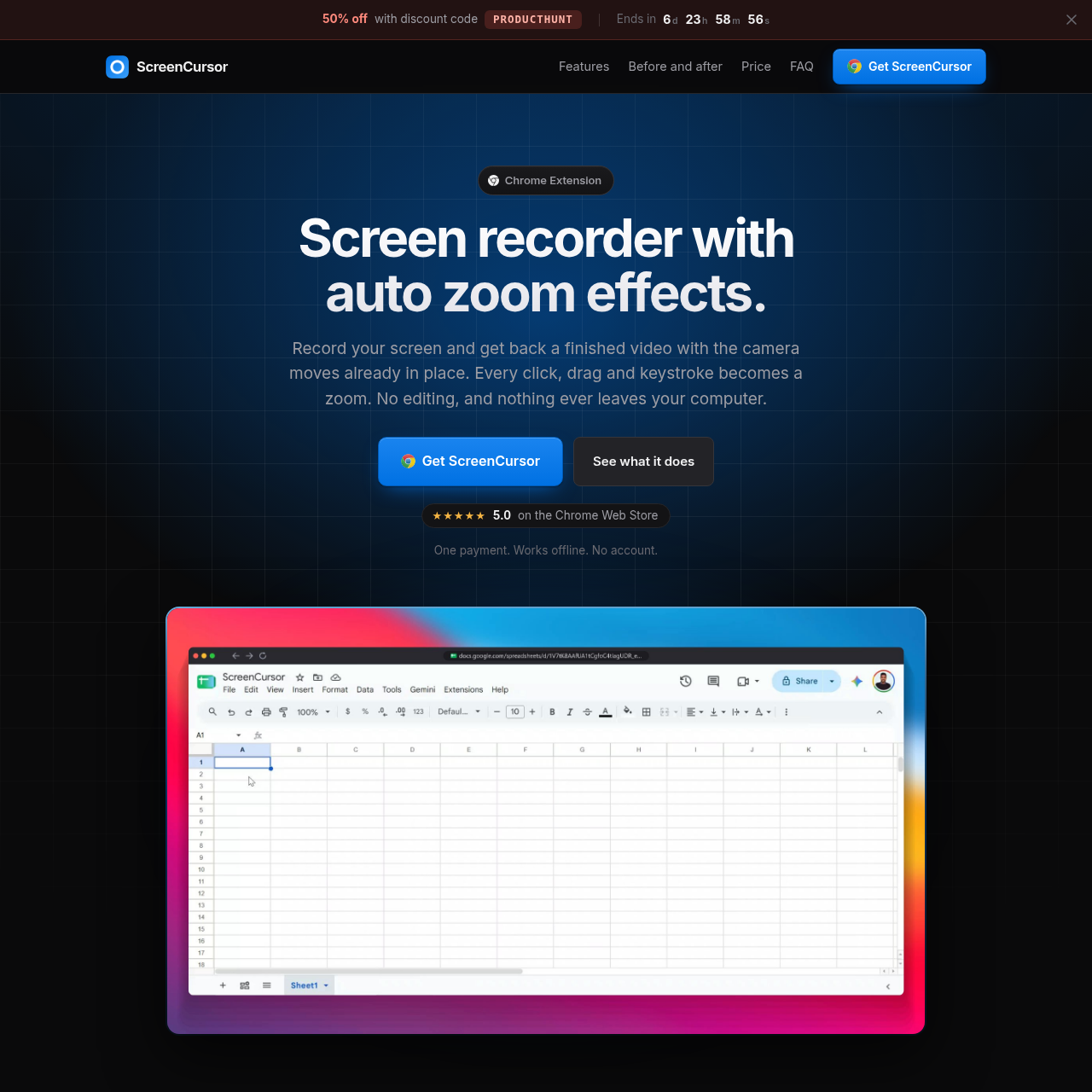
ScreenCursor is a local Chrome extension that records screens and automates zoom effects on clicks, drags, and keystrokes.

Plugins & ExtensionsRecording the full screen, desktop, and…Automating zoom generation and cursor…Trimming, splitting, and accelerating…Exporting MP4 video at 720p or 1080p…
ScreenCursor product interface screenshot
Listed on AIToolly

What Is ScreenCursor? Product Overview

What the product does and how it is positioned

ScreenCursor is a browser-based screen recording tool distributed as a Chrome extension for macOS, Windows, and Linux. It automatically detects cursor clicks, drags, and keystrokes during a session, turning those user interactions into focused camera movements without requiring manual video editing.

The tool processes all recording, editing, and video generation directly on the host computer without transmitting data to external servers. Users can adjust or remove automatic zooms, modify framing and aspect ratios, trim dead air, and export the final video as an MP4 file at resolutions up to 1080p.

What Can You Use ScreenCursor For?

Source-supported ways to use the product

Software Demonstrations

Recording full-screen workflows across web tools and desktop applications with automated zooms focusing on interaction points.

Framed Product Walkthroughs

Applying browser frames, custom backgrounds, and adjusted aspect ratios to capture clean product footage for distribution.

How to Use ScreenCursor

The documented workflow, where available

  1. 1

    Start Screen Recording

    Select the target screen to begin recording, allowing the three-second buffer to pass so Chrome's sharing notification bar can be hidden.

  2. 2

    Perform Actions with Automatic Zooming

    Navigate applications while clicks, drags, and keystrokes automatically generate timed camera zooms and cursor-following movements.

  3. 3

    Edit, Frame, and Export

    Adjust zoom properties, apply backgrounds or frames, trim or speed up segments, and export an MP4 video up to 1080p to the Downloads folder.

Automatic Zoom Generation and Post-Capture Adjustments

ScreenCursor automates video editing during capture by registering user interactions as camera focus triggers. Each click, drag, and keystroke creates a zoom event that arrives immediately prior to the user's action, holds steady, and follows cursor movement across the recorded area.

Users retain manual control over the generated camera paths after capture. Zooms can be individually retimed, moved, deepened, set to snappy or gentle transition styles, or deleted, while the underlying timeline allows clip splitting and speed adjustments without desynchronizing camera coordinates.

  • Captures clicks, drags, and typing as triggers for camera movement
  • Includes controls to add custom zooms or modify depth and transition motion
  • Rebuilds the camera view live as timeline edits and zoom adjustments are made

What to Test Before Choosing ScreenCursor

Checks to run with your own material and workflow

  • Confirm that the host device possesses hardware video encoding capability to support smooth screen recording.
  • Verify that 720p or 1080p MP4 exports meet project distribution and platform requirements.
  • Check whether missing capabilities such as webcam overlays or motion blur are needed for your specific video recording workflow.

ScreenCursor Sources and Last Checked

What was checked and when

Last checked

ScreenCursor Frequently Asked Questions

Answers based on the source-checked product record

Does ScreenCursor upload recorded videos to a server?

No. Recording, editing, and video exports are executed entirely inside the browser on your computer. Videos are not uploaded to any remote server, and using the software does not require an account.

Which operating systems and environments support ScreenCursor?

ScreenCursor runs as a Chrome extension, enabling it to function on macOS, Windows, and Linux environments where the Chrome browser operates with hardware video encoding.

Can recorded camera zooms be manually adjusted or removed?

Yes. Users can retime, shift, deepen, or delete any automatically generated zoom, switch motion dynamics between snappy and gentle, or add new zoom points directly on the recording.

What screen content can ScreenCursor capture?

ScreenCursor can record the entire display, including external desktop programs and design applications running outside the Google Chrome browser.

What file formats and resolutions does ScreenCursor export?

ScreenCursor exports finished recordings as MP4 video files at 720p or 1080p resolution directly to the computer's Downloads folder.

Explore other recently added tools in the same category.