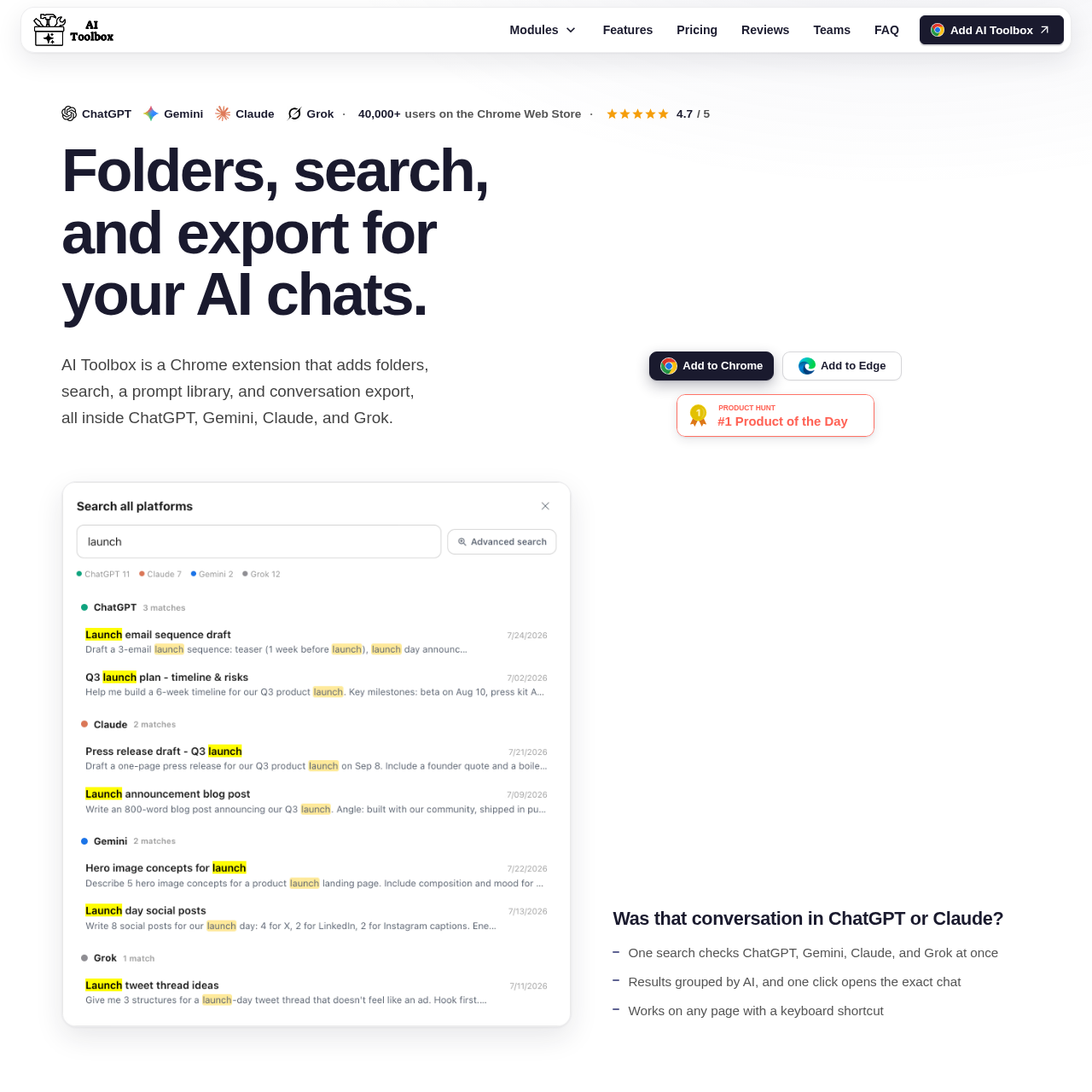
AI Toolbox is a browser extension that enhances AI chat platforms by adding folder organization, full-text search, prompt management, and bulk export capabilities to ChatGPT, Gemini, Claude, and Grok.
Plugins & ExtensionsBulk export of conversationsBulk delete and archive of chatsMessage bookmarkingUsage dashboard
Estimated monthly visits
180K
Data period:
Listed on AIToolly
What Is AI Toolbox 3.0? Product Overview
What the product does and how it is positioned
AI Toolbox serves as an organizational layer for major AI chat interfaces, addressing the lack of native folder structures and advanced search features.
The extension integrates directly into the sidebar of supported AI platforms to manage chat history and export data without requiring external server storage for conversation content.
What Can You Use AI Toolbox 3.0 For?
Source-supported ways to use the product
Developer Workflow
Developers can organize technical documentation, code snippets, and debugging sessions into structured folders for quick retrieval.
Content Strategy
Marketers and writers can manage multiple content campaigns by saving reusable prompts and categorizing drafts across different AI platforms.
How to Use AI Toolbox 3.0
The documented workflow, where available
1
Installation
Install the extension from the Chrome Web Store into a Chromium-based browser.
2
Organization
Access the toolbox in the AI sidebar to create folders, sort conversations, and save prompts.
3
Data Management
Use the export feature to download conversations as PDF, Markdown, or text files.
Data Privacy and Storage
AI Toolbox emphasizes a local-first approach to data management. Conversation content is stored directly within the user's browser and is not permanently held on the company's servers.
While conversation text remains local, specific user-generated elements such as folders, tags, and saved prompts are synced to servers in an encrypted format.
Conversation content is never sent to external servers for tagging.
Smart tagging processes occur entirely within the browser environment.
The extension is fully GDPR compliant.
What to Test Before Choosing AI Toolbox 3.0
Checks to run with your own material and workflow
Confirm that the extension supports the specific AI platforms currently in use by checking the sidebar integration after installation.
Review the storage settings to confirm that conversation data remains local to the browser as documented.
Answers based on the source-checked product record
What platforms does AI Toolbox support?+
AI Toolbox supports ChatGPT, Gemini, Claude, and Grok, providing consistent organizational tools across all four platforms.
Does AI Toolbox store my chat conversations on its servers?+
No, conversation content lives on your device and is not permanently stored on company servers; only metadata like folders and prompts are synced and encrypted.
Can I export my conversations using this tool?+
Yes, the extension allows you to export conversations in PDF, Markdown, plain text, and JSON formats, either individually or in bulk.
Is there a free version of AI Toolbox?+
Yes, a free plan is available that includes basic features such as limited folders, saved prompts, and search results without requiring a credit card.
How does the cross-platform search work?+
The search feature indexes your history across all supported AI platforms and allows you to perform a single query to find results grouped by platform.
More Plugins & Extensions AI tools
Explore other recently added tools in the same category.