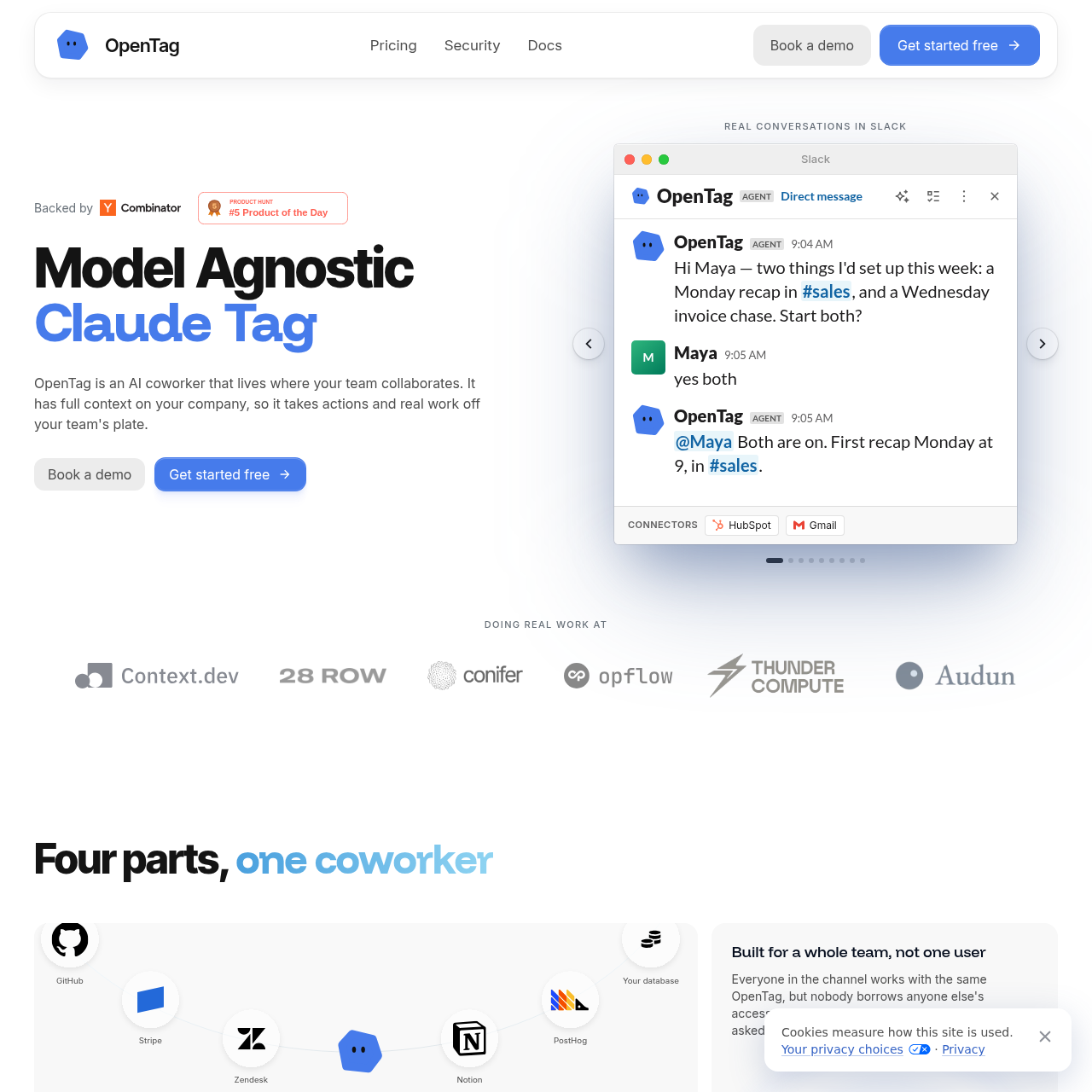
OpenTag is a model-agnostic AI coworker for Slack and Teams that automates repetitive tasks and maintains a self-updating company wiki.
Organization & AutomationRoutes tasks to a library of 80+ AI…Updates documentation automatically…Executes actions across integrated…Maintains user-specific permissions so…
Listed on AIToolly
What Is OpenTag? Product Overview
What the product does and how it is positioned
OpenTag functions as an AI teammate integrated directly into team collaboration platforms like Slack and Microsoft Teams. It utilizes a model-agnostic routing system to direct tasks to over 80 different AI models, including Claude, GPT, and Gemini, based on the specific requirements of the request.
The tool is designed to reduce manual workloads by identifying recurring tasks and offering to automate them. It also maintains organizational knowledge by automatically updating a central wiki as decisions are made in chat threads, so that documentation reflects current company operations.
What Can You Use OpenTag For?
Source-supported ways to use the product
Automated Reporting
OpenTag identifies when a user manually pulls the same data multiple times and offers to automate the report delivery on a weekly schedule.
Dynamic Knowledge Management
When a policy change is discussed and finalized in a Slack channel, OpenTag automatically revises the corresponding wiki page and archives the previous version.
How to Use OpenTag
The documented workflow, where available
1
Platform Integration
Connect OpenTag to Slack or Microsoft Teams and link relevant data sources such as HubSpot, GitHub, or internal databases.
2
Task Initiation
Mention OpenTag in a chat thread to request information or perform an action across connected tools.
3
Automated Routing
The system analyzes the request and routes it to the most suitable AI model from its library of over 80 options.
4
Review and Approval
OpenTag returns the completed work in-thread, providing the steps taken and requesting approval for any external actions.
Model-Agnostic Architecture
OpenTag operates on the principle that the tagging and routing layer should be independent of any single AI model provider. By using the Conifer routing system, it can access a wide variety of models ranging from high-end frontier models to more efficient specialized models.
This architecture allows the tool to optimize for both performance and cost. While complex reasoning tasks might be routed to Claude or GPT, simpler tasks are handled by models that fit the specific requirements of the job without unnecessary overhead.
Access to 80+ AI models including Claude, GPT, and Gemini.
Automatic routing based on task complexity.
Independence from single-vendor model constraints.
What to Test Before Choosing OpenTag
Checks to run with your own material and workflow
Verify integration support for specific company databases and third-party tools like Stripe or Zendesk.
Confirm the wiki update mechanism by observing how the tool handles policy changes discussed in chat threads.
Check the automation suggestion feature by repeating a specific data request over several weeks to trigger a scheduling prompt.
Review the sandboxed execution logs to ensure tasks are isolated and scoped correctly to user permissions.