Cloud Computer by Manus
Manus Cloud Computer: A Persistent, Always-On Cloud Environment for 24/7 AI Automations and Scripts
Manus Cloud Computer is a dedicated cloud-based machine designed to run AI bots, Python scripts, and software 24/7 without requiring technical server management. Unlike temporary sandboxes, it offers a persistent environment where files, tools, and setups remain intact indefinitely. Users can host 24/7 Slack or Discord bots, manage live MySQL databases, and deploy open-source tools like WordPress or Home Assistant through simple plain-English prompts. By removing the need for AWS configuration or coding knowledge, Manus Cloud Computer allows anyone to build professional-grade, always-on projects. It operates on an Ubuntu OS and provides monitoring for CPU, memory, and storage, bridging the gap between local laptop limitations and professional cloud infrastructure.
2026-05-04
23200.0K
Cloud Computer by Manus Product Information
Manus Cloud Computer: The Persistent, Always-On Solution for AI Automations
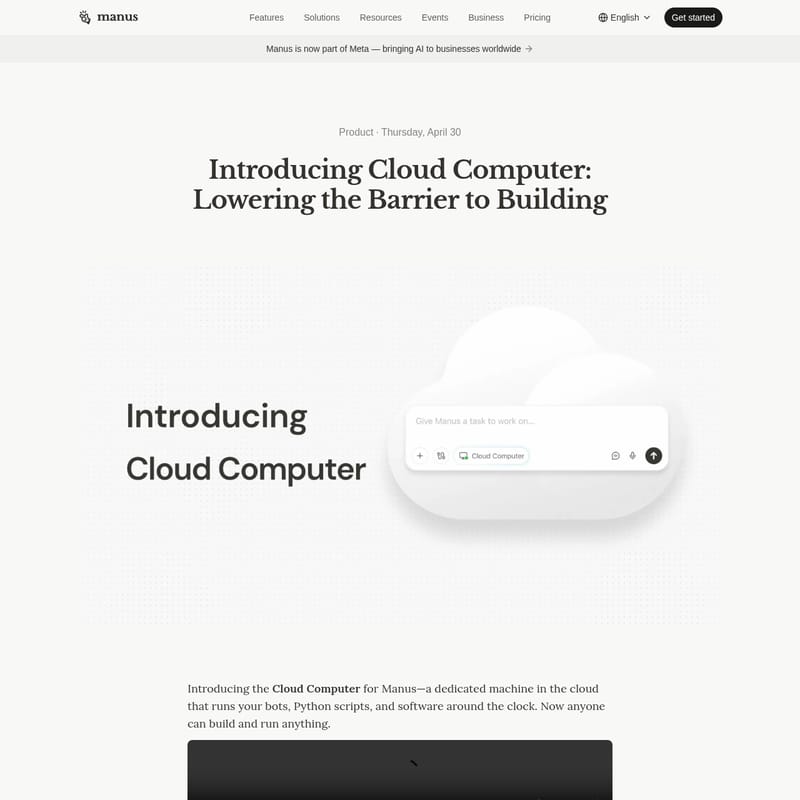
In the modern era of artificial intelligence, the ability to run software continuously is often the difference between a simple tool and a professional-grade solution. Manus Cloud Computer represents a significant shift in how businesses and individuals interact with the cloud. Now part of Meta, Manus is bringing sophisticated AI capabilities to businesses worldwide, lowering the barrier to building complex, persistent systems.
The Manus Cloud Computer is a dedicated machine in the cloud designed specifically to run your bots, Python scripts, and software around the clock. By removing the technical walls that previously required deep knowledge of AWS, Vercel, or server configuration, the Manus Cloud Computer allows anyone to build and maintain an ongoing digital presence.
What's Manus Cloud Computer?
Manus Cloud Computer is a persistent, dedicated virtual environment that acts as a bridge between your local machine and the professional cloud. Traditionally, if you wanted a program to run 24/7, you had to manage an operating system, handle security keys, and maintain servers. This technical burden meant that building automations that never sleep was a privilege reserved only for developers.
Your laptop is not built for the cloud; it sleeps, shuts down, and disconnects from Wi-Fi. The Manus Cloud Computer solves this by providing a machine that never turns off. Whether you are building a customer service bot or a complex database, the Manus Cloud Computer ensures your work continues even when your physical laptop is closed. Furthermore, it introduces persistence. Unlike a standard AI chat that starts from a blank slate, the Manus Cloud Computer functions like a personal laptop where files stay put, tools stay installed, and progress is never lost.
Key Features of Manus Cloud Computer
- Uninterrupted 24/7 Operation: The primary advantage of the Manus Cloud Computer is its uptime. It runs around the clock, ensuring that any task Manus sets up remains active while you are asleep or traveling.
- Persistent File System: Every regular session with Manus usually resets. However, with the Manus Cloud Computer, the hard drive is persistent. Files created on Monday are still there on Friday, allowing for the creation of ongoing projects rather than one-off tasks.
- No-Code Cloud Management: There are no servers to rent or complex code to learn. You simply describe the desired outcome in plain English, and the Manus Cloud Computer handles the technical setup.
- Resource Monitoring: Users can monitor vital statistics, including CPU usage, memory, and storage, directly from a user-friendly dashboard.
- Isolated Ubuntu Environment: The system runs on Ubuntu, a stable and widely used Linux distribution, providing a professional-grade environment for all software needs.
- Direct Access Options: For those who need it, the Manus Cloud Computer can be accessed via SSH from a local terminal or through a web terminal in the dashboard.
Use Case Scenarios
The versatility of the Manus Cloud Computer makes it suitable for a wide range of professional and personal applications. Here are several ways to leverage this always-on environment:
1. Hosting 24/7 AI Bots
Bots are essential for modern business operations, whether for handling WhatsApp customer service or managing Discord communities. The Manus Cloud Computer handles the "plumbing"—the machine uptime, secure credentials, and API integrations—required to keep these bots live and responsive at all times.
2. Building a Persistent Knowledge Base
Because the Manus Cloud Computer shares the same hard drive across all tasks, you can maintain a live database. For example, you can have Manus manage a MySQL database that tracks weekly sales data, allowing the AI to generate trend reports based on historical data stored directly on the machine.
3. Deploying Open-Source Software
You can host powerful open-source tools without ever touching a terminal. Whether you need WordPress for a blog, Metabase for business dashboards, or Home Assistant for smart home management, the Manus Cloud Computer can install and configure these tools automatically.
4. Running Scheduled Web Scrapers
Automate market research by telling the Manus Cloud Computer to scrape competitor websites at specific times, such as 4:00 AM every morning. It can save results to a spreadsheet and highlight changes, ensuring a fresh report is ready for you every day.
5. Utilizing Professional Developer Tools
Many powerful AI and coding tools are command-line based. The Manus Cloud Computer handles the installation and configuration of these tools for you. You get the power of professional-grade software without needing to understand the underlying terminal commands.
Choosing the Right Environment
Manus offers different environments for different tasks. Use this guide to determine when the Manus Cloud Computer is the right choice:
- Temporary Sandbox: Best for one-off Python scripts, data analysis, or building a quick web app.
- Manus Desktop: Best for organizing local files or controlling applications residing on your physical machine.
- Manus Cloud Computer: Essential for 24/7 bots (Slack/Discord), persistent databases (MySQL), self-hosting open-source tools, and scheduled reports or scrapers.
How to Use Manus Cloud Computer
You do not always need to manually assign a task to the cloud; Manus will often suggest using a Manus Cloud Computer if the task requires continuous uptime. However, to set one up manually, follow these steps:
- Navigate to Settings: Open the settings menu and select My Computer.
- Create Your Machine: Click the Create Cloud Computer button.
- Select a Plan:
- Basic: For simple Python scripts.
- Standard: For active websites and APIs.
- Advanced: For complex team databases.
- Configure Location: Choose your preferred location and storage capacity.
- Monitor Performance: Use the dashboard to keep an eye on your machine's CPU, memory, and storage.
FAQ
Q: How is the Cloud Computer different from the standard Manus sandbox? A: The standard sandbox is temporary and disappears after the session. The Manus Cloud Computer is persistent and stays on 24/7, making it capable of hosting bots and scheduled jobs.
Q: Do I need to know how to code to use it? A: No. You can describe your goals in plain English, and Manus will write the code and configure the environment for you.
Q: Is my local data safe? A: Yes. The Manus Cloud Computer is fully isolated from your personal machine and cannot access your local files.
Q: What happens if I stop my subscription? A: The persistent sandbox will close and the working files will be deleted. However, any final outputs like reports or spreadsheets remain in your chat history.
Q: Can my team access my Cloud Computer? A: Access is strictly controlled based on session permissions to ensure historical files remain protected.
Q: Does Manus always use the Cloud Computer once it is active? A: No. Manus evaluates tasks individually. If a task does not require persistence or 24/7 uptime, it may still start in a temporary sandbox to optimize resources.