Heard
Heard: Ambient Intelligence and Voice Narration for Terminal AI Agents and Developer Workflows
Heard is an advanced ambient intelligence tool for macOS that transforms terminal-based AI agent activity into clear, spoken updates. Designed for developers using Claude Code and Codex, Heard allows users to monitor AI progress away from their desks through intelligent narration, mobile pairing, and customizable voice personas. It features "narration with judgment" to summarize complex logs into concise speech, multi-agent awareness for parallel sessions, and several listening modes including Screen On, Eyes Off, and Alert Only. With a focus on privacy and developer-specific vocabulary, Heard offers both managed and self-hosted options under the Apache-2.0 license.
2026-07-27
--K
Heard Product Information
Heard: Ambient Intelligence for Your Terminal and AI Workflows
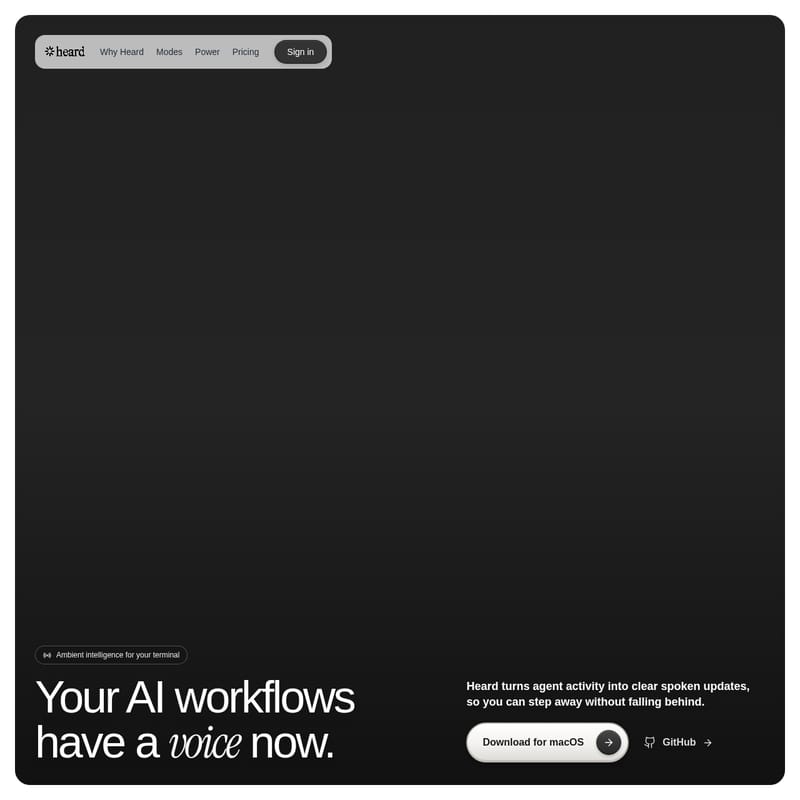
In the evolving landscape of software development, the way we interact with AI agents is fundamentally shifting. While input tools have revolutionized how we provide instructions to our digital assistants, the feedback loop has often remained tethered to the terminal screen. Heard changes this dynamic by introducing ambient intelligence for your terminal, ensuring your AI workflows have a clear, natural voice.
Heard turns complex agent activity into concise spoken updates, allowing developers to step away from their desks without falling behind on progress. Whether your agent is running a test suite, refactoring code, or waiting for a manual approval, Heard keeps you informed through high-quality audio narration.
What is Heard?
Heard is a macOS-based productivity tool designed to monitor and narrate the activities of coding agents like Claude Code and Codex. It serves as an auditory bridge between the developer and the terminal, filtering through the noise of raw logs to provide meaningful context.
Instead of requiring you to constantly watch the terminal for updates, Heard listens to your agent's events and understands what matters in real-time. It transforms technical tasks—such as file scanning, validation, and test execution—into natural speech. With Heard, your agent doesn't just work in the background; it communicates its status, findings, and needs directly to you.
Key Features of Heard
Narration with Judgment
One of the most powerful features of Heard is its ability to provide narration with judgment. Traditional screen readers or notification systems simply transcribe text, which can be overwhelming during complex coding tasks. Heard avoids the "transcript" approach and instead offers a useful update.
For example, if an agent is scanning a payment flow, searching 8 files, updating validation, and running a test suite, Heard won't narrate every line of the log. Instead, it might say:
“Tests are green. I found one stale import and cleaned it up. The build is ready.”
Versatile Listening Modes
Heard offers three distinct listening modes that can be toggled from the menu bar with no prompt tuning or restarts required. These modes ensure you get the right amount of voice for your current situation:
- Screen On (Co-pilot): Designed for when you are actively at your desk. It provides short hooks and signposts to keep pace with your work without narrating every single keystroke.
- Eyes Off (Companion): Perfect for when you take a walk, a drive, or head to the kitchen. This mode provides fuller briefings so that decisions and progress stay clear even when you are away from the screen.
- Alert Only (Focus): This mode keeps Heard quiet until your immediate attention is required. It triggers only for approvals, blockers, failures, or critical decisions waiting to be made.
Multi-Agent Awareness
For developers running parallel sessions or a swarm of agents, Heard provides multi-agent awareness. It follows simultaneous sessions (such as Claude Code and Codex running different tasks) and utilizes salience routing to voice the most important signal. To help you distinguish between tasks, Heard uses distinct voices for different agents, making them recognizable by ear. You can also pin any specific session to ensure you never miss an update from your priority task.
Customizable Personas
Heard allows you to choose a temperament that fits your working style. There are four built-in personas, or you can write your own in a Markdown file:
- Aria: Calm and direct, providing composed updates without extra drama.
- Friday: Bright and breezy, offering upbeat company for long productive sessions.
- Jarvis (Default): Dry and composed, featuring dry wit and careful phrasing.
- Atlas: Cinematic, providing a richer voice for momentum and big moments.
Heard Power: Mobile Connectivity
Heard Power allows you to leave your desk while keeping your session active. By pairing your phone once, you can continue coding by voice through Heard Mobile.
- Listen Anywhere: Live narration follows you to your phone and continues playing even when the screen is locked.
- Talk Back: Use "Hold or Tap to Talk" to send instructions back to the agent on your Mac.
- Built for Code: Features on-Mac speech recognition and developer-specific vocabulary to ensure technical terms remain intact.
- Security: Includes scoped pairing, explicit ambient arming, and automatic disarm safeguards.
Use Cases for Heard
Heard is designed for a variety of developer workflows:
- Stepping Away from the Desk: Use the Eyes Off mode or Heard Mobile to stay updated on long-running builds or test suites while grabbing coffee or taking a break.
- Managing Background Tasks: Let an agent handle a refactor or an API migration in the background while you focus on other work. Heard will alert you only when an approval is needed.
- Commuting or Driving: Keep track of agent progress during your commute with fuller audio briefings.
- Parallel Processing: Monitor a "swarm" of agents working on different parts of a project, using distinct voices to identify which agent is speaking.
How to Use Heard
Setting up Heard is designed to be a seamless experience that takes only a few minutes.
Setup in Minutes
- Download: Install the macOS app and open Heard from your menu bar.
- Choose Your Voice: Select your preferred persona, speaking voice, speed, and listening mode.
- Start Coding: Heard automatically wires into Claude Code or Codex to begin narrating activity.
Command Line Interface
You can also manage Heard directly from your terminal using the following commands:
# Bring Heard into your workflow
$ heard install codex

# Configure your preferred persona
$ heard config set persona aria

# Check status
$ heard status
Pricing and Plans
Heard offers flexible options for individuals and power users. Note that managed plans require macOS 13 or later.
- Free ($0/forever): Includes local Kokoro voices, the ability to bring your own AI and voice keys, built-in voices, custom personas, and hotkeys. It is open source (Apache-2.0).
- Pro ($12/month billed annually): For daily agent work. Includes managed voices and LLMs (no setup required), all-day narration, premium personas (Atlas and Friday), and cloud sync across Macs.
- Power ($24/month billed annually): The most capable plan. Includes everything in Pro, plus Heard Mobile for listening on the go, code-tuned speech recognition, and the ability to approve or redirect agents by voice.
FAQ
Q: Which AI agents does Heard support? A: Heard is built to work natively with Claude Code and Codex (both CLI and App).
Q: Is my code secure with Heard? A: Yes. Heard features safe-by-default protocols, including scoped pairing and explicit ambient arming. You can also self-host the Apache-2.0 engine for a fully local experience.
Q: Can I use Heard while my phone screen is locked? A: Yes, Heard Mobile (available with the Power plan) supports live narration even when your screen is locked.
Q: Does Heard narrate every single terminal command? A: No. Depending on your listening mode, Heard uses "Narration with Judgment" to provide concise summaries rather than literal transcripts of all activity.