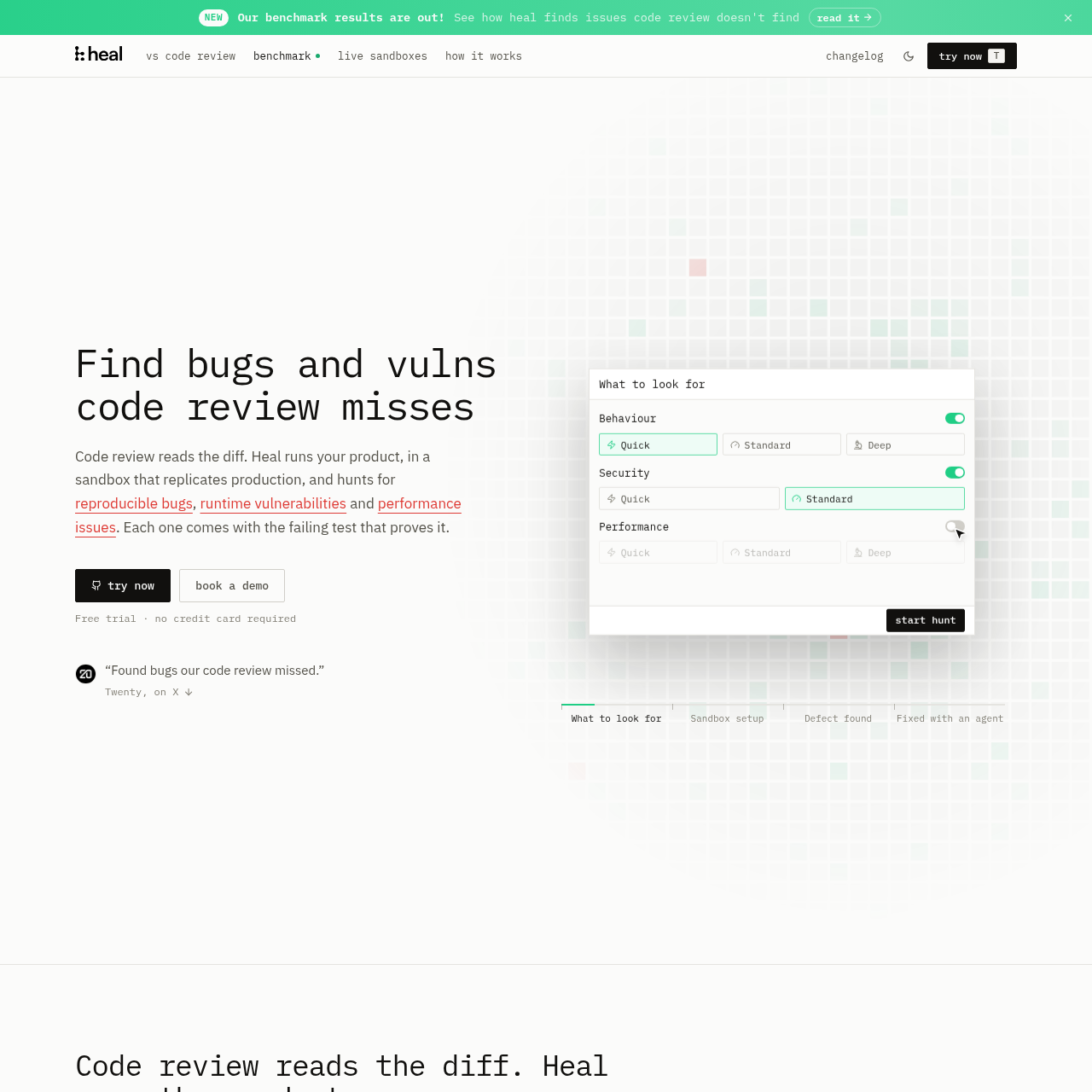
heal.dev runs an application in a production-like sandbox to identify reproducible bugs, runtime vulnerabilities, and performance issues, with evidence such as failing tests and reproduction steps.
Code & ITMaps application architecture and…Builds a sandbox that can use real web…Mocks or emulates payments, mail, and…Checks flows with failed, slow, or…
Listed on AIToolly
What Is heal.dev? Product Overview
What the product does and how it is positioned
heal.dev examines a repository, maps the application's architecture, and builds a sandbox that represents the application environment. It then runs flows and investigates behavior, security, and performance issues.
Reports describe the observed situation, expected result, failed screen, reproduction path, relevant code location, and a test that reproduces the defect. External services that cannot run in the sandbox are mocked or emulated.
What Can You Use heal.dev For?
Source-supported ways to use the product
Release and recurring product checks
Teams can use runtime checks across the whole product before a release or on a recurring schedule.
Integration and failure-path testing
The sandbox exercises flows involving payments, mail, and third-party services with failing, slow, or repeated responses.
Runtime security validation
Security teams can review vulnerabilities that are reproduced by exploits against the sandbox.
Application navigation review
The product crawls the running application to identify missing routes, dead pages, and assets that do not load.
How to Use heal.dev
The documented workflow, where available
1
Map the product
Heal reads the repository and maps the application's architecture, features, routes, and screens.
2
Build a sandbox
It creates a production-like environment using application components, test data, and mocked or emulated dependencies where needed.
3
Hunt for issues
Heal runs application flows and investigates behavior, security, performance, edge-case, and integration conditions.
4
Prove findings
The system files a defect only when a test reproduces it and supplies the failing test and supporting evidence.
Evidence-based defect reports
heal.dev distinguishes a suspected issue from a filed defect by requiring reproducibility. Its reports can show what happened, what should have happened, the affected screen, the reproduction sequence, and where to investigate in the code.
A failing test is included with each reported defect.
The site shows captures and screen-level evidence as part of the report.
The test is rerun by Heal to confirm that the issue remains reproducible.
What to Test Before Choosing heal.dev
Checks to run with your own material and workflow
Confirm that the repository and application environment can be represented in the sandbox.
Verify which external services will be mocked or emulated instead of run as live implementations.
Check whether the desired behavior, security, and performance flows are covered by the available sandbox setup.
Review whether reported findings include the failing tests and evidence needed for the team's triage process.
Answers based on the source-checked product record
What does heal.dev analyze?+
The official product description says heal.dev analyzes a running product, its features, data, and called services, in addition to reading the repository.
What does a defect report contain?+
A report can include the situation, actual and expected behavior, failed screen, reproduction steps, code location, captures, and a failing test.
How does heal.dev handle third-party services?+
Payments, mail, and third-party APIs can be mocked or emulated in the production-like sandbox, with responses replayed as failing, slow, or repeated.
Does heal.dev perform security testing?+
Yes. The source says it runs security exploits against the sandbox and reports security issues that are reproduced by a test.
Where can heal.dev run?+
The official site states that the product can run locally or in the cloud, and that a repository can be connected through GitHub.
More Code & IT AI tools
Explore other recently added tools in the same category.