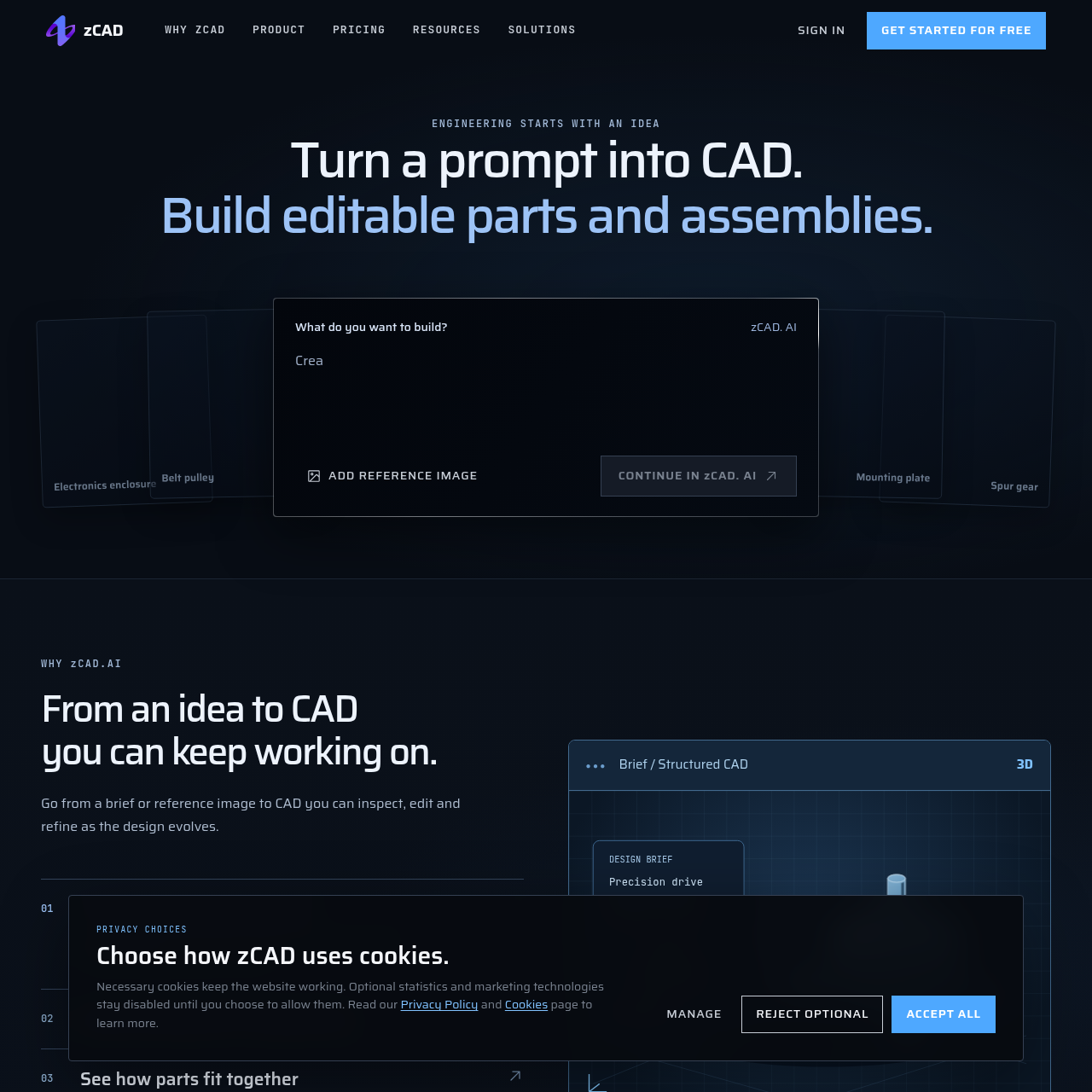
zCAD AI is an artificial intelligence CAD system that converts text prompts and reference images into editable 3D parts and multi-part assemblies.
Animation & 3D ModelingGenerate editable 3D solid parts and…Incorporate functional requirements,…Iteratively revise models by submitting…Export CAD models to standard…
Listed on AIToolly
What Is zCAD AI? Product Overview
What the product does and how it is positioned
zCAD AI allows engineers and designers to turn conceptual briefs and reference images into structured, editable 3D computer-aided design geometry. Users describe functional parameters, dimensions, and interfaces to produce solid parts or multi-component assemblies.
Generated designs can be inspected, iteratively modified with follow-up text prompts, and transferred into zCAD Online for detailed geometric editing, drawing preparation, and collaboration, or exported to formats such as STEP for external CAD use.
What Can You Use zCAD AI For?
Source-supported ways to use the product
Mechanical Component Modeling
Creating editable solid models for parts such as belt pulleys, spur gears, and mounting plates using parametric dimensions and functional constraints.
Multi-Part Assembly Prototyping
Generating complex multi-component structures like drone frames, linkage mechanisms, and enclosures directly from engineering descriptions.
How to Use zCAD AI
The documented workflow, where available
1
Describe the Design
Provide a text brief detailing dimensions, functions, and interfaces, with the option to attach a reference image.
2
Generate CAD Geometry
Process the specifications to create editable 3D solid parts or multi-component assemblies.
3
Inspect and Iterate
Review the generated CAD geometry, verify part relationships, and submit modification descriptions as needed.
4
Continue in zCAD Online
Open the native CAD model in zCAD Online to make granular refinements, prepare production drawings, and collaborate.
Text-and-Image to Structured CAD Generation
zCAD AI translates natural language prompts and optional reference imagery into functional CAD models. Users specify geometric dimensions, interfaces, and boundary constraints to generate editable 3D solids ranging from simple individual components to multi-part mechanical assemblies.
The platform maintains a connected workflow with zCAD Online. Once an initial model is generated and inspected, engineers can carry the native model over to refine geometry, prepare engineering drawings, or export standard formats such as STEP for downstream applications.
Generates editable 3D solid geometry and multi-component assemblies directly from natural language prompts.
Accepts reference images alongside textual constraints such as dimensions, interfaces, and protected geometry.
Supports export to standard engineering file formats including STEP.
Integrates with zCAD Online for continued design refinement, drafting, and collaborative work.
Answers based on the source-checked product record
What types of CAD assets can zCAD AI generate?+
zCAD AI generates editable 3D solid parts and multi-component assemblies, such as enclosures, gears, pulleys, and mechanical frames, based on dimensional and functional descriptions.
Can generated CAD models be exported to other CAD software?+
Yes, the system supports export options including STEP format, allowing generated geometry to be opened and utilized across third-party CAD applications.
What inputs can be provided to generate a CAD model?+
Users can provide natural language prompts detailing design briefs, functional constraints, dimensions, interfaces, and protected geometry, as well as reference images.
How does zCAD AI integrate with zCAD Online?+
Native models generated in zCAD AI can be opened directly in zCAD Online, enabling engineers to further refine geometry, create engineering drawings, and collaborate.
How does the platform handle data privacy and model training?+
Models created on free tiers are public and used for model training, whereas private accounts ensure models remain private across products and are excluded from training.
More Animation & 3D Modeling AI tools
Explore other recently added tools in the same category.