MeshGPT
AIToolly product video
See MeshGPT in motion
MeshGPT: The Advanced AI 3D Model Generator for Game-Ready Assets and Creative Prototypes
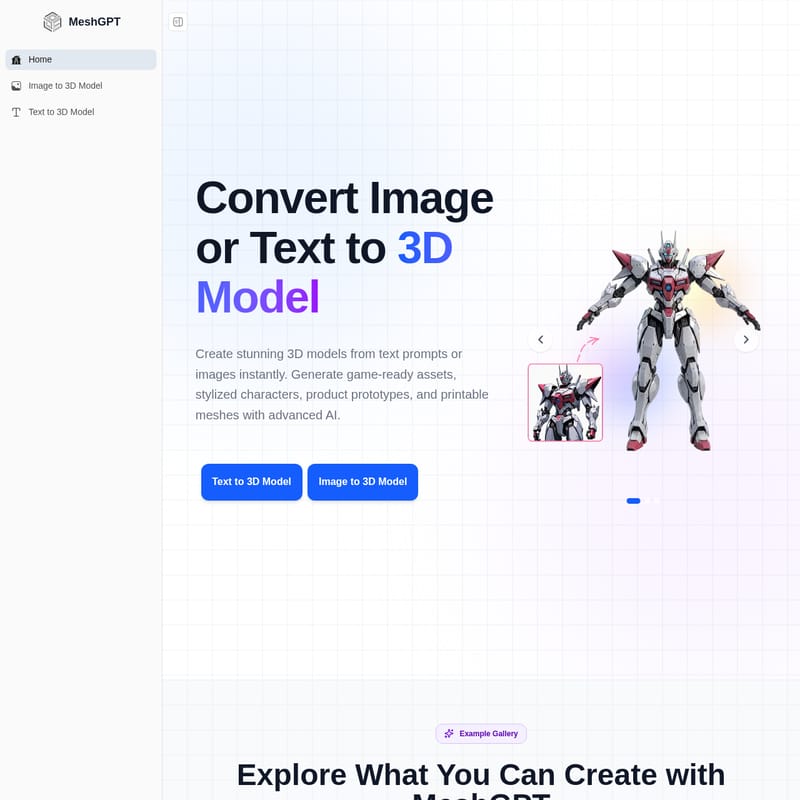
MeshGPT is an industry-leading AI-powered platform designed to revolutionize the 3D creation workflow. By offering powerful Image to 3D and Text to 3D generation tools, MeshGPT allows developers, designers, and hobbyists to create high-quality, production-ready 3D models instantly. Whether you need game assets, anime characters, or printable 3D meshes, MeshGPT delivers clean topology and UVs optimized for major engines like Unity and Unreal Engine. Supporting multiple export formats including GLB, FBX, OBJ, and STL, MeshGPT simplifies 3D modeling for everyone, requiring no prior experience to produce stunning results.
2026-07-02
7.0K
MeshGPT Product Information
MeshGPT: The Ultimate AI 3D Model Generator for Production-Ready Assets
In the rapidly evolving world of digital creation, MeshGPT stands out as a powerful AI-driven solution for generating high-quality 3D models. Whether you are a professional game developer, a product designer, or a creative hobbyist, MeshGPT provides the tools necessary to transform simple text prompts or 2D images into detailed, game-ready 3D assets instantly. By leveraging advanced artificial intelligence, MeshGPT simplifies the complex 3D modeling process, making it accessible to everyone, regardless of their technical background.
What is MeshGPT?
MeshGPT is a comprehensive AI 3D model generator designed to bridge the gap between 2D concepts and 3D reality. It allows users to create stunning 3D models from text prompts or images with unprecedented speed. The platform is built to help creators transform their ideas into high-quality digital assets, including stylized characters, product prototypes, and printable meshes.
With MeshGPT, the time-consuming manual labor often associated with 3D modeling is replaced by efficient AI processing. The platform is capable of generating everything from anime-style characters to complex game props, ensuring that your creative vision is realized with precision and professional flair.
Key Features of MeshGPT
MeshGPT is packed with powerful AI features that are specifically designed to accelerate the 3D creation workflow. From initial generation to final export, every step is optimized for quality and speed.
Image to 3D Conversion
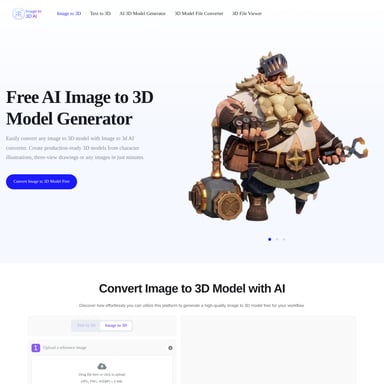
One of the standout features of MeshGPT is its ability to transform any image into a 3D model. By uploading a photo, sketch, or illustration, users can watch as the AI transforms it into a fully textured 3D model in seconds.
- Supported Formats: Works seamlessly with JPG, PNG, and WebP.
- Detail Preservation: The AI preserves original colors and fine details from the input image.
- Applications: This feature is perfect for product visualization, e-commerce, character art, and AR experiences.
Text to 3D Generation
For those who prefer to start with a concept, MeshGPT offers a robust Text to 3D tool. By simply describing an idea with words, you can generate high-quality 3D assets for games, animations, and creative projects.
- Style Versatility: Supports various styles including realistic, cartoon, and low-poly.
- Auto-Materials: The AI automatically generates PBR (Physically Based Rendering) materials and textures.
- User-Friendly: No prior 3D modeling experience is needed to get professional-grade results.
Fast AI Mesh Generation & Optimized Topology
Efficiency is at the core of MeshGPT. The platform is engineered for fast AI mesh processing, allowing creators to generate clean and optimized meshes in a matter of seconds.
- Clean Structure: The AI ensures an optimized topology structure for every model.
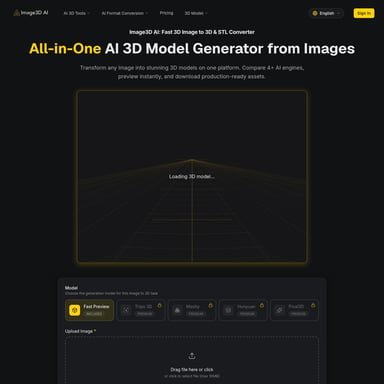
- Instant Preview: Users can instantly preview their generated 3D results within the platform to ensure they meet their specifications.
Multi-Format Export Capabilities
To ensure compatibility with professional workflows, MeshGPT allows users to export their models in several popular formats. This makes it easy to integrate AI-generated models into existing toolchains.
- Supported Exports: Download models in GLB, FBX, OBJ, and STL formats.
- Compatibility: Fully compatible with major 3D software such as Blender, and game engines like Unity and Unreal Engine.
- Automated UVs: The system auto-generates clean topology and UV maps, saving hours of manual work.
Use Cases: Built for Every 3D Workflow
MeshGPT is versatile enough to support a wide range of industries and creative endeavors.
Game Asset Creation
Game developers use MeshGPT to generate weapons, props, and environmental assets. Whether you are working in Unity or Unreal Engine, the platform provides optimized assets that are ready for implementation in indie or AAA titles.
Anime Character Modeling
For animators and VTubers, MeshGPT can turn anime illustrations into detailed 3D characters. This is ideal for fan projects, animation pipelines, and digital character design.
3D Printing Models
MeshGPT is a valuable tool for those interested in 3D printing. It can create printable meshes for toys, figures, collectibles, and prototypes in minutes, providing an STL output ready for your slicer software.
Product & Concept Design
Designers can use MeshGPT to visualize product ideas and mockups instantly. This allows for rapid prototyping and creative concept testing without the high costs of traditional modeling.
How to Use MeshGPT
Creating with MeshGPT is a straightforward process designed for speed and ease of use:
- Choose Your Input: Select either the "Text to 3D" or "Image to 3D" tool based on your project needs.
- Provide Content: Upload a 2D image (JPG, PNG, or WebP) or enter a descriptive text prompt into the AI generator.
- Generate: Let the MeshGPT AI process your request to create a fully textured 3D mesh.
- Preview: Review the generated 3D result instantly to check for detail and accuracy.
- Export: Once satisfied, export your model in your preferred format (GLB, FBX, OBJ, or STL) for use in 3D printing, game engines, or digital art software.
What Creators Say About MeshGPT
MeshGPT is trusted by over a million creators, from independent developers to professional studios.
"The speed at which I can generate 3D models is astonishing. It has simplified my workflow and given my applications an aesthetic uplift that impresses clients." — Tim Karlowitz, Website Developer
"I've been able to create complex, high-quality 3D models in seconds, shaving hours off my usual timescales. This is the best AI 3D model generator I have ever used." — Noah Böhringer, Game Developer at BHR Studios
"Mind-blowing results. I generate cool game assets within minutes and there is even an option to make them low poly. The customer support is equally impressive." — Yuri Shmorgun, Indie Game Developer
FAQ: Frequently Asked Questions
How long does a generation take?
MeshGPT is designed for speed, often generating high-quality 3D meshes and models in just a few seconds.
Is MeshGPT really free to use?
Yes, MeshGPT offers a free tier for users to get started. There is no credit card required to begin creating 3D models today.
What image formats work for image-to-3D conversion?
MeshGPT supports standard image formats including JPG, PNG, and WebP. It can process photos, sketches, and illustrations.
What 3D file formats can I export?
Users can export their generated assets in GLB, FBX, OBJ, and STL formats, ensuring compatibility with all major 3D tools and 3D printers.
Can I use models for commercial projects?
Yes, MeshGPT models are designed for production-ready workflows, including commercial game development and product design.
Do you have an API?
MeshGPT offers API access for those looking to integrate AI 3D generation into their own applications or workflows.