Image3D AI favicon

Image3D AI

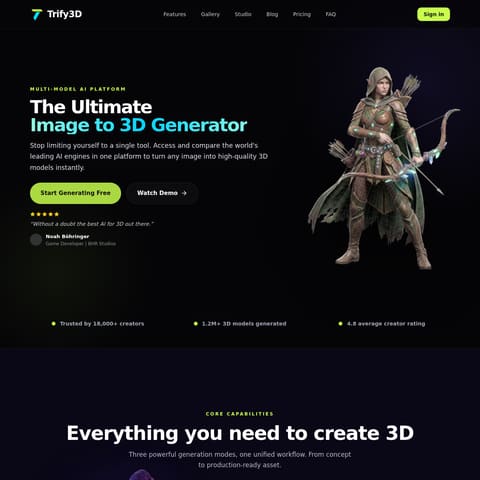
Image3D AI is a comprehensive web-based platform that utilizes multiple AI engines to transform 2D images into production-ready 3D models and STL files.

Animation & 3D ModelingSingle and multi-view 3D model generationAI-powered UV unwrappingAI retopologyPBR material generation
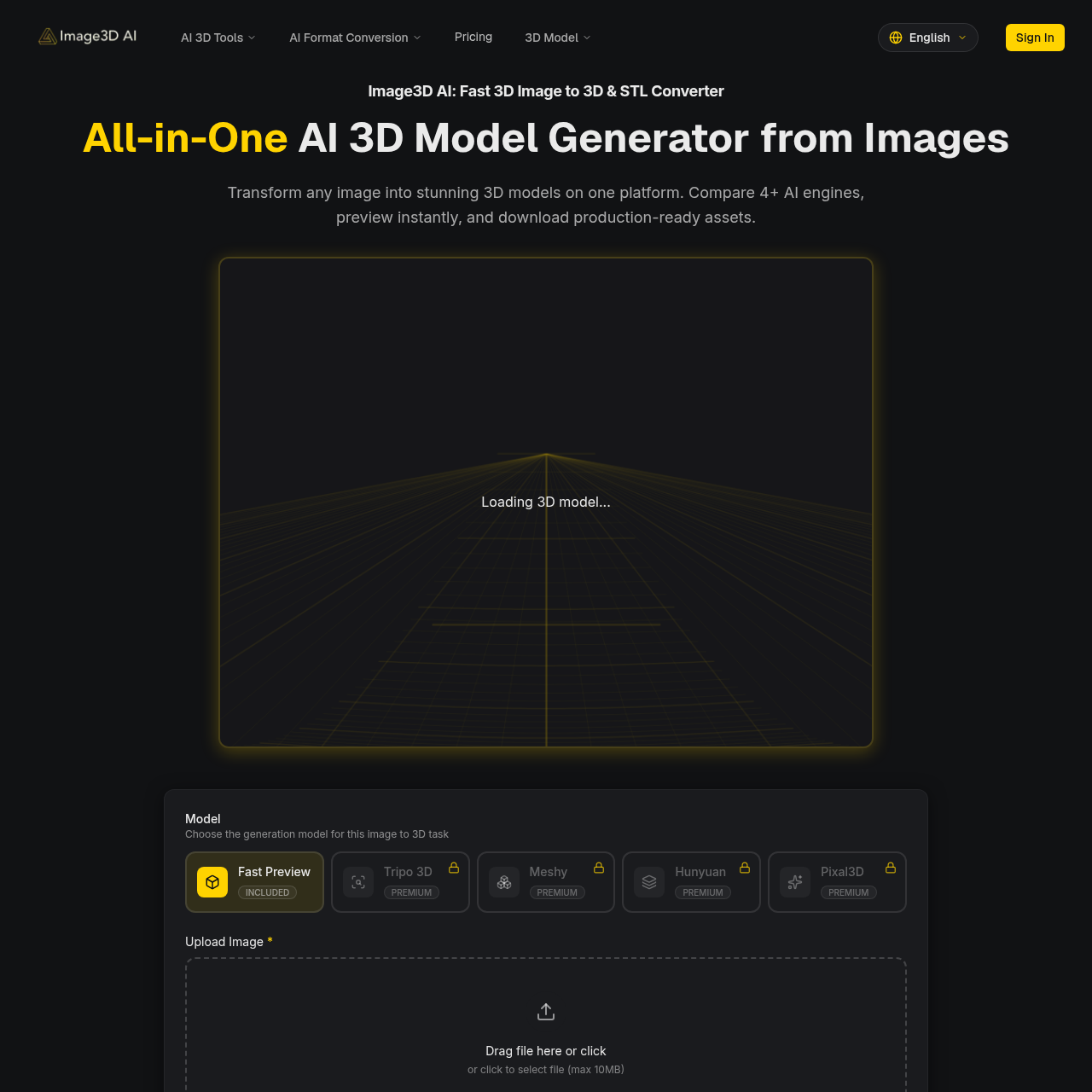
Image3D AI product interface screenshot
Estimated monthly visits
8K
Data period:
Listed on AIToolly
Product video

Image3D AI: AI product overview

Open the full video page

What Is Image3D AI? Product Overview

What the product does and how it is positioned

Image3D AI provides a centralized online workspace where users can generate 3D assets from single or multiple image references using a variety of AI processing engines.

The platform includes specialized tools for AI-driven texturing, UV unwrapping, and retopology to help refine models for gaming, e-commerce, and 3D printing applications.

What Can You Use Image3D AI For?

Source-supported ways to use the product

3D Printing Preparation

Users can convert clear object images into STL files using Geometry mode, which focuses on mesh structure without textures for physical fabrication.

Game Asset Creation

Creators can generate low-polygon assets with PBR materials from concept art, facilitating faster prototyping for Unity or Unreal Engine projects.

How to Use Image3D AI

The documented workflow, where available

  1. 1

    Image Upload

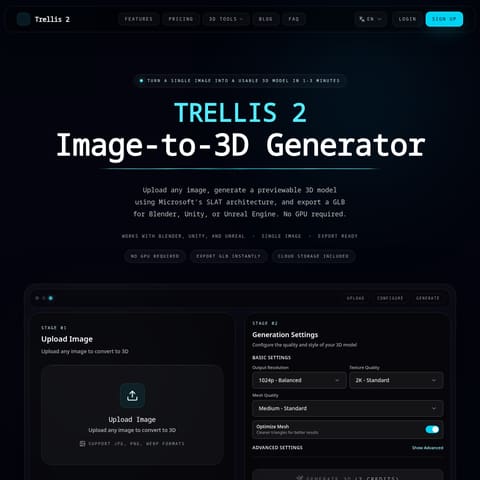
    Provide a PNG, JPEG, or WEBP image up to 10MB, ensuring high contrast and a simple background for the best results.

  2. 2

    Engine and Mode Configuration

    Select a specific AI engine and choose a generation mode such as Normal, Low Poly, or Geometry based on the intended use.

  3. 3

    Generation and Preview

    Process the image to create a 3D model, which typically appears in the interactive browser viewer in under 60 seconds.

  4. 4

    Export

    Download the completed asset in formats like GLB, OBJ, or STL for use in professional design, web previews, or printing software.

Generation Modes and Engine Flexibility

The platform offers a choice between several AI engines, including Tripo 3D, Meshy, and Hunyuan, to accommodate different aesthetic and structural requirements. Users can further customize output through specific modes: Normal mode for general use, Low Poly for performance-sensitive applications like AR, and Geometry mode for high-fidelity structural meshes. This multi-engine approach allows for comparative testing of 3D reconstructions within a single interface.

For increased accuracy, the platform supports a Multi-view Pro Mode. Unlike single-image inference, this mode analyzes front, side, and back views of an object to perform a physically accurate reconstruction. This is particularly useful for real-world objects such as footwear or sculptures where complete volume data is necessary for professional workflows.

  • Normal Mode: Balances speed and quality for general 3D reconstruction tasks.
  • Low Poly Mode: Optimizes the mesh for real-time applications like games or augmented reality.
  • Geometry Mode: Generates a textureless mesh specifically for 3D printing or structural analysis.

Image3D AI Pricing

Human-maintained commercial information

subscriptionfreemium
  • USD 9.9/month

Pricing can change. Confirm the current plan and billing terms on the official site before purchasing.

What to Test Before Choosing Image3D AI

Checks to run with your own material and workflow

  • Confirm the mesh density of Low Poly exports for use in mobile AR environments.
  • Verify the alignment of textures when using the Multi-view Pro Mode for complex objects.
  • Check the structural integrity of STL files generated via Geometry mode for 3D printing.

Image3D AI Sources and Last Checked

What was checked and when

Last checked

Image3D AI Frequently Asked Questions

Answers based on the source-checked product record

What is Image3D AI?

It is an all-in-one platform designed to generate, texture, and convert 3D assets from 2D images using various artificial intelligence models.

Which AI engines can be used?

Users can select from multiple integrated AI engines, including Tripo 3D, Meshy, Hunyuan, and Pixal3D, depending on their specific project needs.

What is the difference between Rapid and Pro modes?

Rapid mode generates 3D models from a single image, while Pro mode uses multiple views to create a more accurate reconstruction of real-world objects.

What file formats are supported for export?

The platform allows users to download their generated 3D models in several formats, including GLB, OBJ, STL, FBX, and USDZ.

How does Geometry mode assist with 3D printing?

Geometry mode prioritizes the physical mesh and skips the texturing process, creating a white model that is optimized for 3D printing workflows.

Explore other recently added tools in the same category.