Swayclip AI Video Generator
AIToolly product video
See Swayclip AI Video Generator in motion
Swayclip: The All-in-One AI Video Generator for Professional Cinematic Content and Multi-Model Creation
Swayclip is a comprehensive AI video generator and creative workspace that allows creators to produce cinematic videos, editorial images, and custom music tracks in a single browser tab using leading AI models.
2026-06-01
--K
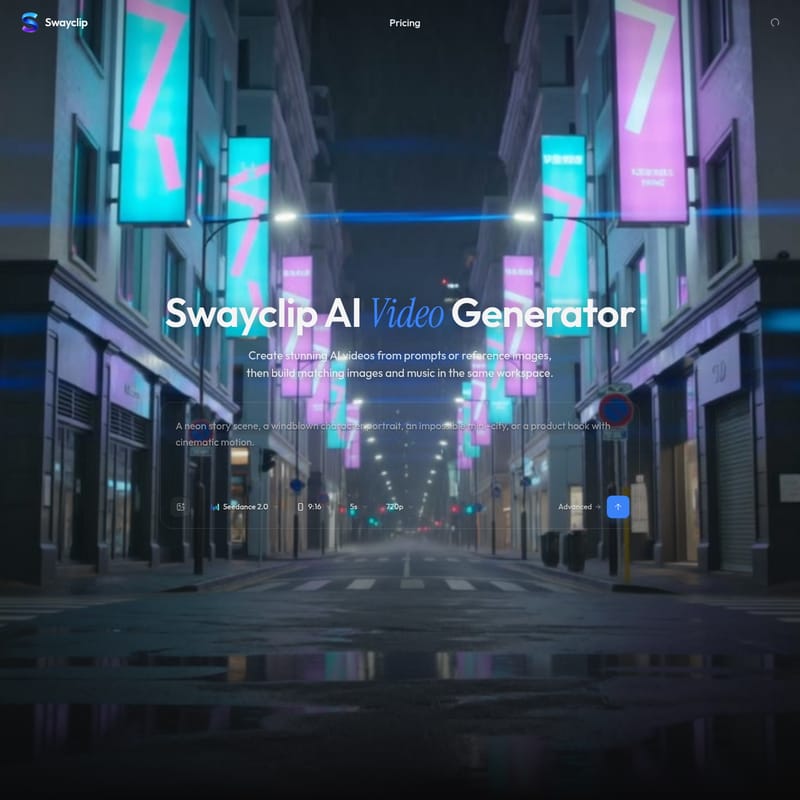
Swayclip AI Video Generator Product Information
Swayclip: The Premier AI Video Generator and Integrated Creative Workspace
In the rapidly evolving landscape of digital content creation, Swayclip emerges as a powerful, all-in-one AI video generator designed specifically for fast-moving creators. By integrating video, image, and audio generation into a single, cohesive workspace, Swayclip eliminates the friction of switching between multiple platforms. Whether you are looking to create cinematic clips from a simple text prompt or generate high-end editorial visuals from reference images, Swayclip provides the professional tools necessary to bring your creative vision to life.
What is Swayclip?
Swayclip is an all-in-one AI video workspace that centralizes the creative process. Unlike traditional tools that focus on a single medium, Swayclip allows users to generate cinematic AI video, professional-grade images, and custom music tracks within a single browser tab.
At its core, Swayclip is built to handle complex creative directions. By utilizing a multi-model approach, the platform gives users access to various leading AI engines, ensuring that every project—from a five-second social media clip to a high-fidelity product shot—benefits from the most advanced technology available. It is a workspace where prompts transform into reality, allowing creators to build matching images and music alongside their video projects for a truly unified production experience.
Key Features of Swayclip
Swayclip is packed with features designed to streamline the workflow of modern creators. Below are the primary pillars of the Swayclip ecosystem:
1. Cinematic AI Video Generation
The AI video generator is the flagship feature of Swayclip. It supports multiple leading AI video models, offering various creation directions. Users can produce high-quality videos with advanced settings, including:
- Multi-Model Support: Access a variety of engines to suit different artistic styles.
- Resolution and Duration: Generate crisp 720p videos, typically in 5-second clips, perfect for social media and advertisements.
- Aspect Ratios: Flexibility to create in 9:16 vertical for mobile-first content or 16:9 for cinematic wide-screen outputs.
2. Professional Image AI
Swayclip goes beyond video by offering a robust Image AI suite. This tool is designed for creating editorial-quality images, posters, and concept art. Key capabilities include:
- Image-to-Image Refinement: Upload reference images and use prompts to refine and transform them into something entirely new.
- Real Layers: Built for designers who need high-fidelity outputs for product shots and posters.
3. Text-to-Music Audio AI
No video is complete without the perfect soundtrack. Swayclip includes a Text to Music tool that turns short creative descriptions into ready-to-cut soundtracks. This allows creators to maintain the same atmospheric tone across both their visuals and their audio.
4. Advanced Model Library
Swayclip provides access to a diverse range of powerful AI models, including:
- Video Models: Kling 3.0, Veo 3.1, Seedance 2.0, and Happy Horse.
- Image Models: GPT Image 2 and Nano Banana.
How to Use Swayclip
Creating with Swayclip is designed to be intuitive and fast. Follow these steps to generate your first professional asset:
- Open the Composer: Navigate to the Swayclip workspace to access all generation tools in one place.
- Input Your Direction: You can start with a text prompt or a reference image. For example, you might describe a "Cinematic slow push-in down a rain-soaked neon city street."
- Configure Settings: Select your desired AI model (such as Seedance 2.0), choose your aspect ratio (9:16 or 16:9), and adjust advanced settings if necessary.
- Generate Video: Hit the generate button to create a high-quality AI video clip.
- Build Matching Assets: Use the same workspace to generate matching images for posters or custom music tracks that fit the mood of your video.
- Refine and Export: Use the Image-to-Image or prompt refinement tools to perfect your output before downloading.
Versatile Use Cases
Swayclip is engineered to handle a wide variety of creative scenarios. Here are some examples of what you can build:
Cinematic Commercials and Social Ads
With fast social-ad pacing and high-quality rendering, Swayclip is ideal for commercial work. Use prompts like "A hand pushes open a dark studio door into a glowing neon product world" to create engaging first-person POV advertisements with teal and magenta rim lighting.
Editorial and Fashion Content
Creators can generate premium editorial fashion films with an atmospheric haze and warm rim light. The platform excels at capturing high-end aesthetics, such as a "large printed editorial poster on a plain concrete wall fluttering gently in a soft breeze."
Product and Concept Art
For product designers, Swayclip provides a way to visualize concepts instantly. Whether it's a "vintage condenser microphone in a warm wood-paneled home studio" or a futuristic product pedestal, the Image AI tools allow for rapid prototyping of visual ideas.
FAQ
Q: What is Swayclip? A: Swayclip is an all-in-one AI video workspace where you can generate cinematic video, editorial images, and music tracks from a single prompt or reference image using multiple leading AI models.
Q: Which AI models can I use? A: Swayclip supports several popular models, including Kling 3.0, Veo 3.1, Seedance 2.0, Happy Horse, GPT Image 2, and Nano Banana.
Q: Can I create from both text and images? A: Yes. Swayclip supports Text-to-Video, Image-to-Video, Text-to-Image, and Image-to-Image workflows.
Q: What formats and resolutions are supported? A: Swayclip currently supports 720p resolution with durations of 5 seconds. You can choose between 9:16 vertical and 16:9 cinematic aspect ratios.
Q: How is Swayclip different from other AI video tools? A: Swayclip is a multi-model workspace. Instead of being locked into one engine, you can use various leading AI models for video, image, and audio all in a single browser tab for a more efficient workflow.
Q: Can I use Swayclip for commercial work? A: Yes, Swayclip is built for creators to produce high-quality content that can be used for commercial projects, including social ads and product showcases.