ngram 2.0
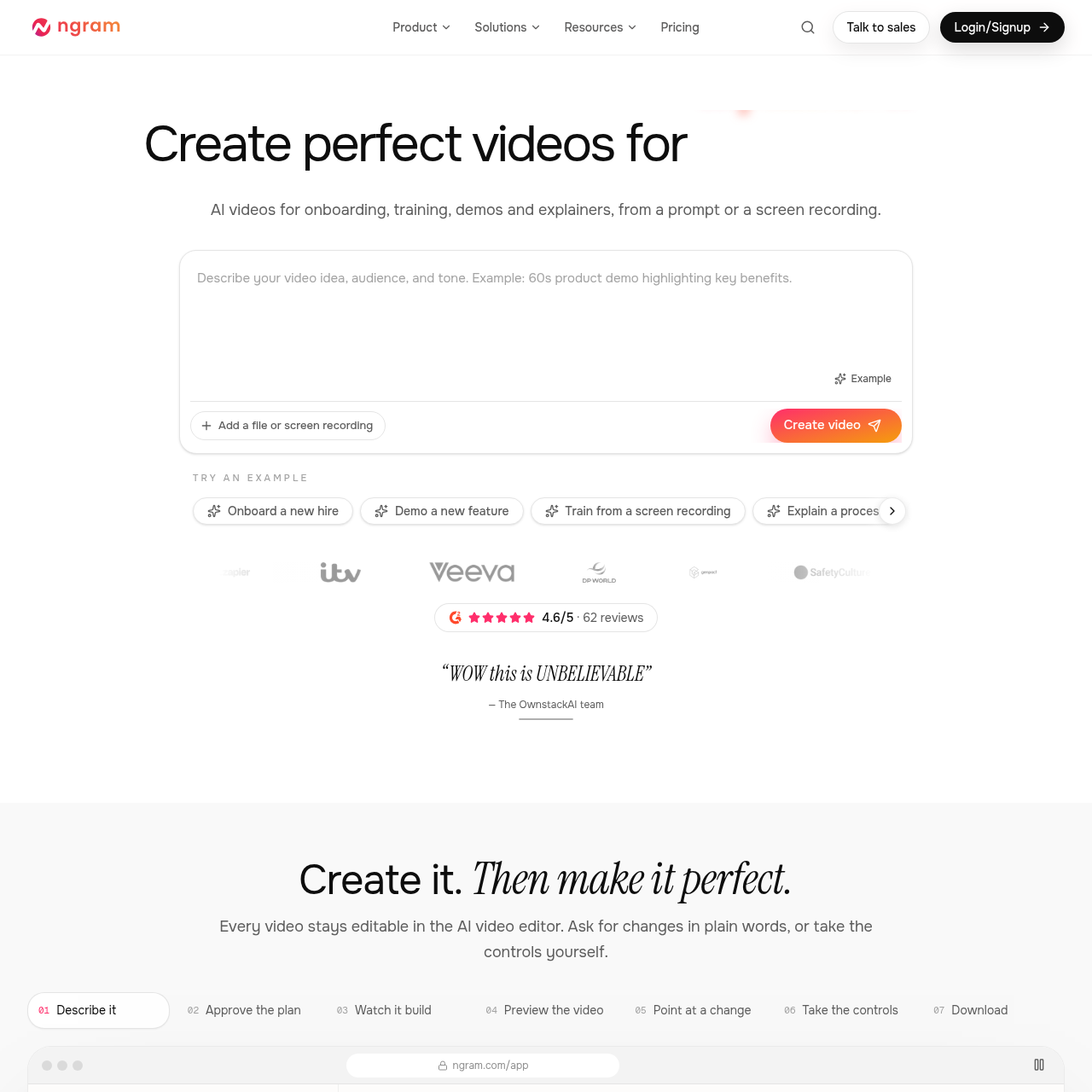
ngram 2.0 is an AI video generation tool that turns prompts, documents, and screen recordings into narrated explainer videos with timeline controls.
What the product does and how it is positioned
ngram 2.0 generates explainer, onboarding, demo, and marketing videos from text briefs, screen recordings, documents, and website references.
The system creates narration, soundtracks, animations, and visuals, providing both conversational prompt-based revisions and direct timeline controls.
Source-supported ways to use the product
The company presents this as a customer use case for converting feature screen recordings and screenshots into structured product walkthroughs.
The company presents this as a customer use case for transforming policy documents, slide decks, or lesson outlines into animated instructional videos.
The documented workflow, where available
Describe the intended video concept, target audience, tone, or provide reference documents and recordings.
Review the automatically outlined multi-scene plan and confirm the proposed structure before media generation.
The platform generates narration audio, soundtrack music, visual assets, and animations automatically.
Preview the rendered video draft side-by-side with its scene-by-scene storyboard structure.
Pin revision instructions to specific frames or scenes to prompt automated adjustments to pacing or content.
Manually fine-tune elements such as captions, background music, narrator voices, and timeline sequence.
Download the completed project as an MP4 or GIF file, or distribute it using an embed code or share link.
The platform accepts initial inputs in the form of plain-text descriptions, screen capture recordings, PDF documents, or website addresses, then structures them into a sequential scene plan.
Once the storyboard plan is approved, the system generates voiceover tracks, background music, visuals, and motion graphics. Users can iterate by chatting to request frame-specific revisions or taking direct control over timeline ordering, voiceover selection, and caption styles.
Checks to run with your own material and workflow
What was checked and when
Answers based on the source-checked product record
Users can start projects with text prompts, screen recordings, screenshots, slide decks, PDFs, documents, or website URLs.
Videos can be exported as MP4 files or animated GIFs, or shared directly using a hosted web link or an embed code.
Videos can be revised by pinning feedback to specific scenes via text chat, or by manually adjusting captions, music, timeline order, and voices.
Yes, the platform supports dynamic AI avatar presenters, custom voices, and the ability to swap narrator voices or languages across scenes.
The system generates voiceover narration, composed soundtracks, visual imagery, motion graphics, and synchronized brand-colored captions.