PPT.AI
PPT AI: AI-Powered Presentation Maker
PPT AI is an AI-powered platform that instantly turns text, documents, PDFs, and videos into professional presentations. Trusted by over 70,000 users, it offers intelligent slide creation powered by GPT-4o, Claude 3.5, and Gemini 2.0, saving up to 95% of presentation creation time. With multilingual support, smart design optimization, and free premium templates, PPT AI is the ideal tool for professionals looking to streamline their presentation process. It’s easy to use, fully customizable, and compatible with PowerPoint, making it perfect for users across industries.
2025-04-15
665.0K
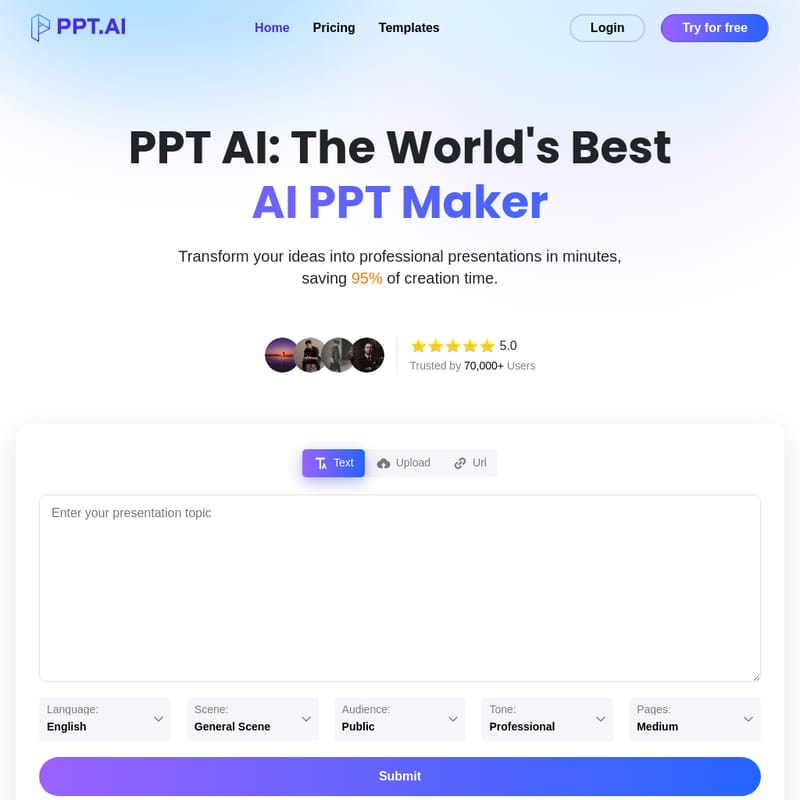
PPT.AI Product Information
PPT AI: Revolutionizing Presentation Creation
What's PPT AI
PPT AI is a state-of-the-art platform that uses advanced AI technology to convert various content formats, including text, documents, PDFs, and even videos, into fully formatted professional presentations. This cutting-edge tool simplifies the presentation creation process by using powerful AI engines such as GPT-4o, Claude 3.5, and Gemini 2.0. By leveraging intelligent content analysis, PPT AI can generate high-quality, structured slides in seconds, saving users up to 95% of the time traditionally required for presentation creation.
Key Features of PPT AI
Instant Conversion
PPT AI enables you to transform documents, spreadsheets, audio, or video into 20+ professional slides in a matter of seconds. This fast and efficient process ensures you can meet tight deadlines without compromising on quality.
Multi-Model Intelligence Engine
The AI behind PPT AI is powered by cutting-edge technologies like GPT-4o, Claude 3.5, and Gemini 2.0, which help intelligently analyze your content and generate perfectly structured slides based on the input provided.
Free Professional Templates
PPT AI offers a vast collection of premium templates for free, allowing you to create visually stunning presentations with smart design recommendations. No more paying extra for templates as many other tools require.
Smart Design Optimization
PPT AI ensures that each slide has a professional layout and visual refinement. The system automatically adjusts text, colors, and designs, optimizing the overall aesthetics of your presentation.
Multilingual Support
With PPT AI, you can create presentations in multiple languages, thanks to its intelligent translation capabilities. This makes it an ideal choice for users across the globe, supporting 15 major languages including Chinese, Japanese, Korean, French, and German.
Effortless Editing & Sharing
Once your presentation is generated, PPT AI provides intuitive editing tools that allow you to customize text, colors, fonts, and images. You can then export your presentation in multiple formats, including PowerPoint (PPTX) and PDF.
Why Choose PPT AI?
Save 95% of Creation Time
With PPT AI, you can generate complete, professional presentations in under 60 seconds, cutting down on the time spent designing slides manually.
No Learning Curve Required
You don’t need any prior experience or training to use PPT AI. Simply upload your content, and the AI will handle the rest, generating professional slides automatically.
Free Premium Templates
Unlike many competitors that charge for templates, PPT AI offers its entire collection of templates for free, even for users on the free plan.
Complete PowerPoint Compatibility
PPT AI ensures that all your presentations are fully compatible with PowerPoint, maintaining all design elements when exporting directly to PPTX format.
How to Use PPT AI
Creating professional presentations with PPT AI is easy. Follow these three simple steps:
Step 1: Input Your Content
Begin by entering your presentation topic or uploading your content (text, Word documents, PDFs, or even videos). PPT AI will automatically analyze your input and create a well-structured presentation outline.
Step 2: Smart Generation
Watch as PPT AI’s powerful AI engine creates your slides in minutes. Select from a variety of templates and let the system optimize the layout and design.
Step 3: Customize and Download
Refine the slides with PPT AI’s easy-to-use editing tools. Adjust the design elements, text, and images to suit your preferences. Once you’re happy with the result, download or present directly from the platform.
Use Case
For Business Professionals
PPT AI can save time and improve efficiency in corporate environments by generating professional business presentations, project reports, company profiles, and more. The tool’s intelligent design ensures that your slides look polished and cohesive.
For Educators
Teachers and educators can quickly create high-quality lesson materials, presentations for research reports, and educational resources with PPT AI’s intelligent design templates.
For Marketing Teams
Marketing professionals can use PPT AI to create product introductions, marketing strategies, and meeting materials, ensuring that their presentations are visually engaging and effective.
FAQ
What is PPT AI and how does it work?
PPT AI is an AI-powered tool that transforms content like text, documents, and videos into structured, professional presentations in minutes. It uses advanced AI technology to analyze and design slides automatically.
How do I get started with PPT AI?
Simply sign up for PPT AI, upload your content or input a topic, and let the AI generate your presentation. You can then review, edit, and download your slides.
What benefits do free users receive?
Free users can create up to 3 presentations per month, access over 50 templates, and download up to 15 slides per presentation with a watermark.
What file formats are supported by PPT AI?
PPT AI supports Word, PDF, TXT, and Markdown for input, and allows exports in PPT, PPTX, and PDF formats.
Can I customize presentations created with PPT AI?
Yes, PPT AI allows you to fully customize presentations by adjusting layouts, fonts, colors, and content to fit your specific needs.
What makes PPT AI different from traditional tools?
PPT AI leverages AI for intelligent content analysis and design optimization, allowing for much faster presentation creation with better visual appeal compared to traditional methods.
Is my data secure with PPT AI?
PPT AI uses bank-level encryption and secure cloud storage to protect your data, along with GDPR compliance and options to delete data anytime.
What languages does PPT AI support?
PPT AI supports 15 major languages, including English, Chinese, Japanese, Korean, French, and German.
How does PPT AI pricing work?
PPT AI offers three pricing plans: Free (3 presentations/month), Plus ($9.9/month or $7.9/month annually), and Pro ($19.9/month or $13.9/month annually).