Quest favicon

Quest

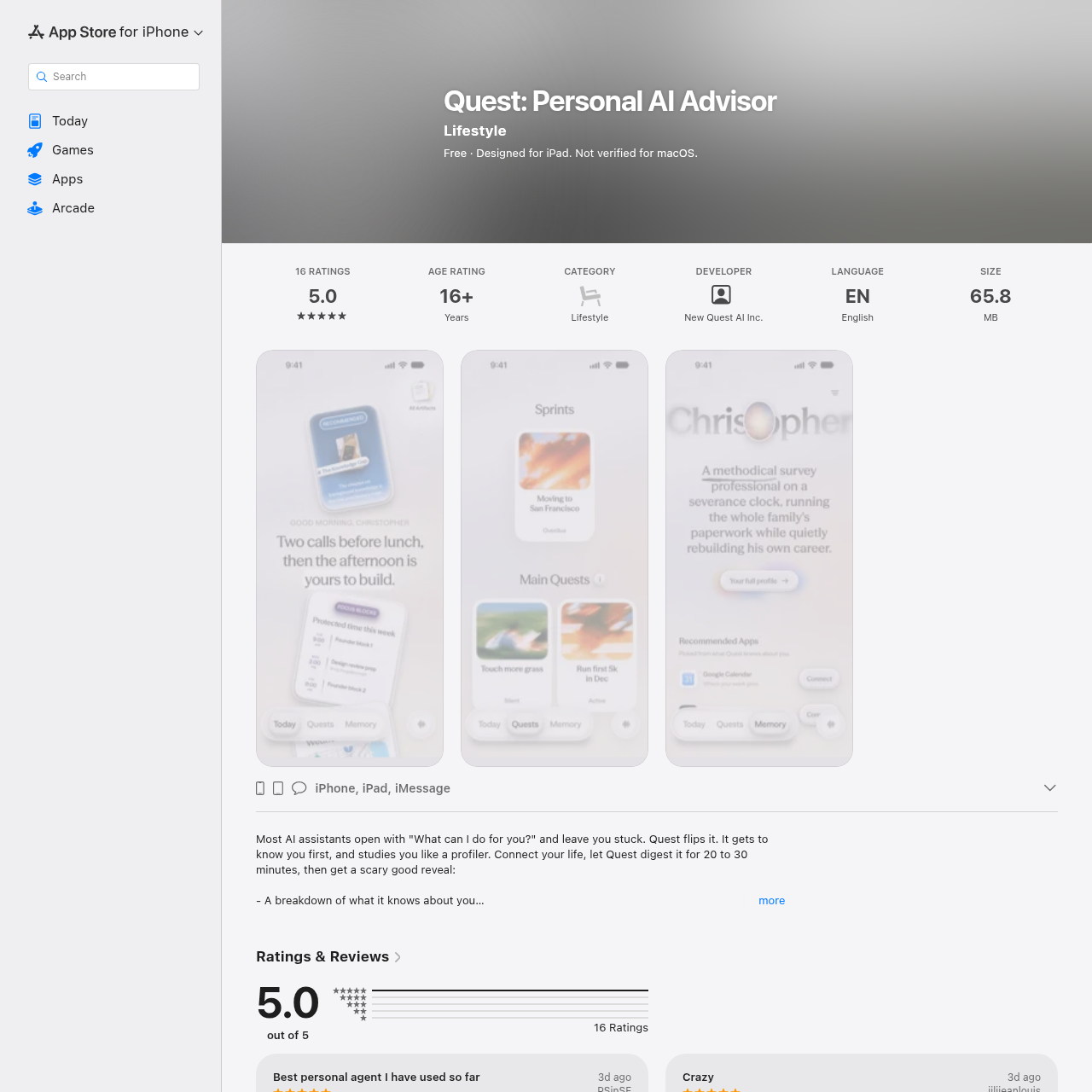
Quest is a personal AI advisor application that analyzes user data to build wiki-based profiles, manage external messaging apps, and create custom mini-apps for life goals.

ProductivityMaps relationships and writes personal…Builds customizable mini-apps to track…Connects to messaging apps like…Secures access using Face ID…
Quest product interface screenshot
Listed on AIToolly

What Is Quest? Product Overview

What the product does and how it is positioned

Quest functions as a personal AI advisor designed to understand users deeply by digesting connected life data over a 20 to 30 minute initial period. Rather than waiting for standard prompts, the system operates proactively to map relationships, build personalized profiles, and establish ongoing memory logs.

The platform supports structured tracking through tailor-made mini-apps built around specific user quests. Additionally, Quest features its own phone integration to handle messaging tasks across supported external applications while coordinating information across other AI tools.

What Can You Use Quest For?

Source-supported ways to use the product

Personal Goal and Habit Tracking

The company presents this as a customer use case where users structure goals, track sports activities, and monitor progress across various personal interests using custom mini-apps.

Meeting and Social Preparation

The official documentation and founder examples report that the application reviews meeting notes, generates practice quizzes, and supplies background context for professional gatherings.

Memory Generation and Proactive Management

Quest constructs an extensive internal profile by writing over one hundred wiki files that map out user relationships, preferences, and long-term goals. This memory base updates daily to maintain continuity without requiring repetitive user explanations.

Beyond passive documentation, the tool acts proactively through dedicated phone and messaging capabilities. It can interact with platforms like WhatsApp, Instagram, and TikTok, manage briefings for separate AI assistants, and deliver tailored updates or suggestions based on ongoing user activities.

  • Daily updating memory files and relationship mapping
  • Automated messaging via WhatsApp, Instagram, and TikTok
  • Coordination and briefing of external AI assistants

What to Test Before Choosing Quest

Checks to run with your own material and workflow

  • Confirm device compatibility by verifying that the operating system meets the minimum requirements of iOS 18, iPadOS 18, macOS 15 with an Apple Silicon chip, or visionOS 2.
  • Review privacy disclosures and data collection practices regarding linked health, location, contact, and user content data.

Quest Sources and Last Checked

What was checked and when

Last checked
Category
Productivity

Quest Frequently Asked Questions

Answers based on the source-checked product record

What platforms are supported by Quest?

Quest is designed for Apple platforms and requires iOS 18.0 or later for iPhone, iPadOS 18.0 or later for iPad, macOS 15.0 or later with an Apple M1 chip or later for Mac, and visionOS 2.0 or later for Apple Vision.

How does Quest handle user memory?

After initial data digestion, Quest writes over 100 wiki files detailing the user's personality, relationships, and goals, updating this memory bank on a daily basis.

Can Quest interact with messaging apps?

Yes, Quest features its own phone capability and can use messaging applications such as WhatsApp, Instagram, and TikTok on behalf of the user.

What are mini-apps in Quest?

Mini-apps are tailor-made tracking spaces built by Quest around each individual user quest to help manage goals, habits, and specific project information.

Does Quest support security features like Face ID?

Yes, updates to the platform include Face ID support to help secure access to the application.

Explore other recently added tools in the same category.