Jotform Claude App
Integrate Jotform with Claude to build, manage, and analyze forms conversationally through the Jotform Claude App.
The Jotform Claude App is a powerful Claude Connector App that allows users to create forms, manage submissions, and analyze data using natural language prompts within the Claude interface.
2026-05-14
42100.0K
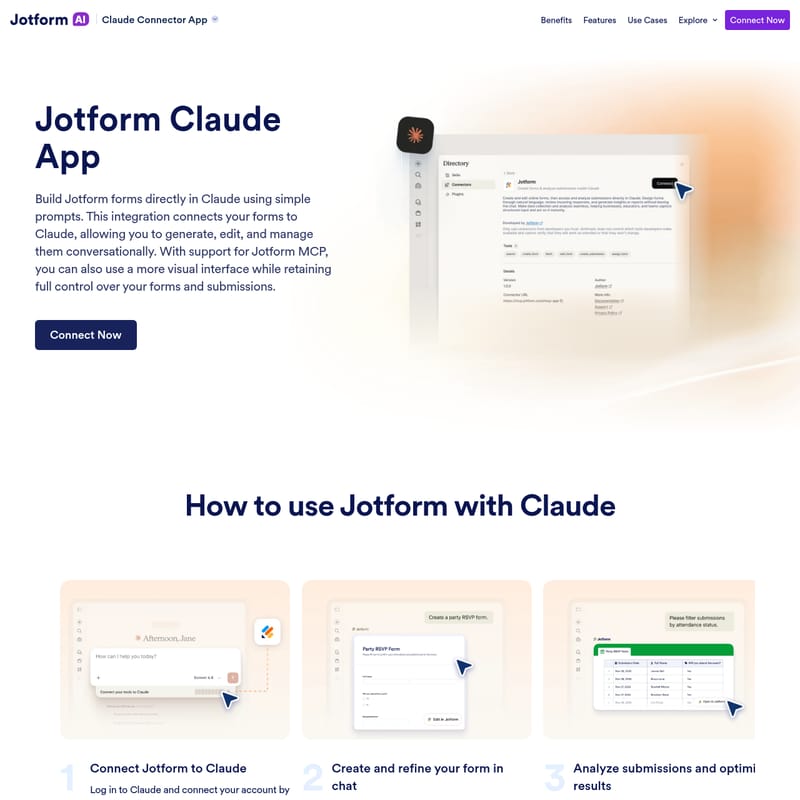
Jotform Claude App Product Information
Elevate Your Data Collection with the Jotform Claude App: The Ultimate Claude Connector App
In the evolving landscape of digital productivity, the Jotform Claude App stands out as a revolutionary tool for businesses and individuals alike. This Claude Connector App allows you to bridge the gap between powerful form building and advanced artificial intelligence. By integrating Jotform forms directly into the Claude environment, users can leverage natural language to build, refine, and manage their data collection workflows without ever leaving their chat interface.
Trusted by over 35 million users worldwide, Jotform has long been the easiest online form builder, offering over 20,000 templates and 150+ integrations. Now, with the Jotform Claude integration, the power of drag-and-drop functionality is enhanced by the conversational intelligence of Claude, making it easier than ever to streamline payments, workflows, and professional data collection.
What is the Jotform Claude App?
The Jotform Claude App is a specialized integration that connects your Jotform account directly to Claude. It is designed to enable users to generate, edit, and manage their forms using simple conversational prompts. Whether you are looking to create a quick feedback survey or a complex lead generation form, this Claude Connector App transforms your instructions into functional web forms instantly.
Furthermore, the integration supports Jotform MCP (Model Context Protocol), which provides a more visual interface for those who want to retain full control over their forms and submissions while still benefiting from the ease of an AI-driven environment. This dual approach ensures that you have the flexibility of chat-based creation alongside the structural integrity of the Jotform platform.
Features of the Jotform Claude App
The Jotform Claude App is packed with features designed to maximize efficiency and provide deep insights into your data. Below are the core capabilities available within this integration:
Generate Forms from Prompts
Eliminate the need for manual dragging and dropping. You can create complete forms simply by describing exactly what you need to Claude. The Jotform Claude App understands your requirements and builds the structure for you automatically.
Conversational Question Refinement
Need to update a question or adjust the structure? You can create clear and relevant questions by asking Claude to modify specific fields. You can update settings and structure with a single ask, ensuring your form is always perfectly tailored to your goals without the need to start from scratch.
Visual Form Design
Design isn’t lost in the chat. You can change themes, layouts, and styling directly in Claude. This allows you to refine the visual appeal of your Jotform forms while you are building them, ensuring they align with your brand identity.
Flexible Field Management
Adapting to changing needs is simple. You can add, remove, and reorder fields at any time. If your project scope shifts, simply tell Claude to adjust the structure, and the Claude Connector App will handle the reorganization instantly.
Comprehensive Form Management
Stay organized by listing and managing your forms within the chat. You can view all your existing forms and select specific ones to update or continue working on without switching tabs.
Advanced Submission Filtering
The Jotform Claude App makes it easy to view and filter submissions. You can pull response data and filter it by specific keywords, field values, date ranges, or submission status, giving you immediate access to the most relevant data.
AI-Powered Data Analysis
Perhaps the most powerful feature is the ability to analyze form responses with AI. You can ask Claude to summarize submissions, identify emerging trends, and provide recommendations based on real-time responses. This turns your data collection tool into a powerful business intelligence asset.
How to Use Jotform with Claude
Setting up the Jotform Claude App is a straightforward process designed to get you up and running in minutes. Follow these steps to start building forms conversationally:
- Connect Jotform to Claude: Log in to your Claude account and navigate to the “Connect your Tools” settings. From there, find and activate the Jotform tool to link your accounts.
- Create and Refine in Chat: Start your session with a simple prompt describing the form you want to build. Once the initial draft is created, refine it conversationally. You can modify fields, update questions, and adjust layouts or styling directly through Claude.
- Analyze and Optimize: After your form is live and receiving responses, use the Jotform Claude App to view submissions. Use the filtering tools to organize your data and ask Claude to generate insights to improve your overall results.
If you prefer a more visual experience, you can also set up Jotform MCP. This is done through Claude’s tools or server configuration, allowing you to interact with your data using both prompts and a visual interface for enhanced control.
Use Cases for the Claude Connector App
The Jotform Claude App is versatile enough to handle a wide range of business scenarios. Here are a few ways you can implement this integration:
Lead Generation
Create a comprehensive lead generation form by asking Claude to include fields for name, email, company size, budget, and project details. You can further qualify leads by adding specific questions regarding their timeline and service needs. To finish the workflow, you can instruct Claude to connect the form to your CRM and trigger a follow-up email after each submission.
Event Management
Use the Jotform Claude App to build registration forms for upcoming events. You can manage attendee lists and use the AI analysis feature to understand dietary preferences or session interest trends among your guests.
Customer Feedback
Quickly deploy feedback forms to gauge customer satisfaction. Once the responses are in, let Claude summarize the feedback to identify common pain points or areas of praise, allowing for faster business pivots.
Order Forms
Streamline your sales process by creating order forms that collect necessary purchase information. Manage these submissions directly within Claude to stay on top of fulfillment and customer requests.
FAQ
What is the Jotform Claude App? The Jotform Claude App connects your Jotform account to Claude, enabling you to create, edit, and manage forms and submissions directly in chat using natural language.
How do I connect Jotform to Claude? You can connect the two platforms via the “Connect your Tools” settings in Claude. Alternatively, you can utilize Jotform MCP for a more visual interaction.
How do I set up Jotform MCP with Claude? You set up Jotform MCP by connecting it through Claude’s tools or server configuration. Once the connection is established, you can access your forms and manage submissions using both text prompts and the visual interface.
By using the Jotform Claude App, you are not just building forms; you are creating an intelligent data ecosystem. Start using the Claude Connector App today to power up your business and manage your data more effectively than ever before.