Eclatira favicon

Eclatira

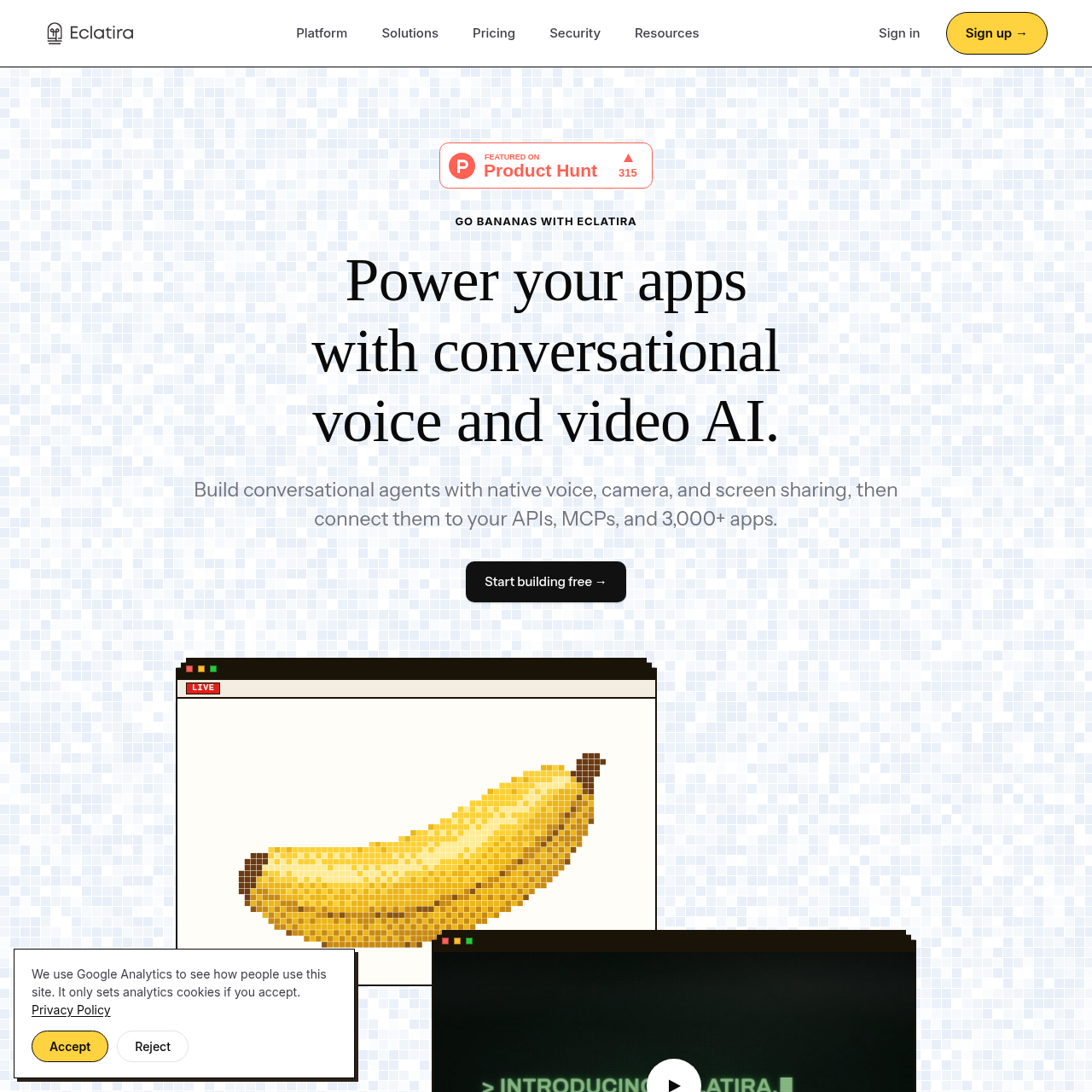
Eclatira is a conversational voice and video AI platform that lets developers build real-time interactive agents capable of native voice-to-voice dialogue, camera perception, OCR, and live screen sharing.

Chat BotReal-time native voice-to-voice…Simultaneous video streaming and…Live screen sharing analysisOptical character recognition on…
Eclatira product interface screenshot
Listed on AIToolly

What Is Eclatira? Product Overview

What the product does and how it is positioned

Eclatira provides an infrastructure and developer platform for creating conversational artificial intelligence agents with native voice and visual capabilities. The system operates a unified bidirectional pipeline, allowing agents to converse at conversational speeds, handle interruptions, and analyze video or screen shares simultaneously.

Developers can configure agents through a plain-language builder or programmatically using a versioned REST API. The platform supports knowledge document uploads, custom tool definitions, telephony features such as batch calls and branded caller IDs, and connectivity to external APIs, Model Context Protocols, and third-party applications.

What Can You Use Eclatira For?

Source-supported ways to use the product

AI Customer Service

Assists customers using interactive voice conversations combined with live camera or screen sharing to provide guided visual troubleshooting.

AI Receptionist and Answering Service

Handles inbound organization calls over telephony or web widgets, providing automated answers and managing incoming inquiries.

AI Lead Qualification

Engages prospective leads through real-time conversational voice dialogues to capture information and evaluate criteria.

How to Use Eclatira

The documented workflow, where available

  1. 1

    Define the Agent Task

    Describe the agent's responsibilities in plain language inside the visual builder or define the agent schema programmatically through the REST API.

  2. 2

    Configure Prompts, Voice, and Knowledge

    Refine the conversational prompt, upload reference documents, and select the agent's vocal profile.

  3. 3

    Connect Tools and Integrations

    Define functional tools and connect the agent to external APIs, Model Context Protocols, or third-party software applications.

  4. 4

    Deploy Across Channels

    Launch the agent via web widgets, telephony connections, batch calling schedules, or branded caller identification systems.

Unified Real-Time Voice and Vision Pipeline

Eclatira streams audio and video through a single bidirectional pipeline rather than running disjointed conversational and computer vision models. This unified approach enables the agent to observe changes in the video feed and discuss them without falling out of conversational synchronization.

The video engine processes live camera feeds and screen shares at up to 30 frames per second within a sub-800 millisecond latency budget. Built-in optical character recognition extracts readable text from labels, screens, and printed pages, while object recognition detects physical products and packaging.

  • Processes camera and screen share streams at up to 30 frames per second
  • Executes voice and visual understanding within a sub-800ms latency budget
  • Uses optical character recognition to read labels, pages, and computer screens
  • Identifies physical items, products, and packaging in live camera frames

Agent Configuration and Integration Framework

The platform provides two configuration paths: an interactive web builder for drafting prompts and voices in plain language, and a versioned REST API designed for programmatic agent creation, tool definitions, and document uploads.

Agents can interface with external systems through developer APIs, Model Context Protocols (MCPs), and a catalog of over 3,000 applications, enabling automated actions during live calls across telephony and web widget deployments.

  • Configures conversational agents via plain-language builder prompts or REST API endpoints
  • Supports document uploads to supply knowledge and context to agents
  • Connects to custom APIs, Model Context Protocols, and more than 3,000 apps
  • Deploys agents through web widgets, telephony infrastructure, and batch calling

What to Test Before Choosing Eclatira

Checks to run with your own material and workflow

  • Verify that the sub-800ms latency budget and 30 frames per second processing meet responsiveness requirements for your video and screen share use cases.
  • Confirm that your technical architecture can interface with the versioned REST API, Model Context Protocols, or supported third-party application connectors.
  • Check the recognition accuracy of the optical character recognition and object identification capabilities against your specific document types and physical products.
  • Review whether your distribution needs match the documented deployment channels, such as web widgets, telephony, and batch calling.

Eclatira Sources and Last Checked

What was checked and when

Official source
https://eclatira.com/
Last checked
Category
Chat Bot

Eclatira Frequently Asked Questions

Answers based on the source-checked product record

What communication channels does Eclatira support for conversational agents?

Eclatira supports native voice-to-voice calls, live camera video, text chat, and live screen sharing within a single bidirectional session.

How does Eclatira synchronize video processing with voice conversations?

Voice and video run through one unified pipeline that processes visual input at up to 30 frames per second within a sub-800 millisecond latency budget.

Can Eclatira read text and recognize physical items during a call?

Yes, the agent uses optical character recognition to read text from pages, screens, and labels, and can identify physical objects, products, and packaging in frame.

What options are available for creating and configuring agents in Eclatira?

Users can build agents by describing tasks in plain language in the agent builder or configure them programmatically using a versioned REST API.

What deployment and telephony capabilities does Eclatira provide?

Eclatira supports deployment through web widgets, telephony channels, branded caller ID, and batch calling, alongside integrations with external APIs and MCPs.

Explore other recently added tools in the same category.