Capso
Capso: The Premier Free and Open Source Screen Capture and Recording Suite for macOS
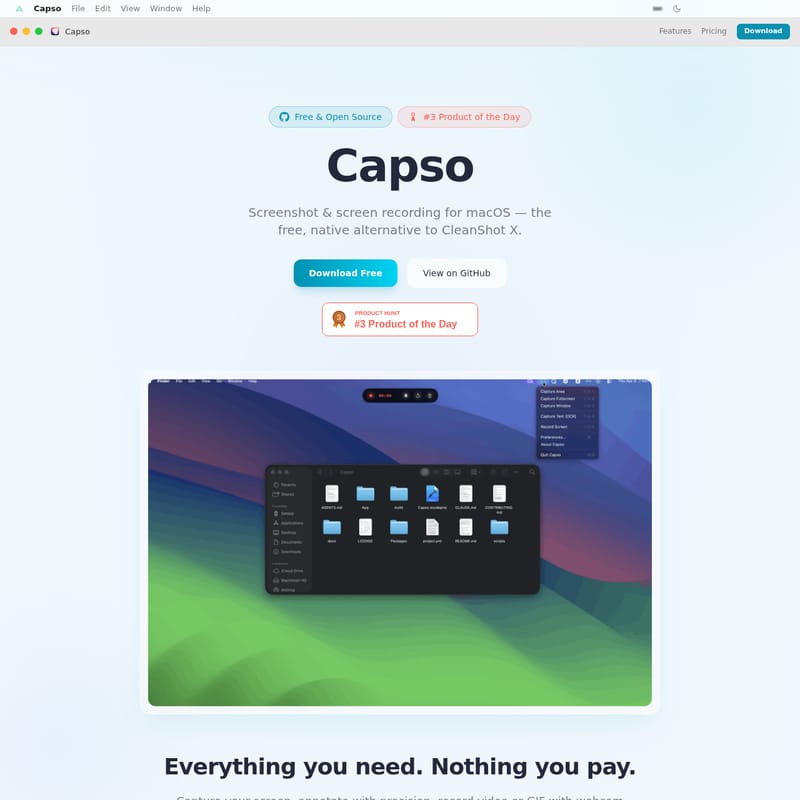
Capso is a powerful, native macOS alternative to CleanShot X, offering a comprehensive suite of tools for screenshots, screen recording, and OCR. Built with Swift 6 and SwiftUI, Capso provides professional-grade features like webcam PiP, annotation editing, and image beautification—all for free.
2026-04-13
--K
Capso Product Information
Capso: The Ultimate Free and Open Source Screenshot & Screen Recording Tool for macOS
In the landscape of macOS productivity tools, finding a balance between power and price can be challenging. Enter Capso, a native, high-performance utility designed to be the definitive free alternative to premium applications like CleanShot X. Built using the latest Swift 6 and SwiftUI frameworks, Capso delivers a seamless, "Apple-native" experience while remaining completely open source and free forever.
Whether you are a developer, a designer, or a power user, Capso provides a robust set of features to capture your screen, record high-quality video, and communicate ideas with precision. With no subscriptions, no feature gating, and no trial periods, Capso is the go-to solution for anyone seeking professional-grade screen capture tools on macOS.
What's Capso?
Capso is an all-in-one screen capture and recording suite for macOS. It is designed to replace multiple tools by integrating area capture, window capture, fullscreen shots, video recording, GIF creation, and OCR text recognition into a single, lightweight application.
As a Free & Open Source project, Capso prioritizes transparency and community. It is licensed under BSL 1.1, allowing personal and internal company use without any cost. The app is fully signed and notarized by Apple, ensuring a secure installation process. If you are looking for a tool that mirrors the functionality of CleanShot X but follows an open-source philosophy, Capso is built specifically for you.
Key Features of Capso
Capso is packed with features that rival commercial software. Here is a breakdown of what makes this tool a powerhouse for macOS users:
Comprehensive Capture Modes
Capso allows you to capture exactly what you need. You can select a specific area with live dimension displays, grab an entire window with a single click, or take a full-screen shot. These actions are available via the menu bar or through fully configurable global shortcuts.
Advanced Screen & GIF Recording
Beyond static images, Capso excels at motion.
- Video (MP4) & GIF: Record your screen in high quality.
- Audio Integration: Toggle system audio and microphone sources easily.
- Webcam Picture-in-Picture (PiP): Show your face while recording with a draggable webcam overlay. Choose from four shapes: circle, square, portrait, or landscape.
- Control: Includes a 3-2-1 countdown and the ability to pause, resume, or restart at any time.
Professional Annotation Editor
Communication is clearer with the Capso annotation editor. After capturing an image, you can instantly apply:
- Arrows, rectangles, and ellipses.
- Text and freehand drawings.
- Numbered counters for step-by-step guides.
- Pixelate/Blur tools to hide sensitive information.
- Highlighters and a full color picker with undo/redo support.
Screenshot Beautification
Turn a raw screenshot into a marketing-ready visual. Capso includes a beautification engine that allows you to add:
- Background color gradients.
- Custom padding and rounded corners.
- Drop shadows.
- Solid or Liquid Glass styles for a modern aesthetic.
OCR Text Recognition
Capso features built-in OCR (Optical Character Recognition). Simply select an area on your screen to instantly copy the text to your clipboard. The visual mode highlights detected text blocks, allowing for selective copying of specific data.
Quick Access & Pin to Screen
After a capture, a floating Quick Access preview appears. From here, you can drag-and-drop the file into other apps, copy it, or pin it. The Pin to Screen feature keeps a capture as an always-on-top window, which is perfect for reference overlays while you work.
Use Cases for Capso
Capso is versatile enough to fit into various professional workflows:
- Software Developers: Use the open-source Capso code (8 independent SPM packages) to learn Swift 6 or embed CaptureKit/AnnotationKit into your own apps. Use the recording feature to document bugs with system audio.
- Content Creators: Use the Webcam PiP and GIF recording to create tutorials or social media content with a polished, "beautified" look.
- Project Managers: Quickly annotate screenshots with numbered counters to provide clear feedback to teams.
- Researchers: Use the OCR feature to grab text from videos or non-selectable PDFs, and use the Pin to Screen tool to keep reference data visible while writing reports.
How Capso Compares
When looking at the macOS screen capture market, Capso stands out by offering premium features at zero cost:
- CleanShot X: While polished, it costs $29. Capso offers similar features (OCR, PiP, Beautification) for free.
- Shottr: A great tool, but lacks the advanced video recording and webcam PiP features found in Capso.
- Cap: Provides basic recording but lacks the advanced annotation and beautification suite of Capso.
Frequently Asked Questions (FAQ)
Is Capso really free? What's the catch? There is no catch. Capso is free forever with no trial, no feature gating, and no subscription. The developers make money from other products and created Capso to give back to the macOS community.
How is Capso different from CleanShot X? Capso covers the same core features—area capture, annotation, recording, OCR, and beautification—but is open source. While CleanShot X offers cloud features and commercial support, Capso provides a native, hackable alternative built with Swift 6.
Can I use Capso at work? Yes. Personal and internal company use is fully permitted under the BSL 1.1 license. You cannot, however, fork Capso to sell it as a competing commercial product.
What macOS version is required? Capso requires macOS 15.0 (Sequoia) or later. It utilizes modern frameworks like ScreenCaptureKit and the Vision framework which are only available on newer macOS versions.
Is the app safe and signed? Yes. The DMG available via GitHub is signed with an Apple Developer ID and notarized, so it will pass macOS Gatekeeper without warnings.
Can I build Capso from source? Absolutely. You can clone the repository from GitHub, use
xcodegento generate the project, and open it in Xcode to build it yourself or explore the 8 independent SPM packages.