Orbit favicon

Orbit

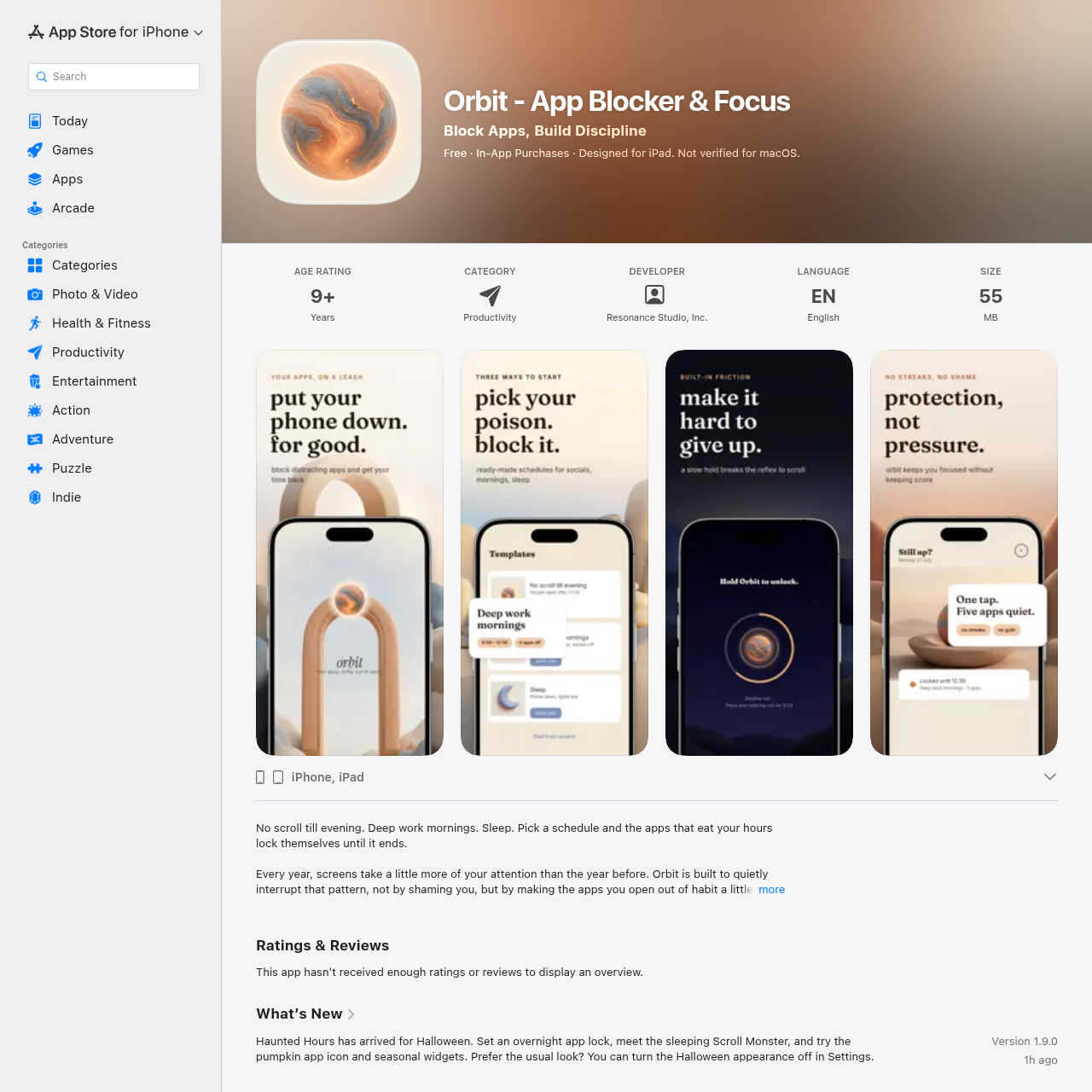
Orbit is an iOS focus app that uses Apple Screen Time technology to lock distracting apps on set schedules, requiring an intentional hold delay or timed break to open them.

ProductivityRestricts access to selected apps using…Configures recurring focus schedules…Applies intentional hold-to-unlock…Permits short, self-expiring access…
Orbit product interface screenshot
Estimated monthly visits
698.8M
Data period:
Listed on AIToolly

What Is Orbit? Product Overview

What the product does and how it is positioned

Orbit is an app blocker designed for iPhone and iPad that introduces intentional friction to habitual screen usage. Built on Apple Screen Time technology, the app enforces scheduled restrictions at the system level to keep chosen applications off-limits during designated hours.

Users can configure preset routines such as focus mornings or sleep windows, or design custom schedules across specific days and apps. When a blocked application is accessed, Orbit requires holding down an unlock prompt for a set duration, or taking a timed break before blocking automatically resumes.

What Can You Use Orbit For?

Source-supported ways to use the product

Morning and Evening Distraction Reduction

Users can activate preset templates such as No scroll till evening or Sleep to keep social apps inaccessible during morning routines and bedtime.

Scheduled Workday Focus

Professionals can implement the Deep work mornings schedule or configure custom hours to restrict distracting applications during productive blocks.

How to Use Orbit

The documented workflow, where available

  1. 1

    Select Off-Limits Apps

    Choose the specific applications on the device that should be restricted during focus periods.

  2. 2

    Configure Schedule

    Select a ready-made schedule template or define custom time windows and active days.

  3. 3

    Encounter Screen Time Lock

    Orbit restricts the chosen applications at the system level during the designated active hours.

  4. 4

    Unlock or Take a Break

    Hold the screen for five seconds to three minutes to unlock an app, or initiate a timed break from three to fifteen minutes.

Intentional Friction Mechanisms and Timed Breaks

Rather than relying on screen time metrics or penalty systems, Orbit uses physical friction to disrupt automatic app launches. When a user attempts to open an application during a locked window, access requires holding a finger down on the screen for a predetermined interval.

For situations where an application must be accessed mid-schedule, the app provides a temporary break mechanism ranging from 3 to 15 minutes. Once the selected break timer concludes, system-level restrictions resume automatically without requiring manual reconfiguration.

  • Configurable hold-to-unlock intervals: 5 seconds, 30 seconds, 1 minute, or 3 minutes
  • Timed break durations: 3 to 15 minutes with automatic re-locking
  • Built without streak tracking, screen time logs, or usage scorecards

What to Test Before Choosing Orbit

Checks to run with your own material and workflow

  • Verify that the target iPhone or iPad is running iOS 16.4 or later.
  • Confirm that Apple Screen Time permissions can be granted to allow system-level blocking.
  • Check that the available hold durations and break ranges suit the intended focus workflow.

Orbit Sources and Last Checked

What was checked and when

Last checked
Category
Productivity

Orbit Frequently Asked Questions

Answers based on the source-checked product record

Which operating systems and devices are supported by Orbit?

Orbit requires iOS 16.4 or later and supports iPhone and iPad. It is explicitly noted as not verified for macOS.

How does Orbit block applications on the device?

Orbit enforces application restrictions at the system level using Apple Screen Time technology during active scheduled windows.

What hold-to-unlock durations can be selected?

Users can set the hold-to-unlock duration to 5 seconds, 30 seconds, 1 minute, or 3 minutes to introduce physical friction.

Does Orbit track screen time or habit streaks?

Orbit does not track screen time, maintain usage statistics, or log habit streaks, keeping all activity local to the device.

Is an account required to operate Orbit or restore purchases?

An account is optional and is never required to use Orbit or to restore previously completed in-app purchases.

Explore other recently added tools in the same category.