LookAway 2
LookAway: The Ultimate Mac App for Smart Breaks, Eye Health, and Posture Reminders
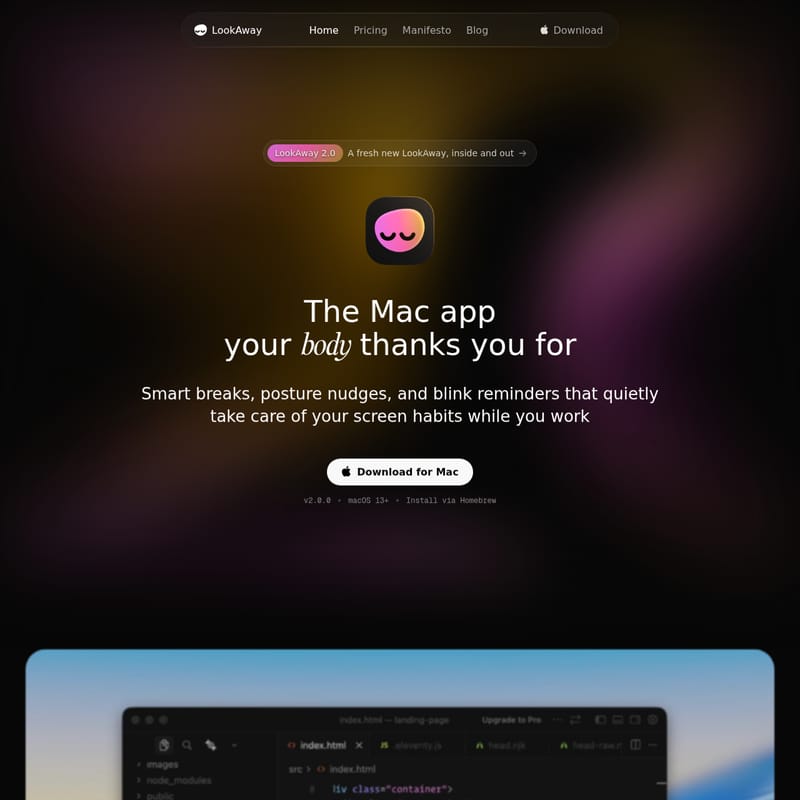
LookAway is a premium native Mac application designed to combat eye strain and screen fatigue through smart breaks and wellness reminders. With version 2.0, LookAway offers an intuitive interface that monitors your screen habits, providing posture nudges and blink reminders without disrupting your workflow. It features intelligent automation that pauses breaks during meetings or gaming, syncs with iPhone, and offers deep customization for a personalized break experience. Trusted by professionals and developers, LookAway is the essential tool for maintaining long-term health in a digital-first world.
2026-04-10
--K
LookAway 2 Product Information
LookAway: The Native Mac App Your Body Thanks You For
In an era where remote professionals and developers spend upwards of 12 hours a day tethered to their displays, eye health and physical posture often take a backseat. Enter LookAway, a sophisticated Mac application designed to quietly take care of your screen habits while you work. With the release of LookAway 2.0, the app has been redesigned inside and out to provide the most polished and well-executed wellness experience available for macOS 13 and above.
What's LookAway?
LookAway is a comprehensive wellness tool for Mac users that helps prevent tension headaches and eye strain. It isn't just a simple timer; it is a smart health companion that enforces healthy habits through smart breaks, posture nudges, and blink reminders. By integrating deeply with the macOS ecosystem, LookAway ensures that you maintain a healthy relationship with your screen without breaking your creative flow.
Whether you are a student surviving 12-hour study sessions or a developer coding late into the night, LookAway acts as a safeguard against screen fatigue. It is available for direct download or via Homebrew, making it accessible for every type of Mac user.
Key Features of LookAway
Smart Breaks and Notifications
LookAway avoids the intrusive nature of traditional break timers. It waits for the right moment to suggest a break and provides a heads-up beforehand.
- Heads-up Notifications: Get notified when it's time to rest with flexible snooze options (+1m, +5m, +15m).
- Floating Countdown: A subtle countdown follows your cursor, ensuring you are never caught off guard by a break.
- Menu Bar Control: Monitor your live status and access controls quickly through the macOS menu bar.
Intelligent Context Awareness
One of the standout features of LookAway is its ability to understand what you are doing. The app automatically pauses your breaks during:
- Screen Recording sessions
- Meetings or Calls
- Video Playback
- Deep Focus Apps
- Fullscreen Gaming
Posture and Blink Reminders
Beyond just taking breaks, LookAway focuses on your immediate physical well-being. It provides gentle, non-intrusive reminders to check your posture and maintain a healthy blink rate, which is essential for preventing dry eyes and neck pain.
Cross-Device Sync (LookAway Mirror)
When your Mac break begins, LookAway gently syncs the status to your iPhone. This ensures that you actually step away from every screen, preventing you from simply switching from your monitor to your phone during your rest period.
Customization and Automation
LookAway fits your workflow like a glove with extensive customization options:
- Ambiance: Choose from calming sounds, custom images, wallpapers, or animated backgrounds like "Liquid Glass."
- Personalization: Add custom messages to keep yourself motivated.
- Smart Automations: Integrate with your workflow by running AppleScripts or Shortcuts whenever a break starts or ends.
- Native Integration: Full support for Global Keyboard Shortcuts and Focus Filters.
Use Case: Who Needs LookAway?
"I'm a coach who primarily works with remote professionals in the tech space, and I've been recommending LookAway to my clients. It's a total game changer." — Victoria Peña, Nova Mindset Coaching
- Developers: Prevent eye strain during 8-12 hour coding marathons with IDE-specific tweaks and scheduled breaks.
- Students: Manage marathon study sessions and late-night cramming without wrecking your vision.
- Digital Minimalists: Use LookAway to enforce the advice of opticians and ensure you are resting your eyes at the correct intervals.
- Remote Professionals: Avoid tension headaches caused by constant video calls and deep focus work.
How to Install LookAway
You can download the app directly or use the terminal for a quick setup. To install LookAway via Homebrew, run the following command:
brew install --cask lookaway
FAQ
Q: What version of macOS is required? A: LookAway 2.0 requires macOS 13 or newer.
Q: Does LookAway interrupt my meetings? A: No, LookAway is designed to be smart. It automatically pauses break reminders during meetings, calls, and fullscreen activities like gaming or video playback.
Q: How does the iPhone sync work? A: Through the LookAway Mirror feature, your Mac break status is synced to your iPhone to encourage you to step away from all digital screens simultaneously.
Q: Can I customize the break screen? A: Absolutely. You can customize the timers, sounds, backgrounds, and even the motivational messages to suit your personal style.
Q: What is new in LookAway 2.0? A: The 2.0 update introduces Stats (Screen Score), better break enforcement, animated backgrounds like Liquid Glass, and various performance improvements.
Invest in your long-term health today. With LookAway, you can achieve less eye strain, less screen fatigue, and healthier habits automatically.