WorkClaw
WorkClaw: The Secure Collaborative AI Coworker Platform for Professional Teams
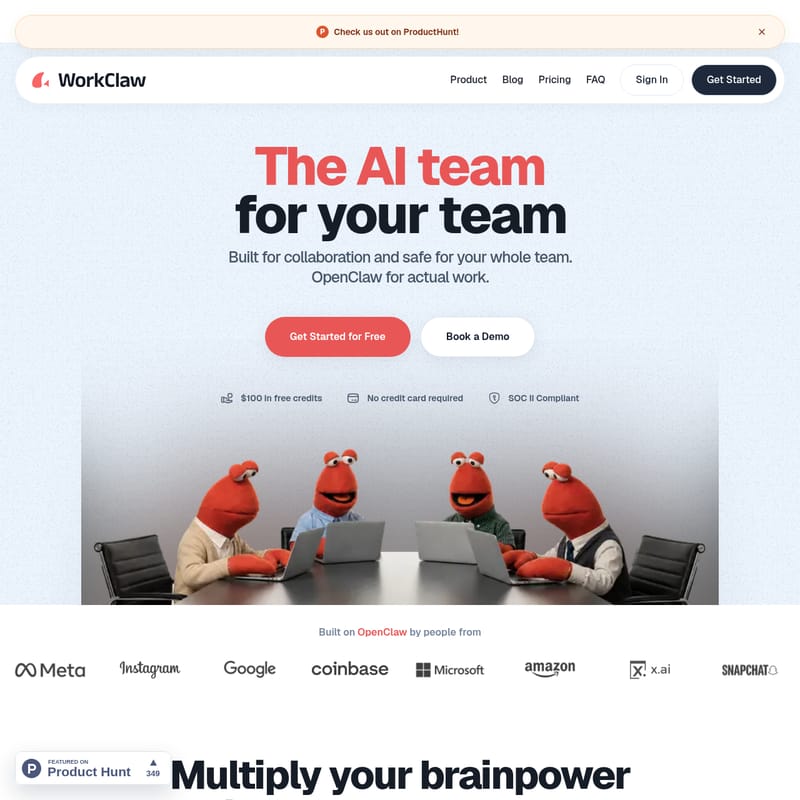
WorkClaw is a powerful, secure, and easy-to-use platform designed to multiply team brainpower through custom AI coworkers. Built on a foundation of OpenClaw, WorkClaw provides a SOC 2 Type II compliant environment where teams can deploy, manage, and share AI coworkers that operate 24/7. With 3,000+ integrations, private cloud computers for each instance, and customizable skills created through simple chat, WorkClaw removes the friction of AI adoption for security-minded organizations. Whether it is research, scheduling, or reporting, WorkClaw empowers teams to automate complex workflows safely and efficiently.
2026-06-22
--K
WorkClaw Product Information
WorkClaw: Multiply Your Team's Productivity with Collaborative AI Coworkers
In the modern digital landscape, efficiency is driven by how effectively a team can leverage automation. WorkClaw emerges as the premier solution for organizations seeking an AI team for your team. Built for collaboration and designed to be safe for your entire workforce, WorkClaw provides a sophisticated platform where you can deploy custom, collaborative AI coworkers to handle actual work across thousands of applications.
While many AI tools are built for individual use, WorkClaw is specifically built for teams. It takes the powerful foundation of OpenClaw and adds the necessary layers of security, ease of use, and administrative control required for professional environments. With WorkClaw, you aren't just using a tool; you are expanding your workforce with digital teammates that never sleep.
What's WorkClaw?
WorkClaw is a comprehensive platform that allows you to create and manage WorkClaws—proactive AI coworkers that get actual work done for your whole team. Unlike standard chatbots, a WorkClaw is a customizable AI entity that operates on its own dedicated cloud computer 24/7.
WorkClaw is built on top of OpenClaw but is specifically optimized for business use. It removes the friction of complex setups and safety concerns, providing a SOC 2 Type II compliant environment where teams can collaborate safely. These AI coworkers are designed to be secure, customizable, and easy to use, offering a one-click setup that allows your team to get started in just a few minutes without the need for hardware management or complex installations.
Key Features of WorkClaw
WorkClaw offers a robust suite of features designed to make AI integration seamless and secure for any organization.
1. Collaborative AI Coworkers
Every WorkClaw can be shared with your entire team or kept private. They are designed to talk with other Claws and work where you do, whether that is in Slack, Microsoft Teams, or via Email.
2. 3,000+ App Integrations
Your WorkClaw AI coworkers are not limited to a single interface. They can connect to and perform tasks across more than 3,000 apps, including Google Workspace, Calendars, and various CRMs. If your team uses a tool, WorkClaw likely supports it.
3. Isolated Cloud Computers
Each WorkClaw runs in its own isolated environment. There is no need for your own Mac Mini or local hardware; every AI coworker runs entirely in the cloud with private file storage, ensuring that data is separated and secure.
4. Custom Skill Creation
You can turn your team's specific workflows into custom skills simply by chatting with your WorkClaw. Additionally, you can install "battle-tested" skill packs from the WorkClaw library to get started immediately.
5. Enterprise-Grade Security
WorkClaw is built for security-minded teams. Key security features include:
- SOC 2 Type II Certification: Meeting high industry standards for data protection.
- Custom-Built Vault: Credentials and sensitive data are stored in a secure vault that can require human approval for access.
- Admin Controls: Administrators have full oversight over access, app integrations, and skill installations.
- Data Separation: Privacy is maintained by ensuring each WorkClaw has its own private file storage.
How to Use WorkClaw
Getting started with WorkClaw is designed to be a friction-free experience, allowing your team to move from setup to execution in minutes.
- One-Click Setup: Sign up and set up as many WorkClaws as your team needs through the cloud interface. No credit card is required to get started with your free credits.
- Install Skill Packs: Browse the library of battle-tested skills to give your AI coworkers immediate capabilities tailored to your specific niche.
- Create Custom Skills via Chat: If you have a unique workflow, simply chat with your WorkClaw to teach it new skills. You can describe the task, and the WorkClaw will learn how to get it done your way.
- Connect Your Tools: Integrate your WorkClaws with Slack, Google Workspace, and over 3,000 other apps to let them work where you work.
- Share with the Team: While WorkClaws are private by default, you can share them with specific colleagues or your entire team. You can also add them to Slack channels so everyone can benefit from their productivity.
Use Case Scenarios
WorkClaw is versatile enough to handle a wide range of professional tasks. Because you can train them to do anything you can describe, the possibilities are nearly endless.
- Research and Reporting: Deploy a WorkClaw to gather data, perform market research, and compile comprehensive reports while your team focuses on strategy.
- Administrative Support: Use WorkClaws for scheduling meetings, drafting emails, and performing routine follow-ups with clients.
- Data Management: Automate data entry tasks and synchronize information across your CRMs and Google Workspace automatically.
- 24/7 Operations: Since WorkClaws are always on, they can continue to process workflows, manage emails, and update reports while you meet, eat, play, or sleep.
- Team Skill Sharing: A team can build a complex skill once, save it to the Skill Library, and allow the entire organization to benefit from that automated workflow instantly.
FAQ
What are WorkClaws? WorkClaws are AI coworkers who get actual work done for your whole team. They’re proactive, collaborative, and customizable to get work done your way. They work on their own computer 24/7 and can connect to 3,000+ tools.
What kind of work can it do? It can handle research, scheduling, drafting emails, follow-ups, reporting, data entry, and much more. Anything you can describe, your WorkClaw can learn to do. You can also use pre-made skill packs targeted to specific jobs.
What tools do you support? WorkClaw supports Slack, Google Workspace, Calendar, email, CRMs, and over 3,000+ other integrations. New connections are added regularly.
Why choose WorkClaw over OpenClaw? While OpenClaw is a powerful foundation, it often requires significant setup and safety considerations. WorkClaw removes this friction by providing a secure, SOC 2 compliant, and easy-to-use platform built specifically for team collaboration.
How does team sharing work? WorkClaws are private by default, but you can share them with specific people or the whole team. You can also share skills in the Skill Library and optionally share app connections and passwords with the team.
Do I need my own Mac Mini or computer? No. Every WorkClaw runs entirely on the cloud. There is nothing to install and no hardware for you to manage.
How is my data protected? Each WorkClaw runs in an isolated environment with separate file storage. It only accesses what you explicitly connect, and no data is shared between teammates unless you choose to share it.