NudgeForMe
AI Email Follow-Up Tool | NudgeForMe Scanner
Use an AI email follow-up tool to scan your inbox for missed opportunities. NudgeForMe drafts personalized replies in Gmail or Outlook for your review.
2026-08-03
--K
NudgeForMe Product Information
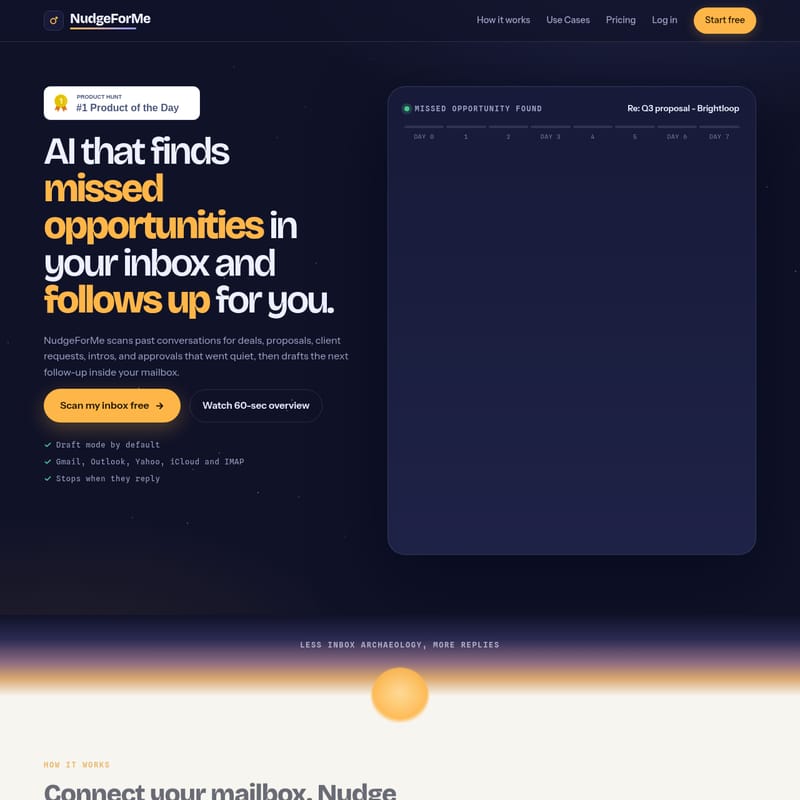
NudgeForMe is an AI email follow-up tool that identifies unfinished conversations and generates responses within a user's existing mailbox. The software analyzes sent folders to locate proposals, introductions, and requests that have not received a response. By operating directly within the email environment, the system identifies missed opportunities to help revive quiet threads.
Automated Opportunity Scanning
The software functions as an email opportunity scanner that monitors past outbound messages to detect open loops. These are conversations where the last meaningful message—such as a proposal, invoice, or scheduling request—was sent by the user but has not received a reply.
This missed email tracker uses a filtering system to ignore noise and prioritize threads that appear to be waiting on a third party. When a potential opportunity is found, the system assigns a score to indicate the relevance of a follow-up. This process allows users to focus on high-value interactions that might otherwise be overlooked in a high-volume sent folder.
Draft Mode and User Control
A core feature of the platform is that it operates with draft mode by default. When the system identifies a thread requiring attention, it generates automated follow-up drafts directly in the connected account. These drafts appear as editable messages within the relevant email thread rather than being stored in a separate dashboard.
Users maintain control over the communication by choosing to edit, send, or dismiss any generated draft. The AI tool to revive quiet email threads creates natural language tailored to the context of the previous conversation. If a recipient responds to a thread, the system stops tracking that conversation to ensure no redundant messages are sent. While the platform offers an optional autopilot mode for automatic sending, the standard configuration focuses on manual review.
Multi-Provider Compatibility
NudgeForMe is compatible with various email ecosystems, allowing users to automate follow-ups for Gmail and Outlook. It supports Gmail, Google Workspace, Outlook, and Microsoft 365. Additionally, the tool works with Yahoo, iCloud, and other services via IMAP. This broad compatibility allows for the management of professional and personal accounts through a single interface.
Because the tool is built on existing email infrastructure, the drafts are placed exactly where the user already works. This integration supports a consistent follow-up cadence for those who manage outbound communication without the need to switch between different applications.
Use Cases for Sales and Founders
Implementing an email follow-up for sales activities helps business development professionals and founders recover missed opportunities in your inbox. The tool surfaces silent proposals and deal-related threads, providing a professional email follow-up generator to maintain the momentum of a conversation. Beyond sales, the tool serves several other professional functions:
Agencies and consultants use the tool to chase approvals, files, or sign-offs from clients. Recruiters use the system to track candidate replies and interview scheduling to ensure hiring cycles remain active. Customer success teams follow up on onboarding questions or support issues to ensure clients receive necessary assistance. Founders can also monitor outreach for investor introductions or partnership opportunities that require persistent communication.
faq
Does NudgeForMe send emails without permission?
The tool operates in draft mode by default. It identifies opportunities and creates a suggested message in the draft folder. The user must review and manually click send unless the optional autopilot feature has been specifically enabled for automatic sending.
What happens if the recipient replies before a follow-up is sent?
The system monitors threads continuously. If a reply is detected from the other party, the tool stops watching that specific thread and will not generate further drafts, preventing unnecessary follow-ups.
Which email platforms are supported?
NudgeForMe supports various mailboxes including Gmail, Outlook, Microsoft 365, Yahoo, and iCloud. It also functions with any provider that supports IMAP, making it compatible with most corporate and personal email setups.