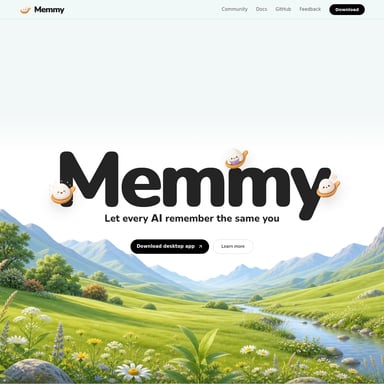
Second Brain for Mac and Windows
Second Brain: The Persistent Memory Layer for AI Tools Like Claude, ChatGPT, and Cursor
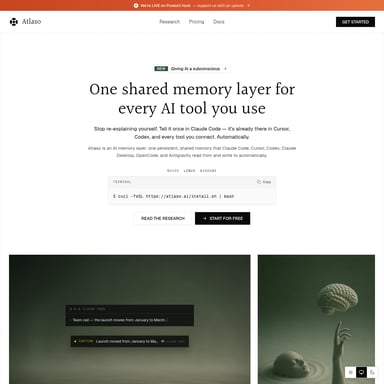
Second Brain is an open-source, self-hosted memory layer built on Cloudflare that provides persistent context for every MCP-compatible AI tool. It eliminates the need to re-paste context in every session by offering a shared continuity layer for your projects, decisions, and data.
2026-07-27
--K

Second Brain for Mac and Windows Product Information
Second Brain: The Ultimate Persistent Memory Layer for Your AI Tools
In the rapidly evolving landscape of artificial intelligence, one of the most significant hurdles for users is the lack of continuity. Most AI tools are designed to start from zero with every new session, forcing users to re-paste context, re-explain architecture decisions, and repeat naming conventions. Second Brain solves this problem by providing a persistent memory layer that follows you across every AI session and every tool you use.
Built on the robust Cloudflare infrastructure, Second Brain (v2.0.0) is an open-source, MIT-licensed solution designed to give Claude, ChatGPT, Cursor, and every Model Context Protocol (MCP)-compatible tool a shared continuity layer. With Second Brain, your AI finally remembers what you’ve discussed, making your workflow faster, smarter, and more efficient.
What’s Second Brain?
Second Brain is a self-hosted, shared memory layer that provides persistent context for your AI interactions. It is not just another storage tool; it is a continuity layer that ensures your projects and decisions follow you regardless of which AI client you are using.
Developed to run entirely on your own Cloudflare account, Second Brain leverages Cloudflare Workers, D1 databases, and Vectorize indexes to store and retrieve information semantically. It acts as a bridge between your various AI tools—if an AI tool speaks the Model Context Protocol (MCP), it can plug into your Second Brain. This means you have one Worker URL that serves as the single source of truth for all your AI clients.
The Problem Second Brain Solves
The fundamental issue with modern AI is that every conversation starts with a blank slate. You burn valuable minutes re-establishing context that should already exist. Existing built-in memory features are often "black boxes"—users cannot search them, audit what is stored, export their data, or control when memory triggers.
Second Brain is different. It offers a memory layer that you actually control. It is searchable, exportable, and entirely yours. It transforms the AI experience from a series of isolated chats into a compounding body of knowledge.
Key Features
Second Brain is packed with features that ensure your AI understanding grows over time:
1. AI Synthesis and Pattern Derivation
Second Brain doesn't just store raw data; it synthesizes it. When you ask about a decision, you get a direct answer based on your history, not just a dump of entries. Furthermore, it scans your memories to find recurring themes, such as quarterly trade-offs, that you may never have explicitly noted.
2. Semantic Recall
Forget exact keyword matching. Second Brain uses meaning-based retrieval. Searching for "conversion problems" can surface memories regarding "users dropping off at checkout" even if the specific words don't match.
3. Smart Merge and Contradiction Detection
Your memory remains clean and accurate. Second Brain semantically compares incoming memories with existing ones. If a conflict is detected—such as a change in your home location—it flags the contradiction and auto-resolves to the newest truth. Near-duplicates are merged into coherent memories rather than accumulating blindly.
4. Importance Scoring
Every captured memory receives an AI-generated score. Entries that are frequently recalled rank higher over time, ensuring that the most relevant information surfaces when you need it most.
5. Universal MCP Compatibility
Second Brain works with any client that speaks MCP. This includes:
- Claude Desktop and Claude Code
- ChatGPT
- Cursor
- Windsurf
6. Web Dashboard
Users can browse memories by date, filter by tags, and edit entries directly through a full UI accessible at your Worker URL. All data can be exported to JSON or Markdown formats.
7. Self-Hosted Privacy
Second Brain runs on your own Cloudflare account. No vendor touches your data. It is covered by the Cloudflare free tier, requiring no credit card and ensuring no vendor lock-in.
How to Use Second Brain
Setting up Second Brain is a straightforward three-step process that takes approximately two minutes:
Step 01: Download the App
Grab the desktop application for Mac or Windows. Once launched, Cloudflare provisions your D1 database, Vectorize index, and Worker in the background. There is no manual configuration required.
Step 02: Connect Your Tools
Copy your unique Worker URL and paste it into your preferred AI client, such as Claude Desktop, Claude Code, Cursor, or ChatGPT. One URL connects every tool to the same memory layer.
Step 03: Experience Continuity
Context is stored automatically as you work. At the start of a new session, the AI recalls the relevant parts of your history. You stop re-explaining, and your AI starts working with full context from the first prompt.
Use Cases
Second Brain is designed for developers, knowledge workers, and anyone using multiple AI tools.
- Project Transitions: Start a task in ChatGPT and continue it in Cursor without re-pasting the architecture decisions you just made.
- Long-term Context: Store decisions regarding pricing models or naming conventions that remain accessible months later.
- Ecosystem Integration:
- CLI: Use the
second-brain-cf-clito pipe meeting notes or terminal output directly into your brain. - Obsidian Plugin: Sync your entire Obsidian vault into AI context with auto-sync on save.
- iOS Shortcuts: Capture voice memos or text notes on the go via Apple Shortcuts and save them directly to your AI's memory.
- CLI: Use the
Comparison with Alternatives
| Feature | Second Brain | Mem0 | Unabyss | Agent-Memory | | :--- | :--- | :--- | :--- | :--- | | Open Source | ✓ | ✓ | ✕ | ✓ | | Self-Hosted (Your Infra) | ✓ | ✓ | ✕ | ✓ | | Free at Personal Scale | ✓ | ~ | ~ | ✓ | | No Usage Meter | ✓ | ✕ | ✕ | ✓ | | Cross-Tool Compatibility | ✓ | ✓ | ✓ | ✕ | | Obsidian/iOS Sync | ✓ | ✕ | ✕ | ✕ | | Contradiction Detection | ✓ | ~ | ✕ | ~ |
FAQ
Q: How much does Second Brain cost? A: Second Brain is $0 forever for personal use. It is built to run entirely on the Cloudflare free tier, meaning you don't even need to provide a credit card to get started.
Q: Is my data private? A: Yes. Second Brain is 100% self-hosted on your own Cloudflare account. Your data belongs to you, and no third-party vendor has access to it.
Q: Which AI tools are supported? A: Any tool that is MCP-compatible is supported. This includes popular tools like Claude Desktop, Claude Code, ChatGPT, Cursor, and Windsurf.
Q: What happens if I store duplicate information? A: Second Brain features a Hard Duplicate Block for exact matches (≥0.95 similarity) to prevent bloat. For near-matches, the Smart Merge feature decides whether to keep both, replace, or merge them into a single coherent entry.
Q: Can I export my memories? A: Yes, via the Web Dashboard, you have full visibility and can export all your data to JSON or Markdown at any time.
"Your AI is only as good as what it remembers about you. With Second Brain, your projects, decisions, and context finally follow you across every session."