Clueso MCP
Clueso MCP connects AI agents to Clueso through the Model Context Protocol, enabling teams to generate, recreate, and edit videos conversationally across external tools.
What the product does and how it is positioned
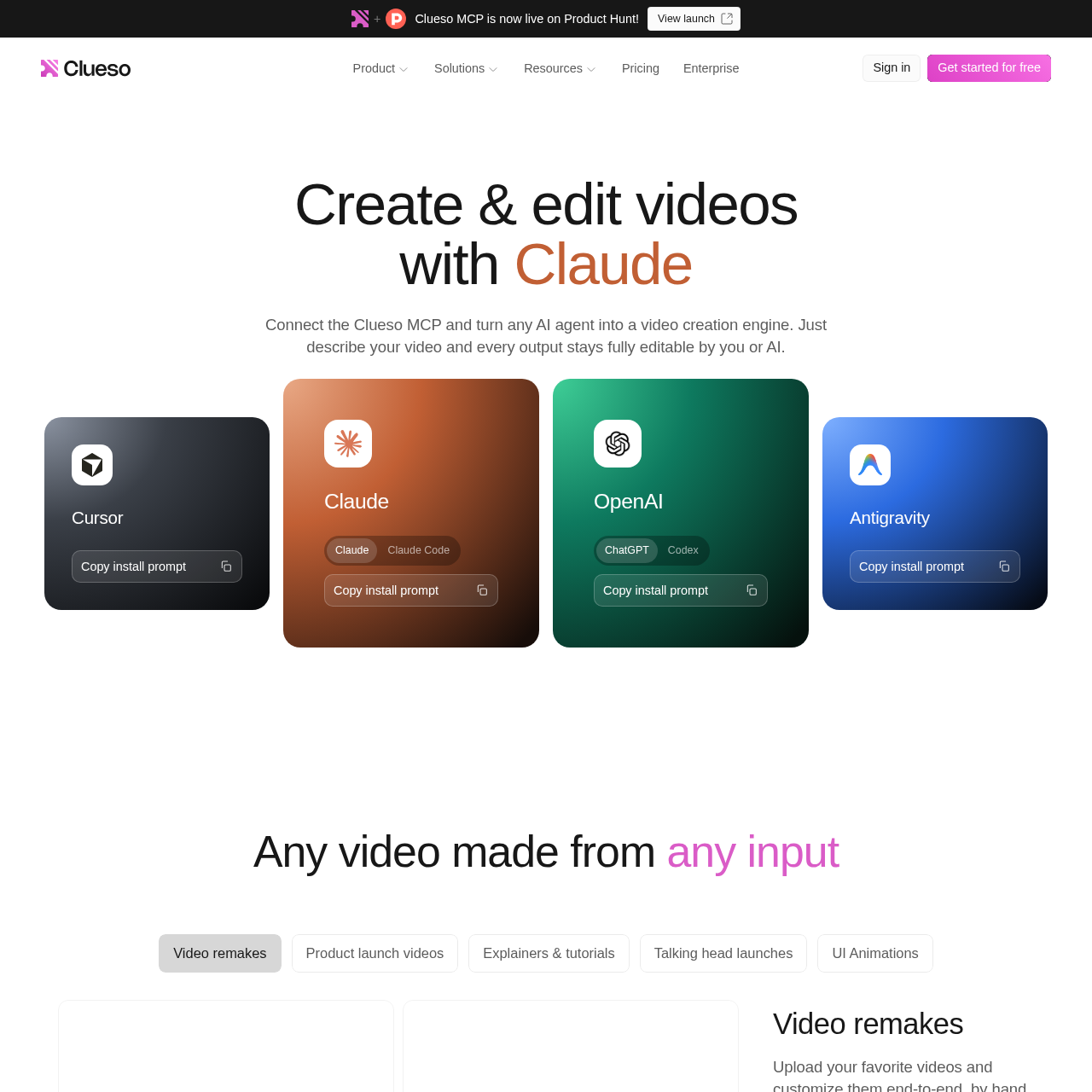
Clueso MCP is an integration based on the Model Context Protocol that allows external AI agents to communicate directly with Clueso. By linking MCP-compatible tools such as Claude, ChatGPT, Gemini, or Cursor, users can direct video creation, adjust media assets, and alter clip arrangements entirely through natural-language conversation.
Projects generated through Clueso MCP remain editable inside the Clueso workspace through both chat prompts and direct manual controls. The connector also supports multi-tool workflow chains, allowing AI agents to ingest text or tickets from applications like Linear, Intercom, or Gong and output finished video assets to destinations such as Slack, Notion, or customer help centers.
Source-supported ways to use the product
The official customer story reports that Teamworks uploads raw video directly from Claude to Clueso, directing the assistant on required edits, callouts, and formatting before applying final adjustments.
The company presents this as a customer use case where an agent reads new feature releases from Linear, generates an announcement video in Clueso, and delivers it to a product marketing manager via Slack.
The company presents this as a customer use case where an AI agent monitors recurring customer queries in Intercom or Slack, generates explainer tutorials, and sends them directly to a help center.
The company presents this as a customer use case where an assistant processes Gong meeting transcripts, creates concise recap videos, and emails them to stakeholders.
The documented workflow, where available
Copy the install prompt provided for your preferred AI client, such as Claude, ChatGPT, Gemini, or Cursor, and paste it into the agent interface.
Follow the guided connection instructions within the AI tool and sign in with a Google account to link your workspace.
Prompt the AI agent in plain language to generate new videos, reconstruct reference media, or execute bulk edits across existing assets.
Clueso MCP uses the open Model Context Protocol standard to let external generative AI clients operate Clueso editing features. Instead of relying on manual code scripts or custom API token configurations, users connect compatible AI assistants by following guided installation prompts and authenticating via Google.
Once active, the connector allows the AI agent to reference workspace brand guidelines, tone parameters, target personas, and past project data. All outputs remain fully modifiable, letting team members refine timeline elements manually in the editor or through subsequent prompt iterations while keeping data confined to existing workspace access rules.
Checks to run with your own material and workflow
What was checked and when
Answers based on the source-checked product record
Clueso MCP is a Model Context Protocol connector that allows AI agents such as Claude, ChatGPT, and Gemini to interact with Clueso to build, modify, and manage video content through conversational instructions.
Clueso MCP functions with any AI tool supporting the Model Context Protocol, including Claude, ChatGPT, Gemini, and Cursor, with automatic support for additional MCP tools as they adopt the standard.
No coding knowledge, scripting, API key management, or terminal commands are required. Setup involves pasting an install prompt into an AI tool and authenticating with Google.
Connections are encrypted, MCP access operates strictly within workspace permissions, video content remains on Clueso infrastructure without being used for external AI model training, and access can be revoked at any time.
Yes. Team members can connect their own AI agents to the shared Clueso workspace, where videos can be reviewed, commented on, and edited collaboratively either through chat prompts or manual tools.