Seedance2JP favicon

Seedance2JP

Seedance2JP is a Japanese-native AI generation platform providing integrated access to advanced video and image models, featuring localized support and a transparent credit-based system.

VideoGenerates videos up to 30 seconds in…Supports video resolutions of 480p,…Enables simultaneous audio generationSupports multiple aspect ratiosAI video generatorimage to videotext to videoJapanese AI video generatorAI video generator with audiophoto to video AISeedance 2AI video generator free trial
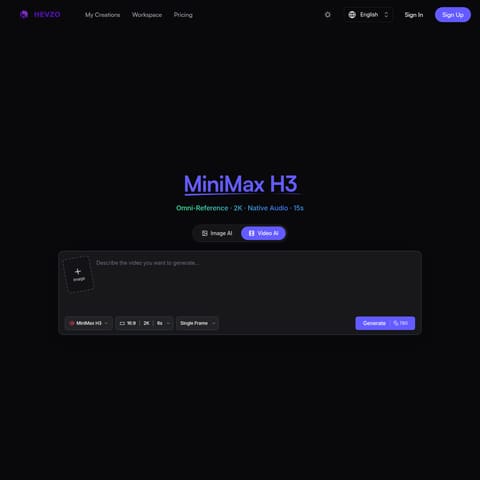
Seedance2JP product interface screenshot
Estimated monthly visits
883
Data period:
Listed on AIToolly

What Is Seedance2JP? Product Overview

What the product does and how it is positioned

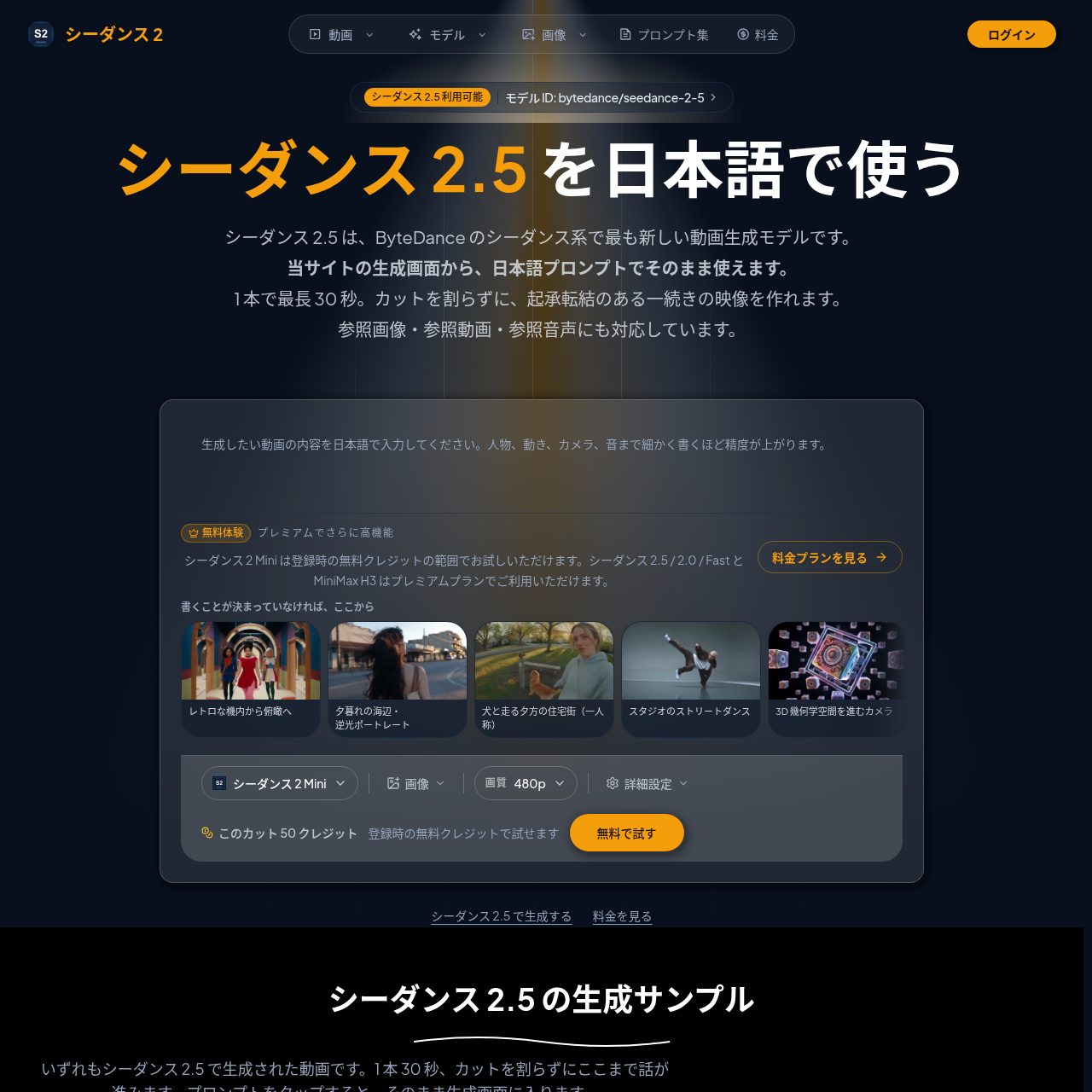
Seedance2JP serves as a specialized AI generation platform tailored for the Japanese market. It offers a centralized interface for users to generate video and image content using models such as Seedance 2.5 and MiniMax H3 without requiring English-language proficiency.

The platform emphasizes transparency in its generation process, displaying credit costs for specific settings—including resolution, duration, and audio options—before generation begins. It supports a variety of creative inputs, allowing users to incorporate reference images, videos, and audio to guide the output.

What Can You Use Seedance2JP For?

Source-supported ways to use the product

Long-form Video Production

Users can generate continuous video sequences up to 30 seconds in length, suitable for storytelling or complex scenes that require consistent camera work and transitions.

Content Prototyping and Iteration

Creators utilize lower-cost models like Seedance 2 Mini to generate drafts at 480p or 720p, allowing for rapid experimentation with prompts before finalizing high-resolution outputs.

How to Use Seedance2JP

The documented workflow, where available

  1. 1

    Prompt Formulation

    Users input a Japanese prompt detailing the desired人物 (person), movement, camera angle, background, and audio elements.

  2. 2

    Reference Material Integration

    Users may optionally upload start images, reference images, reference videos, or reference audio to guide the generation process.

  3. 3

    Configuration and Generation

    Users select the desired resolution and duration, review the calculated credit cost, and initiate the generation process.

Seedance 2.5 Technical Specifications

Seedance 2.5 represents the latest engine available on the platform, optimized for natural movement and high adherence to user instructions. It enables the creation of long-form content up to 30 seconds in a single pass.

  • Supports resolutions up to 1080p
  • Enables simultaneous audio generation with lip-sync capabilities
  • Compatible with various aspect ratios including social media-friendly vertical formats

Seedance2JP Pricing

Human-maintained commercial information

creditsfreemium
  • USD 9.9

Pricing can change. Confirm the current plan and billing terms on the official site before purchasing.

What to Test Before Choosing Seedance2JP

Checks to run with your own material and workflow

  • Confirm the model selection in the generation interface to ensure the desired engine, such as Seedance 2.5 or MiniMax H3, is active.
  • Review the credit cost displayed on the generation screen before finalizing to ensure the selected resolution and duration align with available credits.

Seedance2JP Sources and Last Checked

What was checked and when

Last checked
Category
Video

Seedance2JP Frequently Asked Questions

Answers based on the source-checked product record

Can I use Seedance 2.5 on this platform?

Yes, Seedance 2.5 is available through the model selection menu. It supports Japanese prompts and can generate videos between 4 and 30 seconds in 480p, 720p, or 1080p resolutions.

What are the primary differences between Seedance 2.5 and 2.0?

The main difference is the maximum video duration; Seedance 2.5 supports up to 30 seconds, whereas 2.0 is limited to 15 seconds. Additionally, 2.5 features the latest engine improvements for movement and instruction following.

How is the cost for video generation determined?

Costs are calculated based on the chosen resolution, video duration, and whether reference videos are included. The exact credit consumption is displayed on the screen before the generation button is pressed.

Are 4K output and 3-minute long-form videos supported?

While these features have been announced for the Seedance 2.5 model by ByteDance, they are currently exclusive to their internal services like Jimeng and are not available on this platform.

Is it possible to create videos from images?

Yes, the platform supports image-to-video generation using start images, end frames, or reference images. Note that reference images cannot be used simultaneously with start and end frames.

Explore other recently added tools in the same category.