Chit favicon

Chit

Chit is an offline macOS utility and CLI that parses local Claude Code transcripts into project-grouped daily work summaries.

ProductivityReads local Claude Code session…Formats session summaries using Claude…Suppresses full local file paths in…Excludes user prompts from generated…
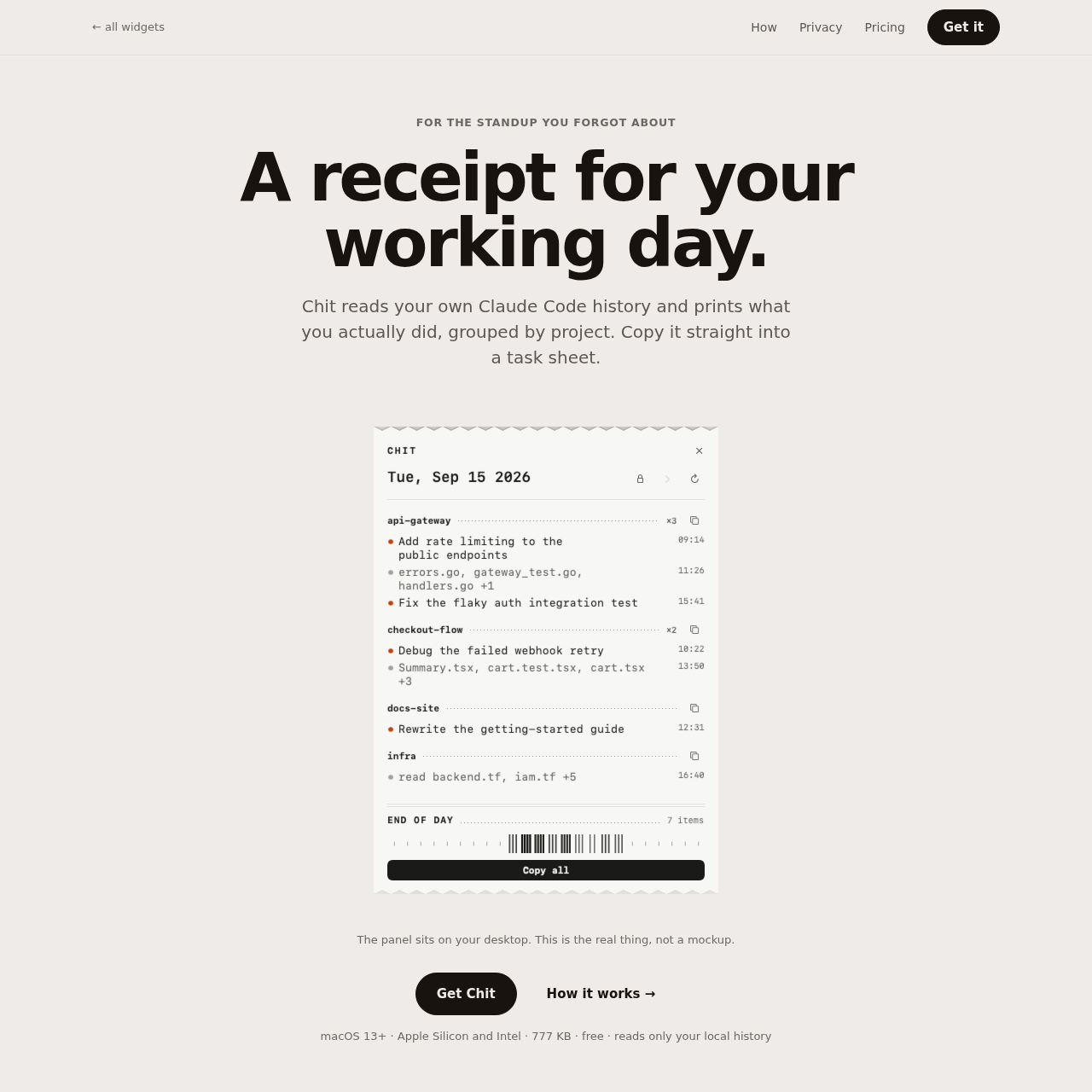
Chit product interface screenshot
Listed on AIToolly

What Is Chit? Product Overview

What the product does and how it is positioned

Chit is a lightweight macOS desktop application and command-line utility designed to generate daily activity logs from local Claude Code transcripts. It scans the files Claude Code stores on disk and produces structured receipts of work done across projects.

The tool operates entirely locally without network access, deriving entry titles from Claude Code metadata or touched file names while suppressing raw prompts and full directory paths to preserve privacy.

What Can You Use Chit For?

Source-supported ways to use the product

Standup reporting

Engineers can copy formatted daily activity summaries directly into team standup logs or task boards without manually recalling terminal sessions.

Timesheet compilation

Developers can inspect historical activity by day or date range to populate billing sheets and account for engineering time.

Pipeline and script automation

Users can pipe Markdown or text output into internal logging tools via CLI flags such as --today or date range parameters.

How to Use Chit

The documented workflow, where available

  1. 1

    Launch the application

    Open Chit via the macOS menu bar or trigger it using the designated global shortcut.

  2. 2

    Review the daily receipt

    Inspect the generated receipt, which organizes sessions by project and lists touched files or session titles.

  3. 3

    Copy or export

    Copy the full day or an individual project's summary in plain text or Markdown, or query activity using the CLI.

Local Transcript Processing and Privacy Architecture

Chit is designed around a strictly local execution model that inspects existing Claude Code data without external communication. It accesses transcript files located at ~/.claude/projects directly from the user's hard drive and executes zero network requests.

To safeguard developer privacy, the tool excludes raw user prompts from output lines and does not store them. Output lines instead use titles generated by Claude Code or list touched file names. Full directory paths are omitted so internal user identifiers and organizational structures are not exposed in copied text.

  • Contains no network code in the binary.
  • Performs read-only operations on ~/.claude files.
  • Filters full paths to display only base file names.
  • Enables exclusion of selected projects from outputs.

What to Test Before Choosing Chit

Checks to run with your own material and workflow

  • Confirm that the target workstation runs macOS 13 or newer on supported Apple Silicon or Intel hardware.
  • Verify that Claude Code transcript files exist at ~/.claude/projects.
  • Check that your environment allows running non-notarized macOS applications or supports command-line installation.
  • Review project-hiding settings to confirm that sensitive project titles are properly excluded from copied summaries.

Chit Sources and Last Checked

What was checked and when

Last checked
Category
Productivity

Chit Frequently Asked Questions

Answers based on the source-checked product record

Which operating systems and hardware configurations support Chit?

Chit runs on macOS version 13 or later and supports both Apple Silicon and Intel processor architectures.

Does Chit send session data or code transcripts over the internet?

No. Chit performs zero network calls, contains no networking code in its binary, and only reads local transcripts stored on disk.

How are line items and activity titles generated in the receipt?

Line items are derived from the titles Claude Code assigns to sessions. When no title exists, Chit creates descriptions using the names of modified files.

Does Chit expose user prompts or directory paths in its output?

No. Chit never displays or stores user prompts, and outputs bare file names rather than complete directory file paths.

What command-line interface options does Chit provide?

The Chit CLI provides options including --today, --date=, --from=, --to=, and --markdown to output logs into terminal workflows.

Explore other recently added tools in the same category.