Wandesk
Wandesk: Build Your Own Local AI Desktop and Personalized App Workspace
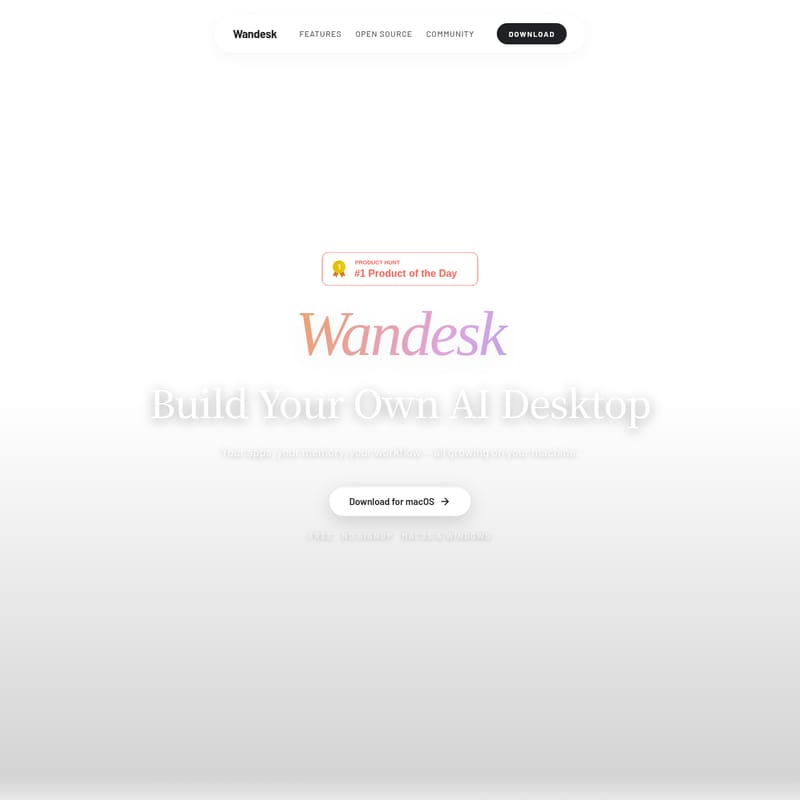
Wandesk is a powerful, open-source AI desktop platform designed to transform your machine into a personalized AI workspace. Featuring the App Workshop for no-code app generation, shared context across all tools, and local data storage, Wandesk integrates AI natively into your workflow.
2026-06-01
--K
Wandesk Product Information
Wandesk: The Comprehensive Guide to Building Your Own AI Desktop
In the modern digital landscape, the limitations of traditional AI chat interfaces are becoming increasingly apparent. Most users find themselves trapped in a cycle of copying and pasting text between browser tabs, losing context, and struggling to maintain a coherent workflow. Wandesk is designed to solve these problems by providing a complete, local, and open-source AI desktop environment.
With Wandesk, your apps, your memory, and your specific workflow grow directly on your machine. It is not just another wrapper for an LLM; it is a holistic workspace where AI is integrated into every application you use. Whether you are a developer, a writer, or a power user, Wandesk offers a unique way to harness AI power while keeping your data local and your productivity at its peak.
What is Wandesk?
Wandesk is an open-source platform that allows you to build and manage your own AI desktop. While many AI tools focus on a single chat box, Wandesk recognizes that real work happens in specialized applications. It provides a multi-app environment where tools like notebooks, ledgers, and boards live side by side.
The core philosophy of Wandesk is to move beyond the "chat scroll." In a typical AI interaction, important information often gets buried under dozens of messages. In Wandesk, the state stays where it belongs: notes remain in the notebook, and financial entries remain in the ledger. By creating a unified design language and a shared agent core, Wandesk ensures that your AI workspace is consistent, organized, and incredibly powerful.
Key Features of Wandesk
Multi-App Workspace: Beyond the Chat Box
Wandesk transforms the standard AI interaction into a real desktop experience.
- Side-by-Side Functionality: You can open a chat, a notebook, and a ledger simultaneously. These tools are never flattened into a single thread, allowing for complex multitasking.
- State Retention: Unlike a chat window that forgets as you scroll, Wandesk apps maintain their state. Your data lives in the dedicated app, making it easy to reference later.
- Consistent UX: Every app within the Wandesk ecosystem follows a single design language. This means you only have to learn the interface once to be proficient across the entire platform.
App Workshop: Say it, Get it
One of the most revolutionary features of Wandesk is the App Workshop. This tool allows you to own software without writing a single line of code.
- No-Code Generation: Describe the feature you want, and the Wandesk AI generates a complete local app in one shot.
- Full-Stack Results: Every generated app includes a React UI, a backend API, and SQLite storage.
- Iterative Design: If the generated app isn't perfect, you can simply keep talking to the AI to request edits and refinements.
- Local Execution: The apps you build via the App Workshop live entirely on your machine, ensuring no cloud account lock-in or subscription fees.
AI Inside Every App
In Wandesk, AI is not an external helper; it is a system-level capability built into every tool.
- Auto-Categorization: Use the Ledger app to log expenses, and the AI will automatically apply tags and generate monthly reports.
- Automated Summarization: The Notebook app can summarize a whole week of notes into a single sentence for a quick weekly recap.
- Creative Continuity: For those using the Interactive Fiction app, the AI can query existing lore to keep characters and plot points consistent.
- Inherited Power: Any app you build through the App Workshop automatically inherits these AI-calling capabilities.
Shared Context and Personal Memory
Wandesk functions as a cohesive brain rather than a collection of isolated tools.
- One Agent Core: Every app runs under the same AI engine, allowing for cross-app references. You can tell the Notebook to "save what we just discussed" in a chat, and it will understand exactly what you mean.
- Shortened Feedback Loops: By removing the need for "integrations" like Zapier or MCP bridges, Wandesk creates a direct path from intent to action.
- Persistent Preferences: Wandesk actively remembers your skills and preferences. If you tell it once that you use Swift and SwiftUI, it remembers that preference forever.
- Inspectable Memory: Your AI memory is never a black box. You can see and manage every preference and correction the AI has logged.
Professional Agent Integration
For developers and power users, Wandesk integrates natively with industry-leading agents.
- Claude Code & Codex: If you have the CLI tools installed, Wandesk surfaces them as desktop apps. You can switch between them with one click.
- Real-World Impact: These agents can operate directly on your local files and repositories, editing code in real-time rather than just simulating it.
- Agent Visibility: You can even provide a URL to an external agent, allowing it to "read" your desktop and assist with your current tasks.
Use Cases for Wandesk
Wandesk is a versatile tool that adapts to various professional and creative needs:
- Software Development: Use the native Claude Code and Codex integrations to manage repositories. Use the App Workshop to quickly prototype local tools for your development environment.
- Financial Tracking: Use the Ledger app with AI auto-tagging to keep track of expenses and generate financial reports without manual categorization.
- Content Creation & Writing: Use the Notebook and Interactive Fiction apps to maintain a consistent world-building lore or summarize complex research notes into digestible recaps.
- Personal Knowledge Management: Leverage the Personal Memory feature to build a digital twin that knows your coding style, your project history, and your specific habits.
How to Use Wandesk
Getting started with Wandesk is straightforward and designed for immediate productivity:
- Download and Install: Wandesk is available for both macOS and Windows. Download the installer for your respective operating system.
- No Signup Required: Simply open the application. There is no need for an email, subscription, or account creation.
- Choose Your Model: You can use the included Wandesk model trial credits or plug in your own API key for models like DeepSeek, Kimi, Qwen, OpenAI, Claude, or Gemini.
- Start Building: Open the App Workshop to describe a tool you need, or start using the built-in apps like the Notebook and Ledger to organize your data locally.
Frequently Asked Questions (FAQ)
Is Wandesk free to use? Yes, the Wandesk desktop app is completely free. It comes with trial credits for the Wandesk model, and you can also use your own API keys for various AI providers.
Where is my data stored? All your apps, files, and personal memories live locally on your machine. Wandesk only interacts with the cloud when you make an AI model call.
Do I need to be a developer to build apps in Wandesk? No. The App Workshop is a no-code environment. You describe the features you want in plain English, and Wandesk handles the React, UI, and SQLite database generation.
What AI models are supported? Wandesk is model-agnostic. You can plug in any AI model you are already using, including OpenAI, Claude, Gemini, DeepSeek, Kimi, and Qwen.
Does it support macOS and Windows? Yes, Wandesk is fully compatible with both macOS and Windows platforms.