Viktor Code favicon

Viktor Code

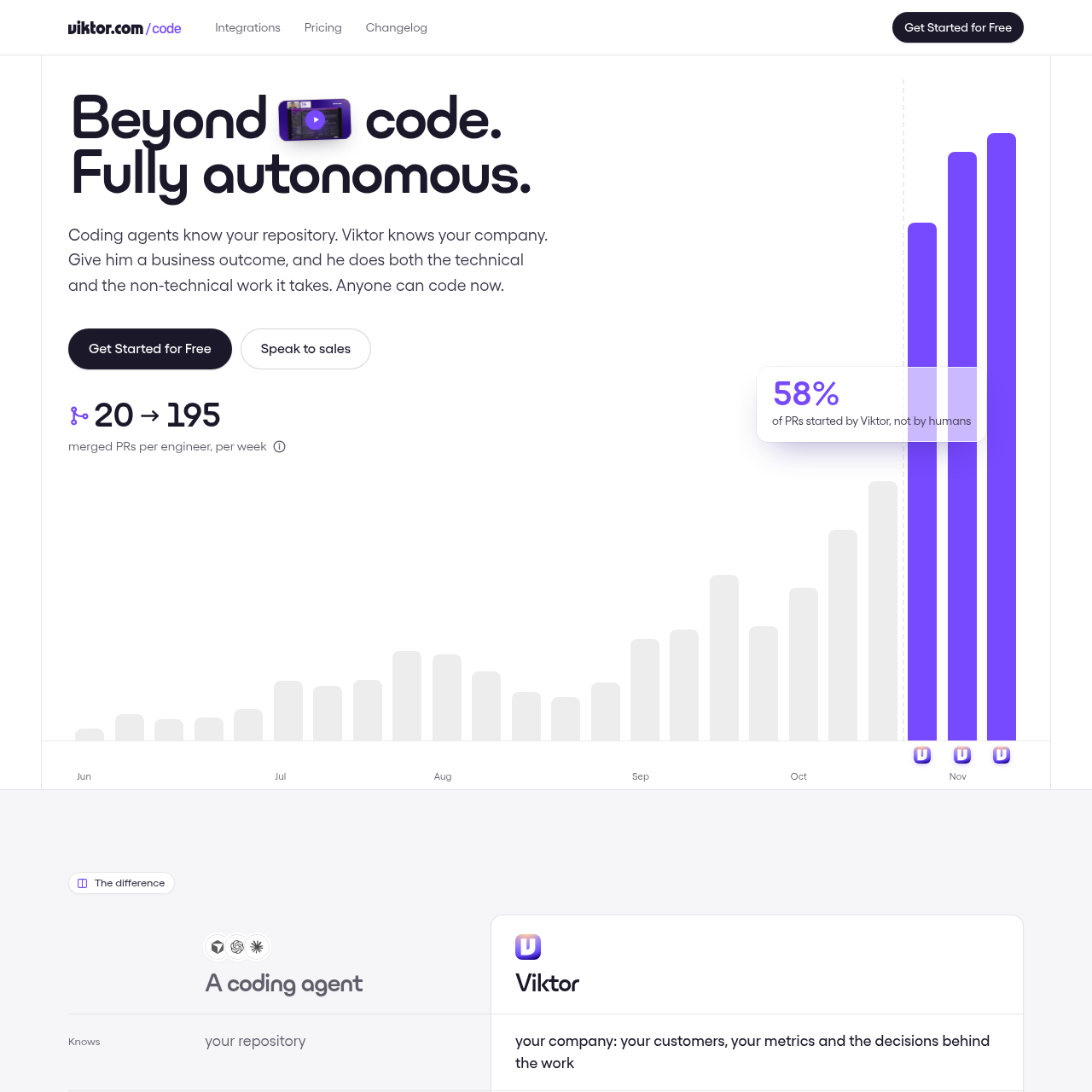
Viktor Code is a cloud-based autonomous software development agent that accepts high-level business goals, breaks them into technical and non-technical work streams, executes code modifications across Git repositories, and submits pull requests for team review.

Code & ITTranslates high-level business goals…Modifies code and opens pull requests…Operates external software toolsMonitors issue alerts to reproduce…
Viktor Code product interface screenshot
Estimated monthly visits
762K
Data period:
Listed on AIToolly

What Is Viktor Code? Product Overview

What the product does and how it is positioned

Viktor Code is an autonomous development agent designed to combine repository-level programming with broader business context. Rather than focusing exclusively on line-by-line coding assistance, the platform ingests high-level business objectives and coordinates the technical tasks and operational steps necessary to achieve them.

The system operates on dedicated cloud environments connected to GitHub, GitLab, or Bitbucket repositories, eliminating local environment configuration. Users interface with the agent through desktop applications across macOS, Windows, and Linux, as well as shared channels in Slack, Microsoft Teams, and Discord.

During execution, the platform manages multi-stream workflows in parallel, updating codebases behind feature flags, interacting with third-party software tools, and pausing automatically to prompt human team members whenever strategic decisions are required.

What Can You Use Viktor Code For?

Source-supported ways to use the product

Bug Triage and Remediation

The company presents an operational project example where the agent monitors alert streams and bug reports, reproduces reported defects every morning, and automatically opens pull requests containing fixes.

API Migration and Feature Rollouts

The vendor illustrates multi-stream project execution by having the agent split an API migration into parallel streams that update payment endpoints behind feature flags, revise user-facing pages, and draft customer notices.

Database Query Optimization

The vendor showcases a search speed project where the agent analyzes slow queries, prepares database index modifications, and executes test suites to evaluate performance improvements.

Customer-Driven Feature Delivery

The vendor presents an example workflow where the agent analyzes customer support threads and call transcripts to identify requested features, implements the changes in code, and submits pull requests for review.

How to Use Viktor Code

The documented workflow, where available

  1. 1

    Account Creation

    Users sign up for an account to begin configuring the agent in the application.

  2. 2

    Repository Connection

    Users connect code repositories hosted on GitHub, GitLab, or Bitbucket to the platform.

  3. 3

    Tool and Service Integration

    Users link communication platforms such as Slack, Teams, or Discord, followed by support, analytics, and billing tools.

Autonomous Multi-Stream Task Execution

Viktor Code operates by decomposing broad business goals into multiple concurrent technical and non-technical work streams. Instead of executing isolated code edits in a developer session, the agent processes complex outcomes that can span hours or days across cloud environments.

When an objective is assigned, the platform identifies dependencies across codebases and connected business tools. It coordinates tasks such as updating APIs behind feature flags, revising customer-facing documentation, and executing automated test suites, while requesting human confirmation when strategic decisions must be made.

  • Executes code modifications in cloud-hosted environments connected to GitHub, GitLab, or Bitbucket without local setup.
  • Navigates third-party applications using over 9,000 native integrations or an autonomous headless browser.
  • Splits multi-faceted goals into parallel technical streams and administrative deliverables.
  • Prompts team members for resolution whenever business trade-offs or branching decisions occur.

Shared Organizational Context and Team Access

Unlike conventional coding assistants confined to individual developer sessions, Viktor Code organizes work into shared project workspaces accessible by the entire team. Team members can view ongoing initiatives, track code progress, and examine the contextual reasoning behind specific changes.

The platform centralizes communication across multiple environments, allowing users to initiate, monitor, and manage tasks through desktop applications or collaborative channels such as Slack, Microsoft Teams, and Discord.

  • Maintains historical memory of previously successful approaches across tasks over time.
  • Integrates into Slack, Microsoft Teams, and Discord discussion threads for multi-user collaboration.
  • Provides desktop applications for macOS, Windows, and Linux operating systems.

What to Test Before Choosing Viktor Code

Checks to run with your own material and workflow

  • Verify whether organizational codebases are hosted on supported cloud Git providers, specifically GitHub, GitLab, or Bitbucket.
  • Confirm that existing development workflows can accommodate an asynchronous model designed for tasks taking hours or days rather than instant keystroke completion.
  • Review whether team collaboration tools like Slack, Microsoft Teams, or Discord and essential operational systems are compatible with the platform's integration library.
  • Check that team processes support human-in-the-loop decision checkpoints during automated task decomposition and pull request reviews.

Viktor Code Sources and Last Checked

What was checked and when

Last checked
Category
Code & IT

Viktor Code Frequently Asked Questions

Answers based on the source-checked product record

How does Viktor Code differ from standard coding agents?

While traditional coding agents operate solely on individual repository tasks, Viktor Code is designed to incorporate broader organizational context—including customer feedback, metrics, and team discussions—to carry out both technical code modifications and non-technical operational tasks from high-level business goals.

Why does the tool take longer than typical interactive code assistants?

Viktor Code is engineered to plan and execute multi-part outcomes that require hours or days across parallel work streams, rather than providing immediate keystroke-level completions. As a result, quick micro-edits may feel comparatively slow compared to larger objectives.

Does Viktor Code execute code locally or in the cloud?

The tool executes remotely in the cloud on dedicated environments connected to GitHub, GitLab, or Bitbucket repositories. The desktop application functions as an interface for user communication and project tracking, while the code itself never runs on the local computer.

Is engineering experience required to use the platform?

Engineering experience is not required to assign work to the agent. Non-technical users can describe desired changes in natural language, and the agent generates standard pull requests that undergo human review within regular repository workflows.

What prerequisites are needed to begin using Viktor Code?

Getting started requires an active codebase hosted on a supported Git provider, including GitHub, GitLab, or Bitbucket. Users create an account, connect the repository, and can optionally link organizational communication and operational tools.

Explore other recently added tools in the same category.