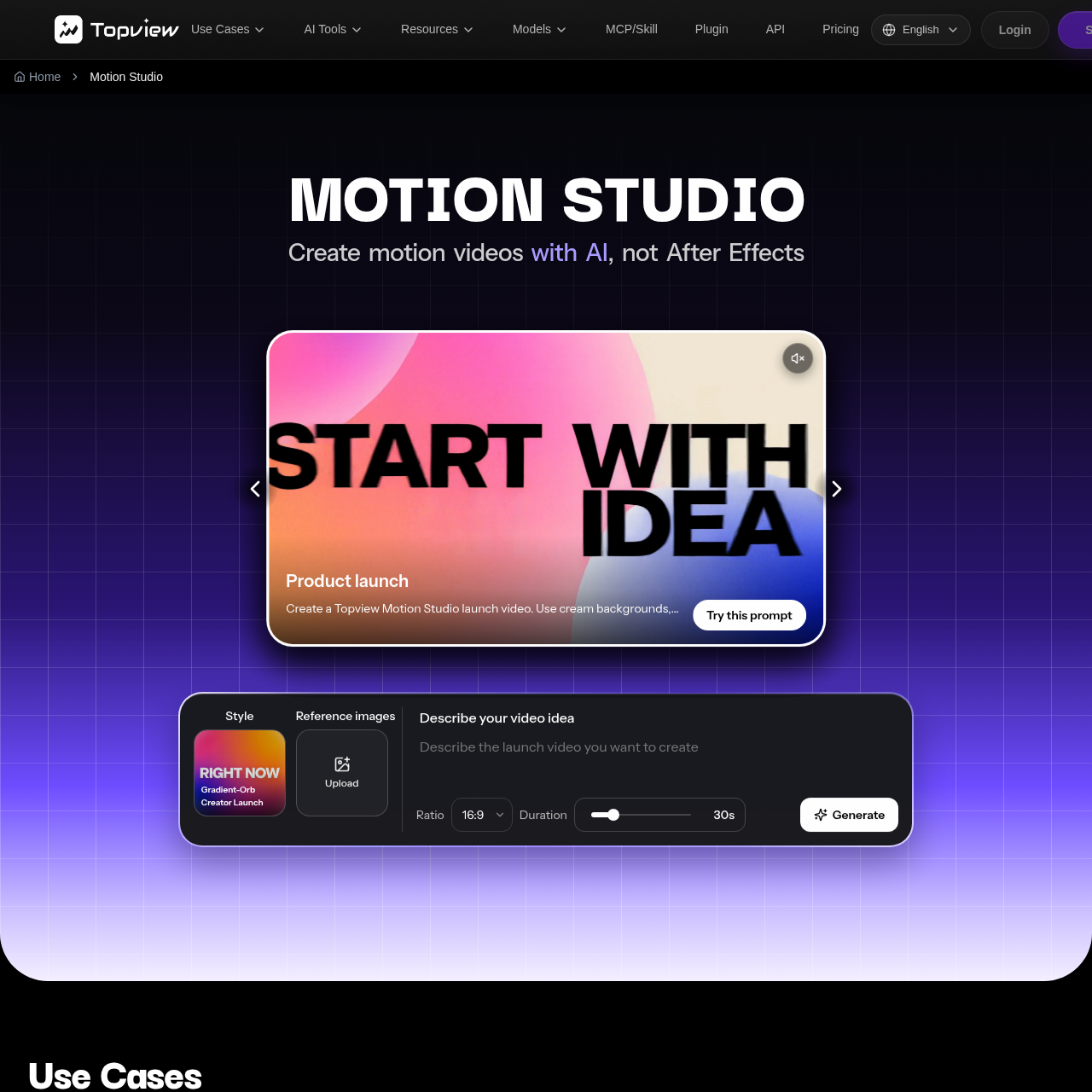
Topview Motion Studio is an AI-powered video generation tool designed to create professional product launch videos and motion graphics from simple briefs and reference assets, bypassing the need for traditional motion design software like After Effects.
VideoGenerates motion videos from a written…Supports selection of visual style,…Automates motion design elementsIntegrates audio, music, and voiceover…
Estimated monthly visits
1.1M
Data period:
Listed on AIToolly
What Is Topview Motion Studio? Product Overview
What the product does and how it is positioned
Topview Motion Studio provides a guided AI workflow that enables marketing, product, and design teams to produce polished launch videos for hardware, apps, and new products. By leveraging AI models, the platform automates complex motion design tasks such as keyframing, timeline construction, and audio synchronization.
The tool is intended to streamline the production of promotional content, allowing users to generate video results by providing a descriptive brief, reference images, and preferred visual parameters. It serves as an alternative to manual production methods, focusing on efficiency for cross-functional teams.
What Can You Use Topview Motion Studio For?
Source-supported ways to use the product
Product Launch and Feature Announcements
Marketing and product teams use the platform to generate high-quality launch videos and feature promos for new apps or hardware without requiring professional motion design skills.
Social Media and Ad Content
Creators and marketers utilize the tool to produce branded social videos, kinetic typography, and ad variants for platforms like TikTok, Reels, and Shorts.
How to Use Topview Motion Studio
The documented workflow, where available
1
Brief and Asset Submission
Users describe the intended message and upload relevant product images, logos, or brand assets to the platform.
2
Parameter Configuration
Users select the desired visual style, video duration, and aspect ratio for the project.
3
AI Generation
The system processes the inputs to generate a motion sequence, incorporating automated script, voiceover, music, and pacing.
Automated Motion Design Workflow
Topview Motion Studio replaces traditional manual production workflows by integrating AI video models with specialized motion design skills. Instead of building a video layer by layer in software like After Effects, users rely on the platform to manage pacing, transitions, and visual continuity.
Eliminates manual keyframe and timeline construction
Automates the integration of voiceovers and music
Supports consistent brand identity through reference-guided generation
What to Test Before Choosing Topview Motion Studio
Checks to run with your own material and workflow
Confirm that the platform's automated motion styles align with the specific visual requirements of the intended product launch.
Review generated video outputs for brand accuracy, offer clarity, and platform-specific export requirements before final publication.
Answers based on the source-checked product record
Do I need to use After Effects with this tool?+
No, Topview Motion Studio is designed to create polished launch videos without requiring users to learn or use After Effects or hire a motion design studio.
What information is required to start a video?+
To start, you must describe what you want to communicate, upload reference images or brand assets, and choose a visual style, duration, and aspect ratio.
Does the tool handle audio and music automatically?+
Yes, the platform automatically handles script generation, voiceovers, music, and sound effects, so the generated video includes audio by default.
Can I use my own product images and logos?+
Yes, the workflow explicitly supports uploading your own product images, screenshots, logos, and other brand assets to guide the video generation process.
Is this tool suitable for social media content?+
Yes, the tool supports the creation of various aspect ratios, making it suitable for producing branded social videos for platforms like TikTok, Reels, and Shorts.
More Video AI tools
Explore other recently added tools in the same category.