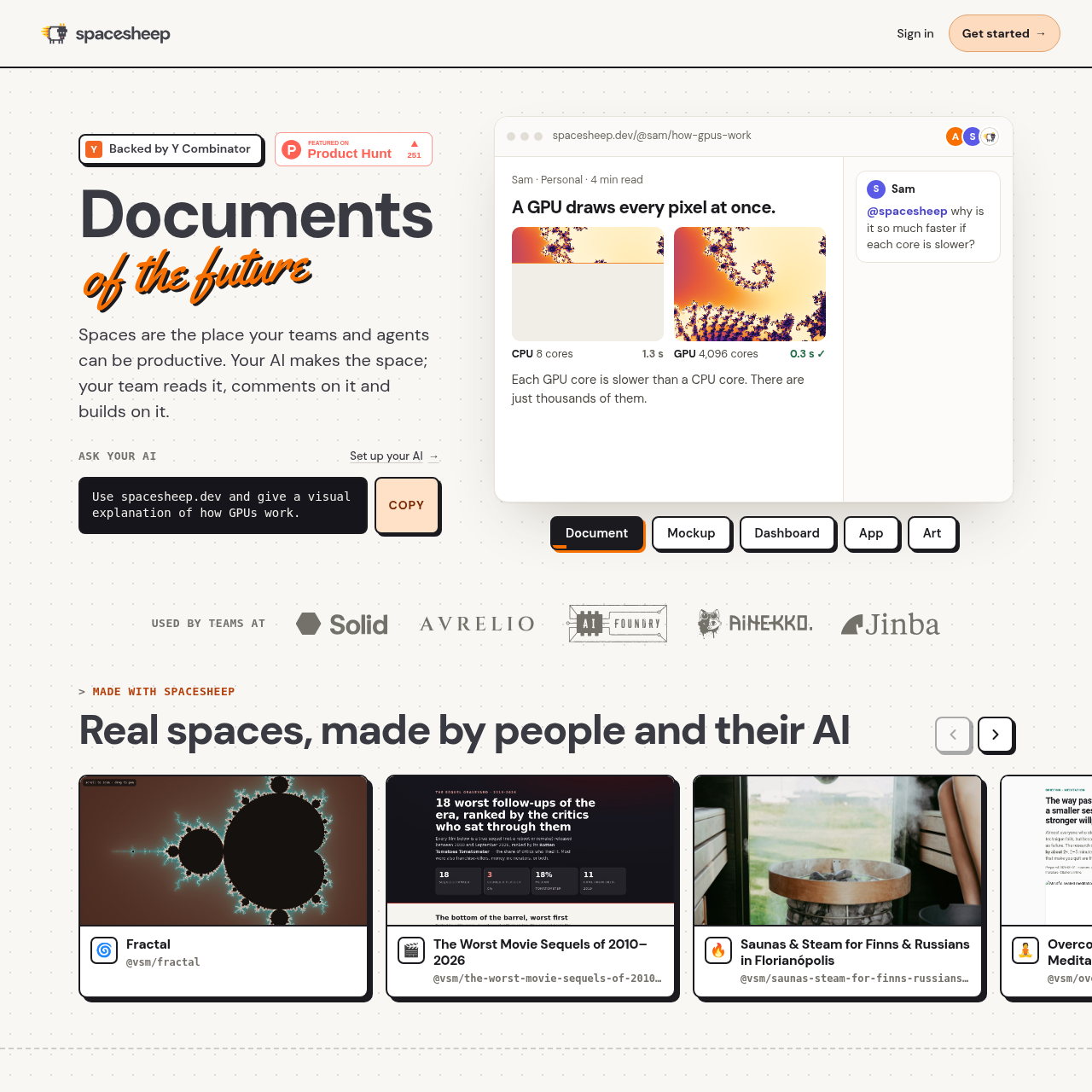
Spacesheep is a collaborative workspace designed to convert text-heavy AI outputs into readable, visual, and interactive surfaces called spaces. Rather than producing static blocks of text, the platform constructs custom-designed documents, user interface mockups, live charts, and interactive mini-applications that multiple team members can view and interact with simultaneously.
The service supports external integration with major AI coding assistants and models, including ChatGPT, Claude Code, Cursor, Codex, Windsurf, and Grok, while also offering its own assistant interface accessible through the web dashboard, Slack, and Telegram. Documents support live streaming data from external services and line-level commenting where users can direct the AI to update elements in real time. Workspaces and their full version histories can be synced to Google Drive or GitHub.
What Can You Use Spacesheep For?
Source-supported ways to use the product
Agent Output Visualization
Converting verbose prose or raw metrics generated by AI coding tools into structured visual explanations, dashboards, and charts.
Collaborative Document Refinement
Enabling teams to review strategy docs or plans together, using threaded comments and AI mentions to adjust specific lines or figures.
Real-Time Metric Monitoring
Connecting external services and automated data feeds to stream live operational numbers directly into shared dashboards.
Lightweight App and CRM Prototyping
Building interactive forms, lightweight sales pipelines, or interactive simulations that colleagues can edit collaboratively without managing hosting infrastructure.
Collaboration, External Integrations, and Data Storage
Spacesheep functions as an interface layer between AI agents and human teams. When an AI generates data, the platform designs a visual space specifically suited for that material without relying on standard pre-set templates. Team members can browse the resulting space, observe real-time collaborator presence, and leave feedback anchored to specific passages or chart elements.
Content maintenance is handled through both human and automated inputs. Tagging the AI handle in a comment triggers immediate updates to the underlying space while collaborators watch. For long-term retention and organization, spaces are indexed with natural-language search, and data can be mirrored directly to GitHub repositories or Google Drive folders to preserve user ownership and revision tracking.
Line-specific collaborative comments support direct AI re-prompting.
Live telemetry and metrics can stream continuously into dashboards.
Dual synchronization paths support Google Drive and GitHub version archiving.
Compatibility across multiple programming assistants including Cursor, Codex, and Claude Code.
What to Test Before Choosing Spacesheep
Checks to run with your own material and workflow
Verify that required external AI tools or coding assistants can publish successfully to Spacesheep.
Confirm that live data streams from external services integrate properly with the dashboard components.
Check the synchronization of spaces and version histories with targeted GitHub or Google Drive repositories.
Review multi-user collaboration and commenting response times during live AI revisions.
Answers based on the source-checked product record
Which third-party AI assistants work with Spacesheep?+
Spacesheep supports integrations with Claude Code, Codex, Cursor, ChatGPT, Windsurf, and Grok, alongside its own native AI assistant.
Where can users access Spacesheep AI directly?+
Users can access the native Spacesheep AI through the web dashboard, Slack, and Telegram.
How do team members edit a space with the AI?+
Team members can comment on specific lines and mention the AI handle to have it update content or charts directly in the space.
What external storage options are supported for data backup?+
Every space and its corresponding version history can be synchronized directly to a user's Google Drive or GitHub account.
What formats can be created within a space?+
Spaces can take the form of styled documents, interface mockups, live metric dashboards, lightweight CRMs, forms, and interactive browser applications.
More Productivity AI tools
Explore other recently added tools in the same category.