Sim
Sim: The Open-Source AI Workspace for Building, Deploying, and Managing Advanced AI Agents
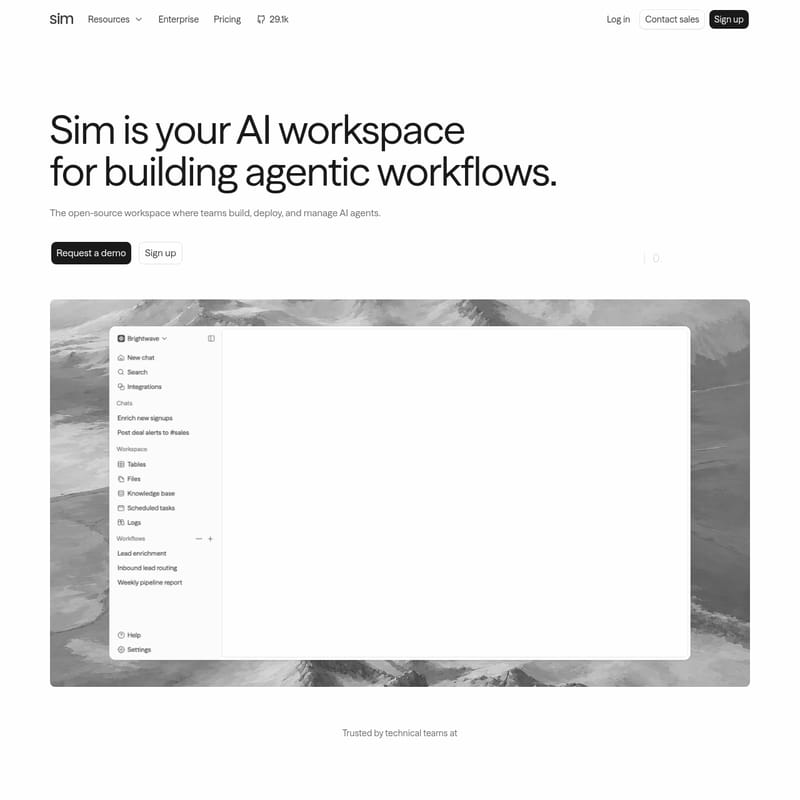
Sim is a premier open-source AI workspace designed for teams to build, deploy, and manage sophisticated AI agents. By connecting over 1,000 integrations and every major LLM, Sim enables the creation of agentic workflows that automate real-world tasks visually, conversationally, or via code. Trusted by 100,000+ builders and SOC2 compliant, Sim offers production-ready tools for lead enrichment, customer support, and more.
2026-07-12
145.0K
Sim Product Information
Sim: The Premier Open-Source AI Workspace for Building and Managing AI Agents
In the rapidly evolving landscape of artificial intelligence, Sim stands out as the comprehensive, open-source AI workspace where technical teams build, deploy, and manage AI agents. Sim provides an integrated environment that bridges the gap between Large Language Models (LLMs) and real-world productivity. Whether you are looking to automate complex business processes or build internal tools, Sim offers the infrastructure to turn agentic concepts into production-ready workflows.
With a community of over 100,000 builders and a commitment to security—highlighted by its SOC2 compliance—Sim is engineered for teams of every size. From startups to enterprise organizations, Sim simplifies the path from a simple idea to a fully functional AI agent that acts across your entire software stack.
What’s Sim?
Sim is an open-source AI workspace specifically designed for creating agentic workflows. Unlike traditional automation tools, Sim allows users to create agents that can reason, use tools, and interact with data semantically. It is a platform where you can connect over 1,000 integrations and every major LLM to create agents that automate real work.
Sim provides a versatile environment where agents can be built visually, conversationally, or through code. It serves as the "Mothership" for your AI operations, offering a centralized hub to monitor performance, manage costs, and ensure that every AI run is executed with precision. By providing the underlying framework for Workflows, Knowledge Bases, and Tables, Sim ensures that your AI agents have the context and tools they need to succeed.
Key Features of Sim
Sim is packed with features that empower builders to create highly capable AI agents. The platform is structured around four core pillars: Integrate, Context, Build, and Monitor.
1. Extensive Integration Catalog
Sim boasts a catalog of over 1,000+ integrations, allowing your agents to act through the tools your team already uses. Whether it is communication platforms like Slack, CRM systems like Salesforce and HubSpot, or productivity tools like Notion, Jira, and GitHub, Sim ensures your agents are never siloed.
2. Semantic Context and Memory
For an AI agent to be effective, it needs to understand your specific data. Sim provides Context by storing data semantically in tables, files, and knowledge bases. This allows Sim agents to ground every answer and action in your own data, effectively providing them with a long-term memory and a deep understanding of your business logic.
3. Advanced Visual and Code-Based Builder
Building agent logic in Sim is intuitive. You can use the visual builder to wire together different blocks or simply describe what you need in plain English. Sim can then translate those instructions into a working agent. For more advanced users, Sim supports code-level customization, offering a wide array of blocks such as:
- Agent & Router: For directing tasks and logic flow.
- Function & Condition: For creating complex, branching logic.
- API Block & Workflow: For connecting external services.
- Parallel & Loop: For handling high-volume or repetitive tasks.
- Guardrails & Evaluator: For ensuring safety and quality control.
4. Comprehensive Monitoring and Tracing
Sim takes the guesswork out of AI operations. The Monitor feature allows you to see inside every run with live traces and logs. You can track each run block by block, viewing the real-time cost and understanding exactly why a specific action was taken. This level of transparency is essential for maintaining production-ready AI agents.
How to Use Sim to Build Your First Agent
Sim is designed to be accessible, allowing you to go from description to deployment in a few simple steps. Here is how you can use Sim to build an agentic workflow:
- Describe Your Agent: Tell Sim what you need in plain English. For example, "When a new lead signs up, enrich it with company data and post it to Slack."
- Wire the Blocks: Use the Sim visual builder to connect inputs, LLM models, and integrations. You might start with a "New Lead" input, followed by an "Enrich Lead" function, and ending with a "Post to Slack" channel block.
- Define Context: Point your agent to the relevant data in Sim Tables or Knowledge Bases so it can reason based on facts.
- Test and Deploy: Run a test with sample data within the Sim workspace. Once satisfied, deploy the workflow to start automating your work in real-time.
- Monitor Performance: Use the Sim dashboard to watch live traces and check the cost of each run to ensure efficiency.
Real-World Use Cases for Sim
Sim is versatile enough to handle a wide range of professional tasks. Below are a few common use cases implemented by builders today:
Sales and Lead Management
Teams use Sim to automate the top of the funnel. When a new lead signs up, a Sim agent can automatically enrich the lead with company data, score the lead fit based on custom criteria, and post the details directly to a #sales channel in Slack or save them to a HubSpot CRM.
Customer Support Triage
Sim can act as a first line of defense for support teams. An agent can read a "New support email," triage the request using models like Claude, search the internal Help Center for answers, and either draft a reply or escalate the ticket to engineering by filing a bug in Jira or Linear.
Engineering and DevOps
With the Sim API and self-hosting options, engineering teams can build agents that monitor system status, log tickets into Supabase, or manage automated follow-ups in GitHub. The inclusion of the MCP (Model Context Protocol) further enhances the ability of these agents to interact with complex technical environments.
Supported Models in the Sim Ecosystem
Sim does not lock you into a single provider. It allows you to run your agents on every major LLM, including:
- OpenAI
- Anthropic
- DeepSeek
- xAI
- Cerebras
- Groq
- Sakana AI
This flexibility ensures that you can choose the right model for the right task, balancing speed, cost, and intelligence within your Sim workspace.
Frequently Asked Questions (FAQ)
Is Sim open-source? Yes, Sim is an open-source AI workspace, making it highly customizable and transparent for developers and teams.
Can I host Sim on my own servers? Yes, Sim offers Self Hosting options for teams that require full control over their infrastructure and data.
How many integrations does Sim support? Sim currently supports over 1,000 integrations, including popular tools like Slack, Notion, Salesforce, and GitHub.
Is Sim secure for enterprise use? Absolutely. Sim is SOC2 compliant and is trusted by over 100,000 builders and technical teams for production-ready AI applications.
What kind of models can I use with Sim? You can use every major LLM, including those from OpenAI, Anthropic, Google, and emerging providers like DeepSeek and xAI.
By providing a robust, visual, and code-friendly platform, Sim empowers teams to stop dreaming about AI and start building agents that do real work today.