Harness by Autonomous favicon

Harness by Autonomous

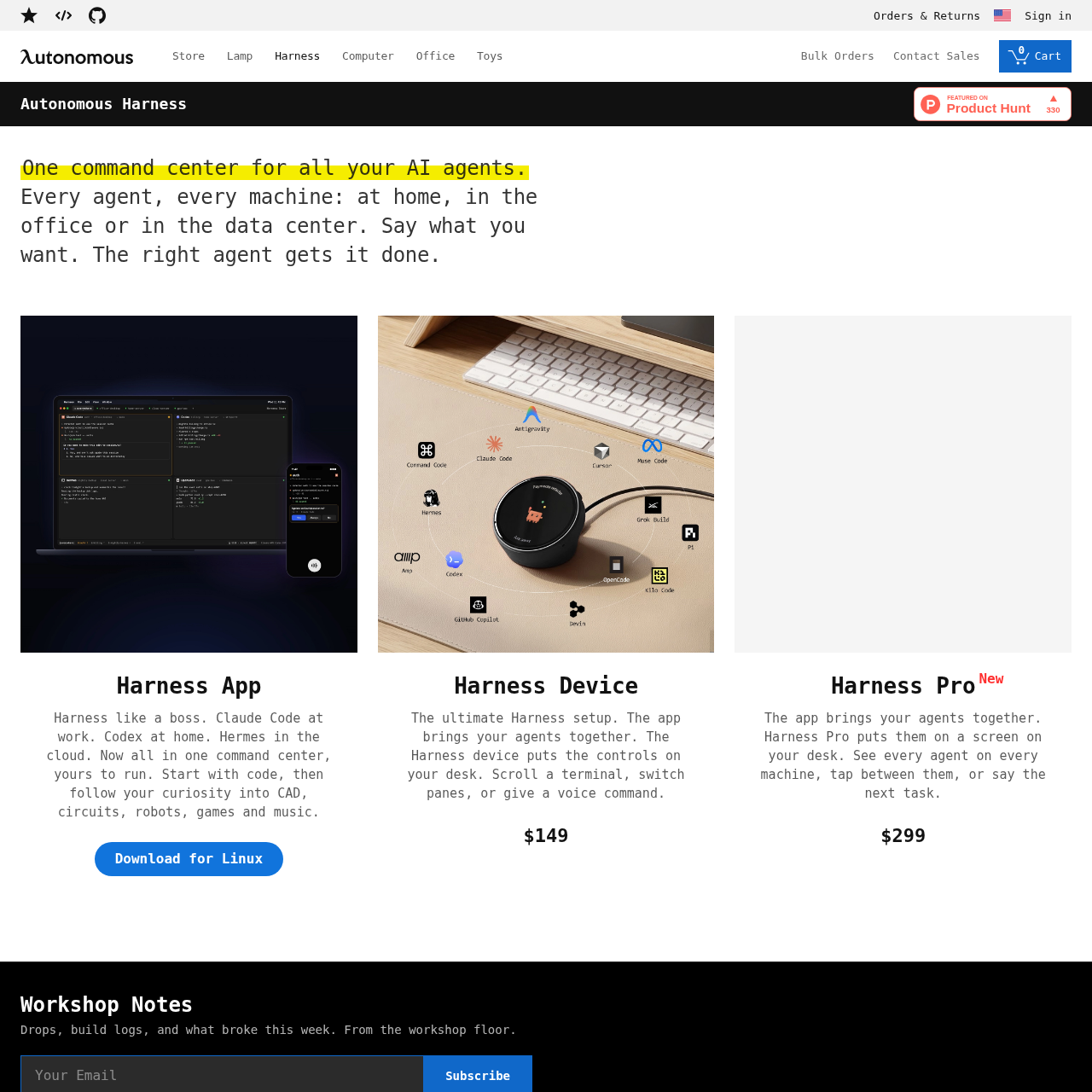
Harness by Autonomous is a unified command center designed to coordinate AI agents across local, office, and cloud environments via software and dedicated desk hardware.

Organization & AutomationCentrally managing AI agents across…Routing spoken tasks to designated agentsNavigating agent sessions by scrolling…Monitoring and switching between agent…
Harness by Autonomous product interface screenshot
Estimated monthly visits
339K
Data period:
Listed on AIToolly

What Is Harness by Autonomous? Product Overview

What the product does and how it is positioned

Harness by Autonomous is a centralized management system that connects diverse AI agents running on local computers, office systems, or cloud environments into a unified command center.

The ecosystem includes the Harness software application alongside dedicated hardware devices that provide physical desk controls, screen interfaces, voice input, pane switching, and terminal navigation.

What Can You Use Harness by Autonomous For?

Source-supported ways to use the product

Cross-Environment Agent Management

Coordinate agents such as Claude Code, Codex, or cloud-hosted Hermes across home, workplace, and data center machines.

Hardware-Enabled Terminal Navigation

Utilize dedicated desk controls to scroll terminal feeds, change active panes, and deliver voice instructions directly to active agents.

Multi-Disciplinary Technical Tasks

Deploy specialized agents across domains including programming, CAD drafting, electronic circuit design, robotics, games, and music.

Command Center Architecture and Hardware Controls

Harness by Autonomous is designed to bring distributed AI agents into a single unified control hub. The system connects agents deployed across local machines, remote workplace environments, and cloud infrastructure, allowing users to issue requests that are routed to the relevant agent.

In addition to the software application, the platform includes dedicated desktop hardware accessories that introduce tactile controls and physical displays for monitoring agent activity.

  • Centralized control across local, office, and data center environments.
  • Integration options highlighting agents like Claude Code, Codex, and Hermes.
  • Physical desk units offering terminal scrolling, pane switching, and voice input.
  • Dedicated display hardware for monitoring and tapping between agents on different machines.

What to Test Before Choosing Harness by Autonomous

Checks to run with your own material and workflow

  • Verify that your local or remote operating environment supports the Linux application build.
  • Confirm compatibility with the specific AI agents and environments you intend to coordinate, such as Claude Code, Codex, or Hermes.
  • Check whether physical desk hardware, such as the screen-enabled Pro device or standard controller, fits your workspace and interaction preferences.

Harness by Autonomous Sources and Last Checked

What was checked and when

Last checked

Harness by Autonomous Frequently Asked Questions

Answers based on the source-checked product record

What is Harness by Autonomous?

Harness by Autonomous is a centralized command center that connects and manages AI agents across home computers, office workstations, and data center or cloud machines.

Which operating system is explicitly listed for the Harness application download?

The provided source documentation explicitly lists a download option for the Linux operating system.

What hardware options are offered alongside the Harness software?

Autonomous offers the Harness Device for desk-based terminal scrolling, pane switching, and voice commands, as well as the Harness Pro device featuring a dedicated screen to monitor and tap between agents.

Which AI agents and application domains are mentioned in the source?

The documentation references agents such as Claude Code, Codex, and Hermes, supporting domains including code, CAD, circuits, robotics, gaming, and music.

How do users interact with AI agents using the Harness platform?

Users can interact with agents by issuing voice instructions, scrolling through terminals, tapping between agents on screen, and switching active panes across connected machines.

Explore other recently added tools in the same category.