Retriever AI favicon

Retriever AI

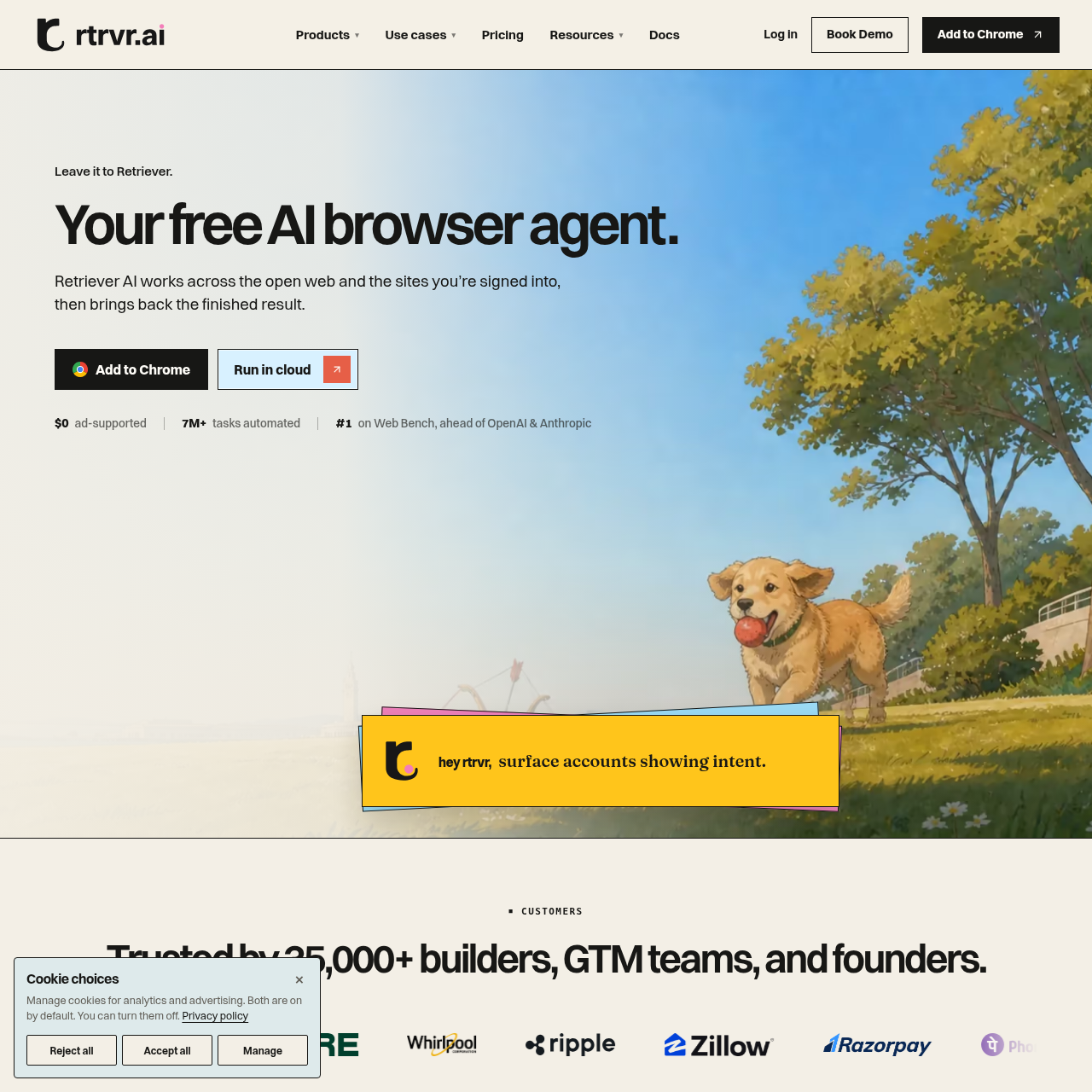
Retriever AI is an autonomous AI browser agent designed to automate web browsing, data extraction, and repetitive online workflows across extension, cloud, API, and terminal interfaces.

Organization & AutomationNavigates public and authenticated web…Extracts structured data from web pages…Automates lead enrichment and…Executes multi-site web crawls and…
Retriever AI product interface screenshot
Estimated monthly visits
34K
Data period:
Listed on AIToolly

What Is Retriever AI? Product Overview

What the product does and how it is positioned

Retriever AI operates as an automated browser agent that executes web-based tasks across both public websites and authenticated user sessions, returning completed results such as structured datasets or executed actions.

The platform is deployable across multiple environments, offering a Chrome browser extension, scheduled cloud runners, a developer API returning JSON, an MCP server for AI assistants, and a command-line interface with an SDK.

What Can You Use Retriever AI For?

Source-supported ways to use the product

Lead Generation and Outreach

Teams extract participant details from event and community pages, enrich contact information, and send outreach messages across channels.

Web Scraping and Dataset Extraction

Users direct the agent via prompts to collect online listings or directory information and compile the findings directly into spreadsheets.

Back-Office Form Automation

The agent automates routine administrative activities, such as extracting job board details and populating online forms across internal and external tools.

Deployment Across Local, Cloud, and Developer Environments

Retriever AI provides five distinct deployment modes to fit different automation requirements and technical workflows. In interactive desktop sessions, users deploy the agent directly inside Google Chrome to interact with active, authenticated web pages while they work.

For large-scale and unattended operations, the platform provides cloud infrastructure capable of running scheduled browser instances, alongside a developer API returning structured JSON, an MCP connection for AI chat models, and a command-line interface with an SDK for terminal pipelines.

  • Browser Extension operates within active signed-in tabs in Chrome.
  • Cloud infrastructure supports scheduled, unattended multi-browser execution.
  • API returns structured JSON for integration into custom software applications.
  • MCP integration connects the web agent to Claude, Codex, and Slack bots.
  • CLI and SDK enable scripting and scheduling from terminal environments.

What to Test Before Choosing Retriever AI

Checks to run with your own material and workflow

  • Verify that the Chrome extension functions properly across target authenticated internal and external web portals.
  • Confirm whether the cloud runner supports the concurrency and scheduling intervals needed for planned scraping routines.
  • Check the MCP integration requirements when connecting Retriever AI to Claude, Codex, or Slack.
  • Review the structure and schema of JSON data generated by the API against downstream database schemas.

Retriever AI Sources and Last Checked

What was checked and when

Official source
https://rtrvr.ai/
Last checked

Retriever AI Frequently Asked Questions

Answers based on the source-checked product record

What is Retriever AI?

Retriever AI is an automated AI browser agent that performs tasks across the open web and authenticated web pages, delivering completed datasets and workflow actions.

What interfaces are available to run Retriever AI?

Users can run Retriever AI through a Google Chrome browser extension, a scheduled cloud service, a developer API, an MCP integration, or a command-line interface and SDK.

How does Retriever AI extract data from websites?

The agent accepts natural language prompts to locate, scrape, and format web data directly into spreadsheets or clean JSON without requiring manual selectors or custom coding.

Can Retriever AI interact with authenticated websites?

Yes, Retriever AI is designed to operate across the open web as well as websites where the user is already signed in within their browser session.

Which external applications and AI assistants can integrate with Retriever AI?

Retriever AI integrates with platforms and assistants including Claude, Codex, Slack, Google Drive, Notion, and WhatsApp.

Explore other recently added tools in the same category.