Scape favicon

Scape

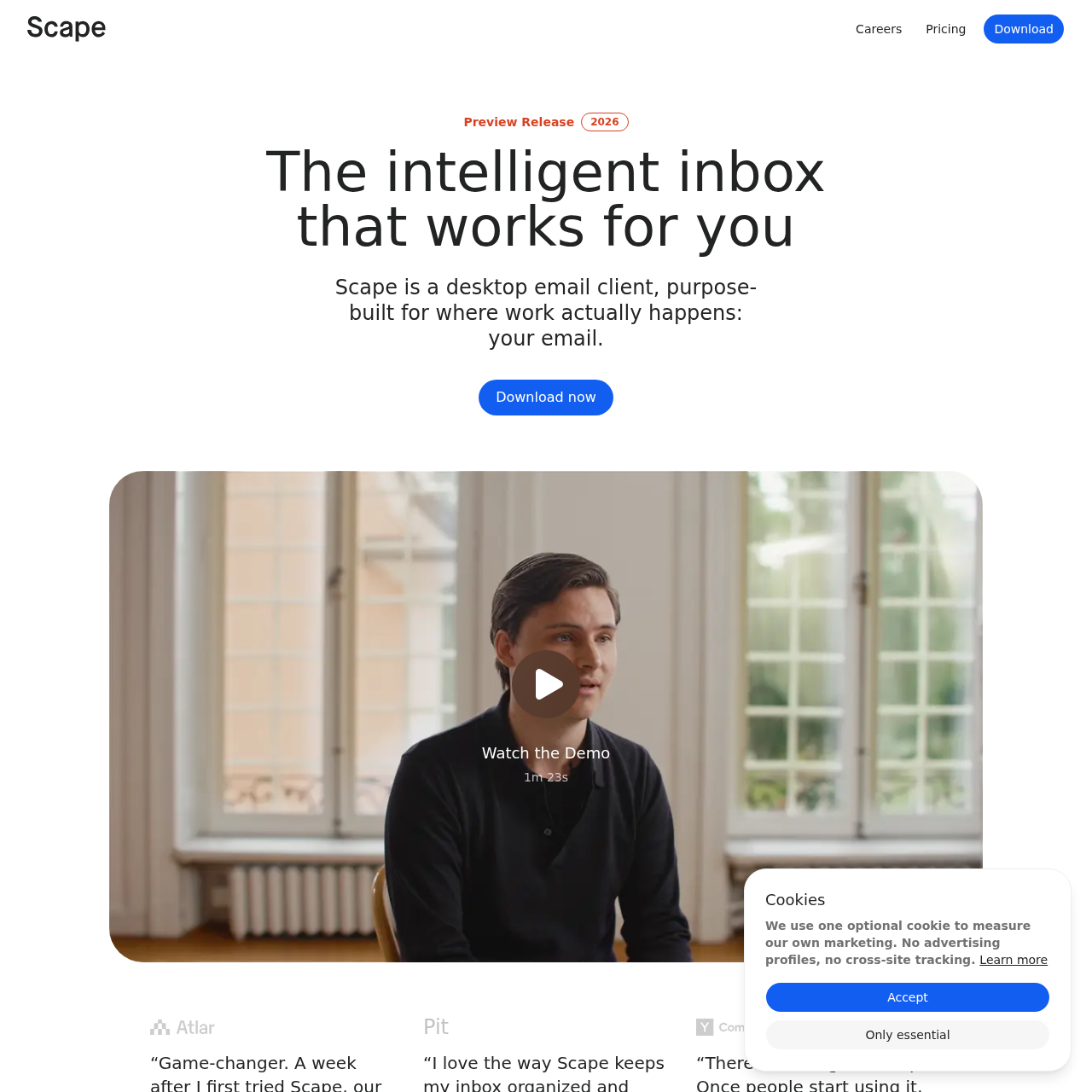
Scape is a desktop email client for Mac that integrates inbox prioritization, bot-free local meeting recording, and contextual draft generation informed by email, calendar, and transcript data.

ProductivitySynthesizes context from emails,…Identifies priority emails and applies…Captures meeting audio locally on MacTranscribes conversations across 100…
Scape product interface screenshot
Estimated monthly visits
21K
Data period:
Listed on AIToolly

What Is Scape? Product Overview

What the product does and how it is positioned

Scape is a desktop email application designed to centralize messaging, calendar context, and meeting notes in a single workflow. It organizes incoming communications by highlighting urgent conversations and categorizing other emails using structured priority labels.

The client also detects upcoming meetings across platforms such as Zoom, Google Meet, and Microsoft Teams, capturing audio locally on Mac without external bots. These conversations are transcribed across 100 languages to provide automated context for drafting email responses.

What Can You Use Scape For?

Source-supported ways to use the product

Meeting Follow-Up and Drafting

Recording meetings locally without bots and leveraging the generated transcripts to draft context-aware follow-up emails for review.

Customer Interaction Organization

Managing customer conversations, ongoing service requests, and subsequent action items directly within the desktop email client.

Local Meeting Capture and Contextual Draft Generation

Scape approaches meeting integration by operating directly at the desktop level. Rather than introducing external virtual attendee bots into video calls, it detects upcoming sessions and enables audio capture locally on Mac across tools such as Zoom, Google Meet, Microsoft Teams, FaceTime, and in-person discussions.

The captured audio is processed through a transcription engine that supports 100 languages. Scape connects this transcript data with calendar schedules, email correspondence history, and file attachments to generate contextual response drafts ready for user verification and sending.

  • Captures audio directly on Mac without deploying meeting bots
  • Works with Zoom, Google Meet, Teams, FaceTime, and in-person conversations
  • Supports multilingual transcription across 100 languages
  • Combines transcripts, calendar details, and email context to prepare drafts

What to Test Before Choosing Scape

Checks to run with your own material and workflow

  • Confirm compatibility of the local meeting recording feature with your conferencing tools on macOS.
  • Verify that email draft generation sufficiently incorporates information from your attachments and meeting transcripts.
  • Review organizational compliance against Scape's published GDPR, SOC 2 Type II, and ISO 27001 documentation.

Scape Sources and Last Checked

What was checked and when

Official source
https://scape.app/
Last checked
Category
Productivity

Scape Frequently Asked Questions

Answers based on the source-checked product record

What platform does Scape run on?

Scape is documented as a desktop email client with local meeting recording capabilities designed for Mac.

How does Scape record meeting conversations without a bot?

Scape detects upcoming meetings and records audio locally on the Mac desktop, avoiding the need for an external participant bot.

Which meeting services are supported for conversation capture?

Documented services include Zoom, Google Meet, Microsoft Teams, FaceTime, and in-person conversations.

What information does Scape use to generate email drafts?

Scape utilizes context from prior emails, meeting transcripts, calendar data, and file attachments to prepare draft replies.

How many languages are supported by Scape's transcription engine?

Scape includes a transcription engine with documented support for accurate transcription across 100 languages.

Explore other recently added tools in the same category.