Pushary
Pushary: The Human-in-the-Loop Control Panel for AI Agents and Permission Management
Pushary is the ultimate control panel for AI agents, providing a human-in-the-loop interface to approve, deny, and manage agent permissions from your phone, Slack, or web app. Designed for tools like Claude Code, Cursor, and Hermes, it ensures your AI agents never stay frozen while waiting for your input, all while keeping your source code secure on your local machine.
2026-07-26
16.0K
Pushary Product Information
Pushary: The Human-in-the-Loop Control Panel for AI Agents
In the rapidly evolving world of artificial intelligence, agents are taking on increasingly complex tasks. However, a common bottleneck remains: the "frozen agent." You hand off a long task, walk away, and return forty minutes later only to find the agent has been idling, waiting for a single permission to proceed. Pushary is designed to solve this exact problem. As a comprehensive AI agent control panel, Pushary brings human-in-the-loop functionality to your workflow, allowing you to manage permissions and oversee your AI fleet from anywhere.
What is Pushary?
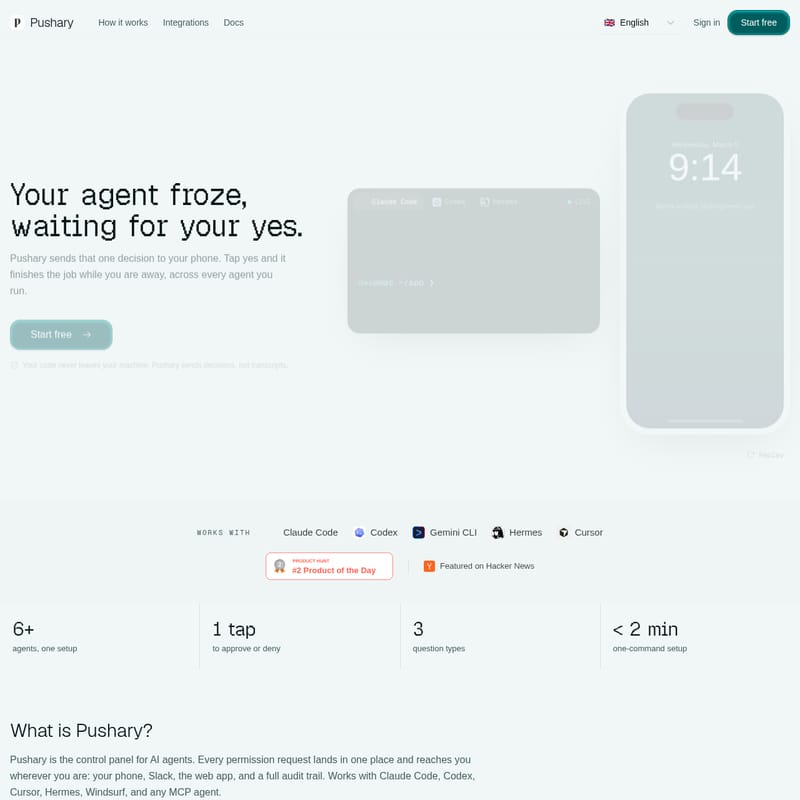
Pushary is a centralized control panel and notification system for AI agents. It serves as the bridge between your autonomous agents and your decision-making, ensuring that every permission request lands in one place. Whether you are using Claude Code, Codex, Cursor, Hermes, or any MCP agent, Pushary delivers requests directly to your phone, Slack, or a dedicated web app.
Pushary ensures that your AI agents remain productive even when you aren't sitting at your terminal. By providing a full audit trail and remote approval capabilities, it transforms the way developers and teams interact with AI, moving away from "babysitting" tasks toward true delegated execution.
Why You Need Pushary for Your AI Agents
The "Frozen Agent" Problem
Without Pushary, the workflow is often fragmented and inefficient:
- 9:12 AM: You hand off a long task and walk away to focus on other work.
- 9:14 AM: The agent reaches a step it shouldn't take alone (like a production deploy or a file deletion). It stops and waits for user confirmation.
- 9:51 AM: You return to your machine. The agent has not moved in 37 minutes, wasting valuable time.
The Pushary Solution
With Pushary, that same scenario looks much different:
- 9:12 AM: You hand off the task and walk away.
- 9:14 AM: Your phone buzzes. You receive a notification asking for approval. You tap "Yes" on your lock screen.
- 9:51 AM: You return to find the task was finished half an hour ago because the agent never had to wait for you to return to your desk.
Core Features of Pushary
Pushary is packed with features designed to keep you in control without slowing down your AI agents.
Unified Agent Control Panel
Manage your entire fleet from one dashboard. The Fleet Board shows you exactly which agents are active, what they are working on, and which ones are currently waiting for your input.
Remote Multi-Platform Approvals
Decision requests are delivered wherever you are. You can approve or deny actions via:
- Push Notifications: Interact directly from your phone's lock screen.
- Slack Integration: Receive questions in Slack with interactive buttons. Once you click, the message updates with the result.
- Web App: A centralized dashboard to view all pending requests and historical logs.
- Audit Trail: A complete record of every decision made, ensuring accountability and transparency.
Advanced Permission Presets
Pushary allows you to set the rules once so you only see what matters. You can configure Permission Presets such as:
- Auto-Approve the Safe Stuff: Set an allowlist for low-risk, reversible steps like reading files or running safe tests.
- Escalate the Risky Ones: Ensure that actions you cannot undo—such as deleting files, force pushing to Git, or spending money—always require a manual tap on your phone.
- Wait Time Management: Define how long an agent should wait for a response. If you don't answer within the set time, Pushary can auto-deny or hand the decision back to the terminal.
High Security and Privacy
One of the most critical aspects of Pushary is its commitment to privacy. Your code never leaves your machine. Pushary sends decisions and metadata (like the tool name, title, and body of the request), not your actual source code or transcripts.
How It Works: The 90-Second Approval Flow
Pushary streamlines the interaction between human and AI into three simple steps:
- Your Agent Asks: The agent pauses at a step requiring a decision (e.g., running a shell command or picking between options).
- Your Phone Buzzes: You receive a notification only when a decision is needed, not for every minor step. You can approve, deny, or even type a reply.
- The Agent Continues: Your answer flows back to the agent immediately, and it resumes its task. You even get a ping when the entire job is finished.
Use Cases for Pushary
1. Long-Running Development Tasks
When refactoring large modules or running extensive test suites with agents like Claude Code, Pushary ensures the process isn't derailed by a single permission prompt while you're away grabbing coffee.
2. Secure Production Deploys
Use Pushary as a human gatekeeper for CI/CD or deployment workflows. If an agent wants to "git push origin main," Pushary ensures a human eyes the request before it goes live.
3. Workflow Automation with n8n
Pushary integrates with n8n via a dedicated node. This allows you to add a human checkpoint to any automated workflow. The flow pauses, asks for your input via Pushary, and continues once you've provided the answer.
How to Use Pushary: Setup in Under 2 Minutes
Getting started with Pushary is incredibly fast. Most users are up and running in less than two minutes using a single command.
Setup Steps:
- Pick Your Agent: Pushary supports Claude Code, Codex, Hermes, Cursor, Windsurf, Gemini CLI, and more.
- Run the Setup Command: Open your terminal and run:
npx @pushary/agent-hooks setup - Configure: This command automatically configures your MCP server, permission hooks, event tracking, and API key.
- Download the App: Install the Pushary app on your phone and log in with the same credentials used for the web dashboard.
Frequently Asked Questions (FAQ)
Q: Can I approve an AI agent from my phone? A: Yes! Pushary is specifically built to send permission requests to your phone so you can approve or deny them with a single tap.
Q: Is my code sent to Pushary's servers? A: No. Your source code never touches Pushary's servers. Only the metadata of the question (title, body, and tool name) is transmitted.
Q: What AI agents work with Pushary? A: Pushary works with a wide range of agents, including Claude Code, Codex, Cursor, Gemini CLI, Hermes, Windsurf, and any agent following the MCP (Model Context Protocol).
Q: How is this different from YOLO mode? A: YOLO mode usually approves everything blindly. Pushary allows you to auto-approve safe steps while strictly escalating risky actions—like deletions or financial transactions—to your phone.
Q: How much does Pushary cost? A: Pushary is available for $9.99/mo after a 7-day free trial. You can cancel at any time.
Q: What happens if I miss a notification? A: You can set rules for this. Typically, if you don't answer, the question expires after 10 minutes, and your preset rule (like auto-deny) will take effect to keep the agent from waiting indefinitely.
Stop babysitting your AI. Start your free trial of Pushary today and keep your agents moving.