Figma Specs favicon

Figma Specs

Figma Specs is a beta context container that unifies written intent, visual designs, and technical details for teams and AI agents across Figma and external tools.

Code & ITConsolidating written intent, visual…Providing structured Markdown prompts…Connecting to external tools and…Operating as a native on-canvas element…
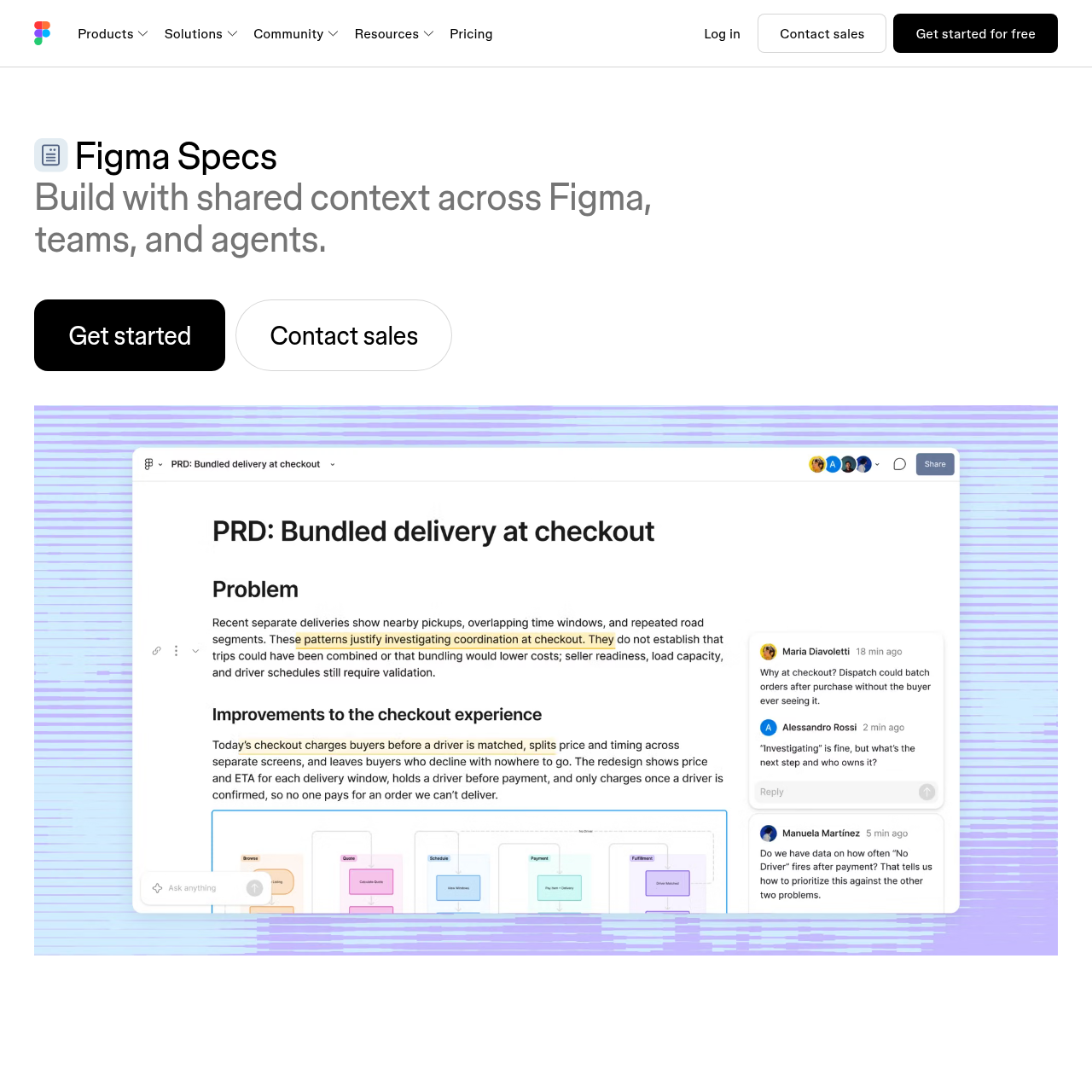
Figma Specs product interface screenshot
Estimated monthly visits
77.6M
Data period:
Listed on AIToolly

What Is Figma Specs? Product Overview

What the product does and how it is positioned

Figma Specs is a contextual collaboration container designed to bridge planning, visual exploration, and coding workflows within the Figma ecosystem.

The tool allows product creators to draft requirements either directly on the design canvas or in an isolated workspace, assembling diagrams, tables, and external codebase references into one shared document.

By structuring this combined context into Markdown and connecting via the Model Context Protocol (MCP) or the Figma agent, the tool helps both human teammates and AI agents build and ship products.

What Can You Use Figma Specs For?

Source-supported ways to use the product

Agent-Guided Code Implementation

Engineering teams supply structured Markdown from Figma Specs to AI agents to guide them through building features from prototype to production.

Cross-Functional Specification Authoring

Designers and product teams document written intent alongside Figma diagrams, design frames, and tables directly on the canvas.

External Tool Synchronization via MCP

Developers use the Figma agent and Model Context Protocol to export specification data directly into external development software.

Context Architecture and Agent Interoperability

Figma Specs operates as a portable context container designed to flow into, out of, and across the Figma environment. It integrates written product intent, technical specifications, and visual artifacts into a unified structure that both human contributors and automated agents can access.

Context flows bidirectionally between Figma and outside sources. Users can incorporate native elements such as tables and diagrams, while the Figma agent brings in external codebase data. When handoff occurs, Specs exports structured Markdown to steer external AI agents, or leverages the Model Context Protocol (MCP) and canvas code layers to interact with external development environments.

  • Can be deployed directly on the design canvas or maintained in a standalone workspace.
  • Outputs structured Markdown context tailored for AI agent consumption.
  • Integrates with external workflows using the Model Context Protocol (MCP).
  • Facilitates collaborative authoring through direct teammate tagging.

What to Test Before Choosing Figma Specs

Checks to run with your own material and workflow

  • Verify whether the current beta release status satisfies organizational stability and deployment criteria.
  • Confirm that external AI coding agents accept the structured Markdown generated by Figma Specs.
  • Check compatibility between existing development tools and the Model Context Protocol (MCP) integration.
  • Review how effectively codebase references and external data integrate into the specification via the Figma agent.

Figma Specs Sources and Last Checked

What was checked and when

Last checked
Category
Code & IT

Figma Specs Frequently Asked Questions

Answers based on the source-checked product record

What is Figma Specs?

Figma Specs is a context container tool in beta that unites written intent, visual design, and technical details for teams and AI agents.

Where does Figma Specs run?

Figma Specs can be used directly on the Figma design canvas alongside visual mockups or edited in a standalone workspace and embedded later.

How does Figma Specs interact with AI agents?

It provides AI agents with structured Markdown to help guide development from early prototyping through to final production.

What integration protocols are supported by Figma Specs?

Figma Specs connects to external development tools using the Model Context Protocol (MCP) and through the Figma agent.

What data sources can be included in a specification?

Specifications can incorporate native Figma designs, tables, and diagrams, as well as external codebases and data imported via the Figma agent.

Explore other recently added tools in the same category.