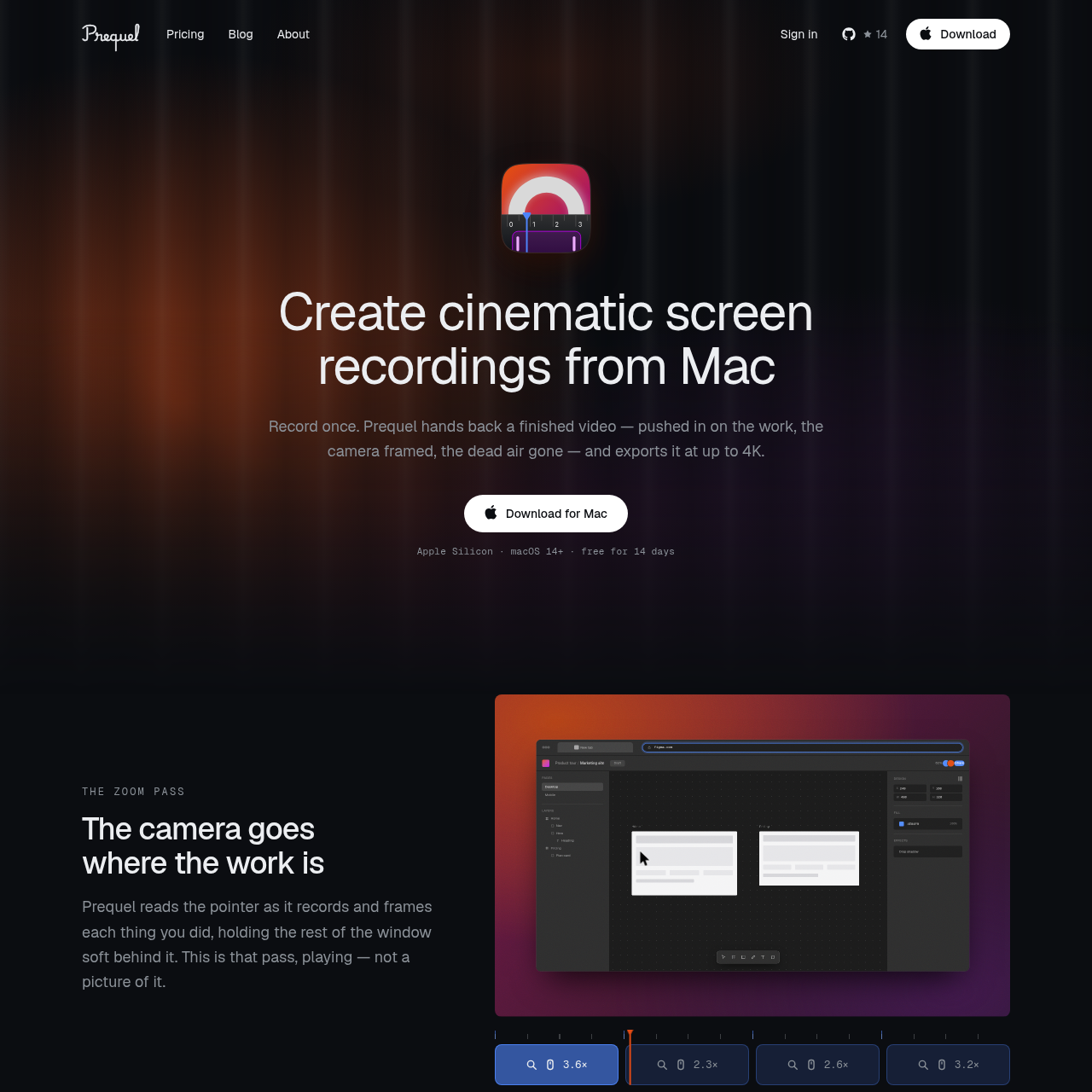
Prequel is a macOS screen recording tool that automates post-production tasks like zooming, camera framing, and background application to produce high-quality video.
VideoDynamic camera framing and layout…Automatic cursor smoothing and…Timeline-based editingIndependent gain control
Listed on AIToolly
What Is Prequel? Product Overview
What the product does and how it is positioned
Prequel streamlines the creation of cinematic screen recordings by automatically directing the focus of the video. It tracks pointer movement and typing activity to apply zooms and framing, allowing users to adjust layouts and camera positioning after the recording is finished.
The software leverages the Mac's internal media engine to handle high-resolution exports, supporting up to 4K output. It provides a non-destructive editing environment where camera feeds, backgrounds, and audio levels can be refined without being permanently burned into the footage.
What Can You Use Prequel For?
Source-supported ways to use the product
Product and App Demos
Create professional-grade demonstrations for software products and applications with automated focus and framing.
Educational Content
Develop training videos, course lessons, and software tutorials that maintain viewer engagement through dynamic, automated zooms.
How to Use Prequel
The documented workflow, where available
1
Record
Capture screen activity, webcam, and audio simultaneously while the software tracks pointer and typing inputs.
2
Edit
Refine the automatically generated take by adjusting camera layouts, backgrounds, and timeline cuts in the built-in editor.
3
Export
Render the final video as an MP4 file using hardware-accelerated encoding at resolutions up to 4K.
Automated Directing Engine
Prequel functions by monitoring user activity during the recording process to create a directed video experience. By tracking where a user clicks and types, the software automatically generates a sequence of zooms and camera placements that highlight relevant content.
Automatically frames the camera in a corner with customizable shapes.
Cleans up cursor behavior by smoothing movement and hiding it during idle periods.
Applies backgrounds, including presets, gradients, or custom wallpapers.
Balances microphone and system audio on separate gain tracks.
What to Test Before Choosing Prequel
Checks to run with your own material and workflow
Confirm that the system meets the macOS 14+ and Apple Silicon requirements before installation.
Review the available export settings to ensure the desired resolution and frame rate are supported for the specific project needs.
Answers based on the source-checked product record
What is Prequel?+
Prequel is a screen recording application for macOS that automatically processes raw footage into a finished video by applying zooms, camera framing, and audio balancing.
Does my recording leave my machine?+
No, Prequel processes and renders all recordings locally on your Mac using its own media engine, supporting your data remains on your device.
Can I change the camera framing after recording?+
Yes, the webcam is not burned into the recording, allowing you to adjust its size, shape, and position within the editor after the recording is complete.
Can I create vertical videos from a landscape recording?+
Yes, you can switch between various aspect ratios like landscape, vertical, or square, as the framing is stored in proportions rather than fixed pixels.
What are the system requirements for Prequel?+
Prequel requires a Mac running macOS 14 or later and must be equipped with Apple Silicon hardware to function.
More Video AI tools
Explore other recently added tools in the same category.