Port22
Port22: Remote Control for Claude Code
Port22 provides a remote control for Claude Code and other terminal AI agents. Monitor live transcripts and approve tasks on iPhone with end-to-end encryption.
2026-08-03
--K
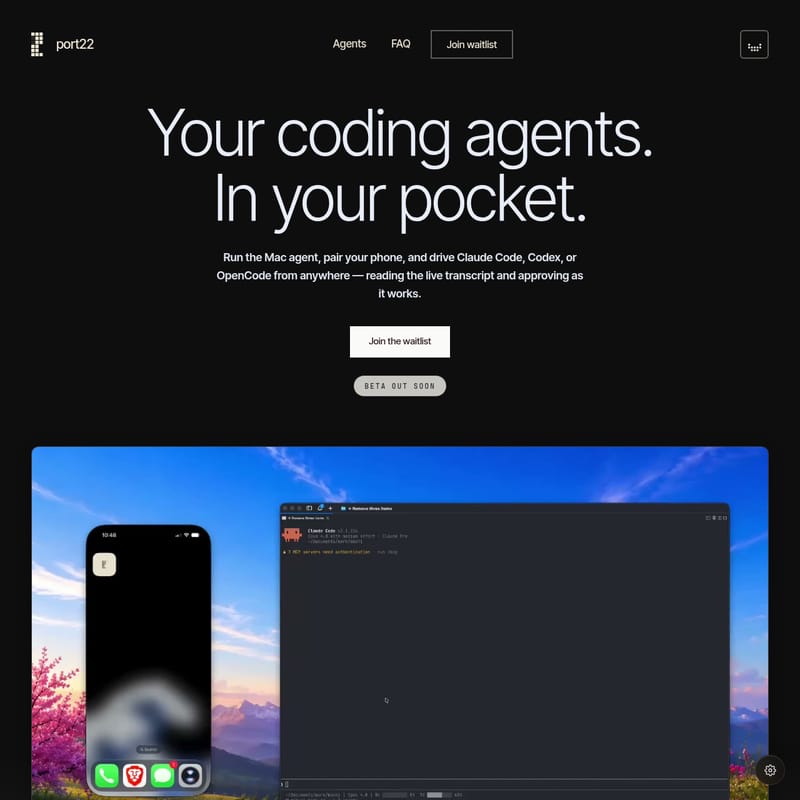
Port22 Product Information
Port22 is a remote control for Claude Code that provides a mobile interface for monitoring and interacting with terminal-based AI agents. As a coding agent iPhone controller, the application facilitates the oversight of terminal sessions from a mobile device. It streams the agent's thought process, code edits, and execution results to an iPhone in real-time.
Functioning as a Claude Code mobile companion, Port22 drives the session already started in a local terminal rather than starting a new session or creating a fork. This maintains the context established at the workstation during mobile monitoring.
Remote Control for Claude Code and Monitoring
The application serves as a remote terminal agent monitor that displays tokens as the agent processes information. This visibility allows for oversight of the agent's activity. When an agent reaches a point requiring user intervention, the AI agent approval app sends a push notification. Users then review the pending task and provide approval or feedback via the mobile interface.
Port22 supports specific AI coding agents, including Claude Code, Codex, and OpenCode. Support for additional agents, such as OpenClaw and Hermes, is listed as upcoming. Because the tool attaches to an active terminal session, it preserves the continuity of the existing command-line interface (CLI) workflow.
Terminal Compatibility and Requirements
To use the system, a Mac must run the Mac agent binary, which watches designated terminal sessions. The tool is compatible with several open-source terminal applications, including Ghostty, kitty, Alacritty, WezTerm, tmux, and Terminal.app. Port22 does not support Warp or built-in terminals within Integrated Development Environments (IDEs).
Hardware requirements include a Mac to host the agent and an iPhone to act as the controller. The system works with the command-line interface agents a developer already uses. The interface features a live count in the Dynamic Island and a roster of active sessions on the iOS lock screen for status checks.
iCloud Pairing and Security
The setup process utilizes the Apple ecosystem for device communication. Users pair over iCloud by signing into the same Apple ID on the Mac and the iPhone. This method removes the need for separate account creation or manual login procedures. Once devices recognize the shared Apple ID, the connection is established.
Security is managed through a local area network (LAN) approach, where data is transferred directly when devices share a network. For remote access over cellular or external Wi-Fi, the system uses an end-to-end encrypted relay. This relay forwards ciphertext between the Mac and the iPhone without holding decryption keys. The provider reports that no code is stored on their servers.
Mobile Notification and Approval Features
The mobile interface provides updates when an agent completes a task or requires input. Notifications are delivered when action is required, at which point the user can drive the session from a mobile device. The system automatically switches between the local network and the encrypted relay based on the user's connection.
The live transcript shows the agent thinking and editing. This detail provides terminal information condensed for a mobile screen, allowing for the review and approval of AI coding tasks on a mobile device.
Port22 faq
Does Port22 require a new agent session?
No. The software attaches to the Claude Code, Codex, or OpenCode session already open in the terminal. It does not start a new session or create a fork of the existing work.
Can the system be used away from local Wi-Fi?
Yes. While the system uses a LAN connection when available, it automatically switches to an encrypted relay when the user is on a cellular network or external Wi-Fi.
Is user code accessible to the provider?
No. All payloads are end-to-end encrypted between the Mac and the iPhone. The relay used for remote connections forwards ciphertext and does not have access to the keys required to read the code.