Wonder Dev View favicon

Wonder Dev View

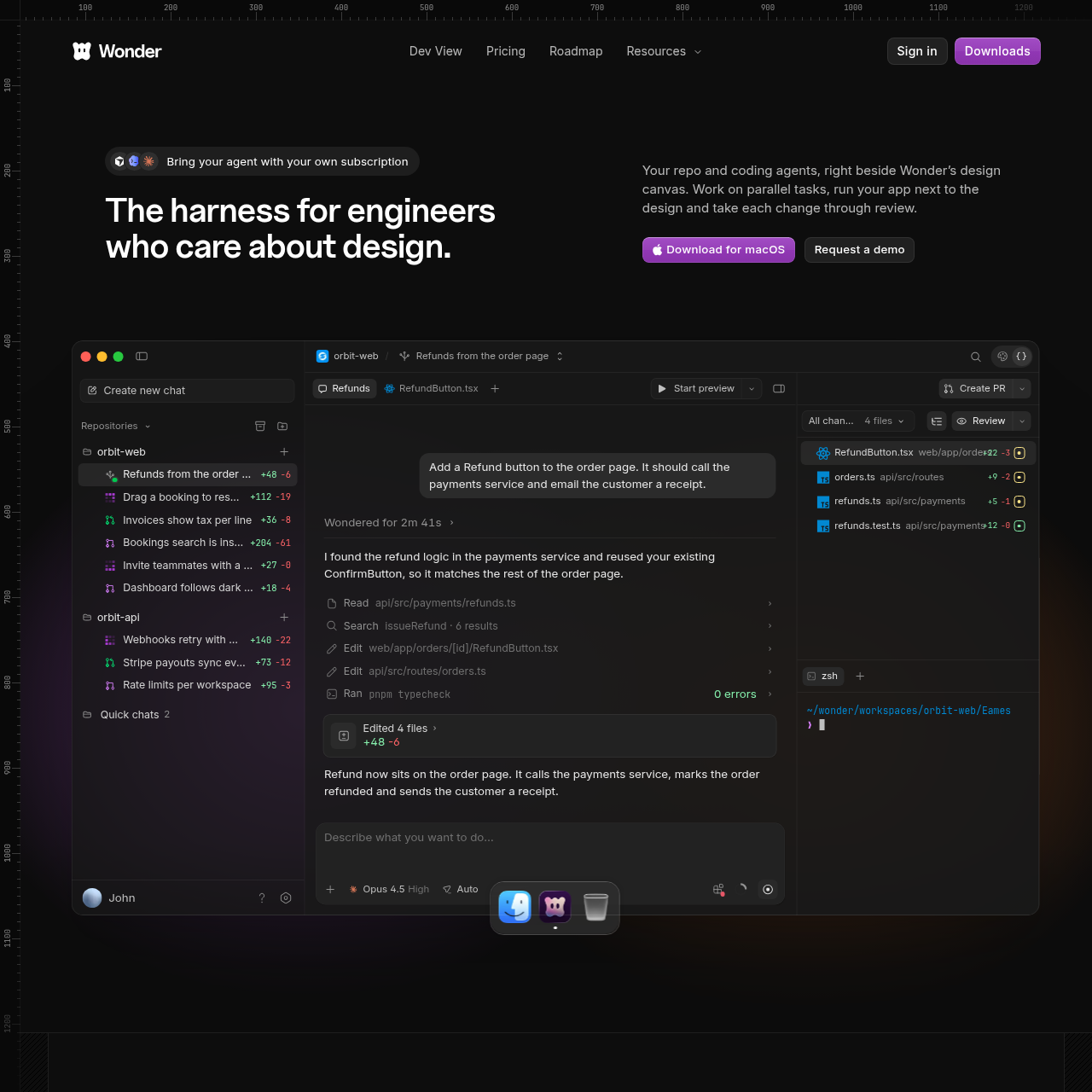
Wonder Dev View is a development environment for macOS that connects coding agents, Git worktrees, and terminal sessions directly beside a live application preview and design canvas.

Code & ITRunning parallel coding tasks across…Embedding live web application previews…Synchronizing design canvas components…Switching between Claude Code and Codex…
Wonder Dev View product interface screenshot
Estimated monthly visits
33K
Data period:
Listed on AIToolly

What Is Wonder Dev View? Product Overview

What the product does and how it is positioned

Wonder Dev View is a specialized developer harness that positions coding agents and repository tools alongside an interactive design canvas. Operating on macOS, the software displays project files, command-line terminals, agent chats, and GitHub pull requests in a unified interface designed for engineers building user interfaces.

The tool operates on a bring-your-own-agent model, integrating with existing Claude Code and Codex subscriptions. By isolating each task into an individual git worktree, the environment enables developers to run parallel agent tasks simultaneously without merge conflicts or manual dependency installations.

What Can You Use Wonder Dev View For?

Source-supported ways to use the product

Parallel Agent Task Execution

Running multiple coding agents simultaneously on separate git worktrees to develop distinct features or bug fixes without working directory collisions.

Visual Interface Implementation

Previewing live application components next to agent chat windows to inspect layout behavior and direct agents to adjust front-end code.

Pre-Merge Code Verification

Triggering secondary agent code reviews on open branches and pull requests to identify issues before completing code merges.

How to Use Wonder Dev View

The documented workflow, where available

  1. 1

    Initialize Task Workspace

    Open a repository branch or teammate pull request, which creates a dedicated, isolated git worktree for the task.

  2. 2

    Execute Coding Prompts

    Instruct a connected agent model to analyze the codebase and generate required modifications across project files.

  3. 3

    Run and Preview the Application

    Launch the local project using configured run commands to view the live interface inside the canvas preview.

  4. 4

    Commit and Open Pull Request

    Review staged file diffs and use built-in Git tools to commit, push, and submit a pull request without leaving the application.

  5. 5

    Trigger Secondary Agent Review

    Run an automated review using a second agent model to catch issues and refine code quality prior to merging.

Worktree Isolation and Multi-Agent Orchestration

Wonder Dev View coordinates multiple coding agents by giving each workspace its own independent git worktree. Because each worktree represents a distinct copy of a branch, parallel tasks avoid the file locks, dependency collisions, and terminal switching typically associated with concurrent local development.

The environment interfaces with user-supplied AI agent subscriptions, including Claude Code and Codex. Developers can register multiple user accounts and select the desired model and reasoning effort level on a per-chat basis, supporting appropriate agent allocation for each specific coding task.

  • Independent git worktrees eliminate task collisions across concurrent branches.
  • Direct integration with personal and organizational Claude Code and Codex accounts.
  • Granular task-level control over model selection and reasoning effort settings.

What to Test Before Choosing Wonder Dev View

Checks to run with your own material and workflow

  • Confirm that your development machine runs macOS, as local execution is required and cloud workspaces are not yet available.
  • Verify that you possess active subscriptions and credentials for supported agents like Claude Code or Codex.
  • Review your team familiarity with core Git and GitHub workflows, including branches, commits, and pull requests.

Wonder Dev View Sources and Last Checked

What was checked and when

Last checked
Category
Code & IT

Wonder Dev View Frequently Asked Questions

Answers based on the source-checked product record

Does Wonder support running coding agents in the cloud?

No, cloud workspaces are not currently supported. Coding agents currently run locally on the user machine, though cloud workspaces are planned for future release.

Are users required to supply their own AI subscriptions?

Yes. Wonder functions as the interface harness, and users must connect their own existing subscriptions for agents such as Claude Code or Codex.

How does Wonder prevent conflicts when running multiple agents in parallel?

Wonder isolates each workspace into its own git worktree, providing a separate copy of the branch so that parallel agent tasks operate without colliding.

What role does the design canvas play in the development workflow?

The canvas renders real front-end structure rather than static images, allowing agents to pull screens from code, apply visual edits back to code, and show live app previews.

Is familiarity with Git and GitHub required to use Wonder?

Yes, users need at least basic knowledge of Git and GitHub, as workspaces and agent chats are structured around git branches, commits, pushes, and pull request tracking.

Explore other recently added tools in the same category.