NothingHere
NothingHere: The Ultimate One-Key Panic Button for Instant macOS Privacy and Screen Hiding
NothingHere is a free, open-source macOS utility designed for instant privacy. With a single hotkey, NothingHere hides all windows, mutes system audio, and opens a pre-configured cover document to ensure zero evidence of non-work activities. Featuring the new Guard Mode and weighing only 5.9 MB, it offers a seamless way to protect your screen from prying eyes in milliseconds.
2026-03-04
24.0K
NothingHere Product Information
NothingHere: The Ultimate One-Key Screen Privacy Solution for macOS
In a world where digital privacy is increasingly difficult to maintain in shared spaces, NothingHere emerges as the definitive tool for macOS users. Whether you are working in a bustling office, a public cafe, or at home, NothingHere provides an instant, one-key solution to hide your activities and present a professional front in milliseconds. This lightweight, open-source utility is designed to eliminate the frantic scramble of hiding windows when someone walks up behind you.
What's NothingHere?
NothingHere is a dedicated privacy application for macOS 15.0+ that functions as a sophisticated "panic button." Developed to solve the common problem of being caught on non-work-appropriate websites or applications, NothingHere allows users to disappear from their current screen state instantly.
At its core, NothingHere is about peace of mind. Instead of manually minimizing tabs or muting speakers, NothingHere automates the entire process. It is a free and open-source project, roughly 5.9 MB in size, ensuring it remains unobtrusive on your system while being powerful enough to handle your privacy needs the moment you need them.
Features of NothingHere
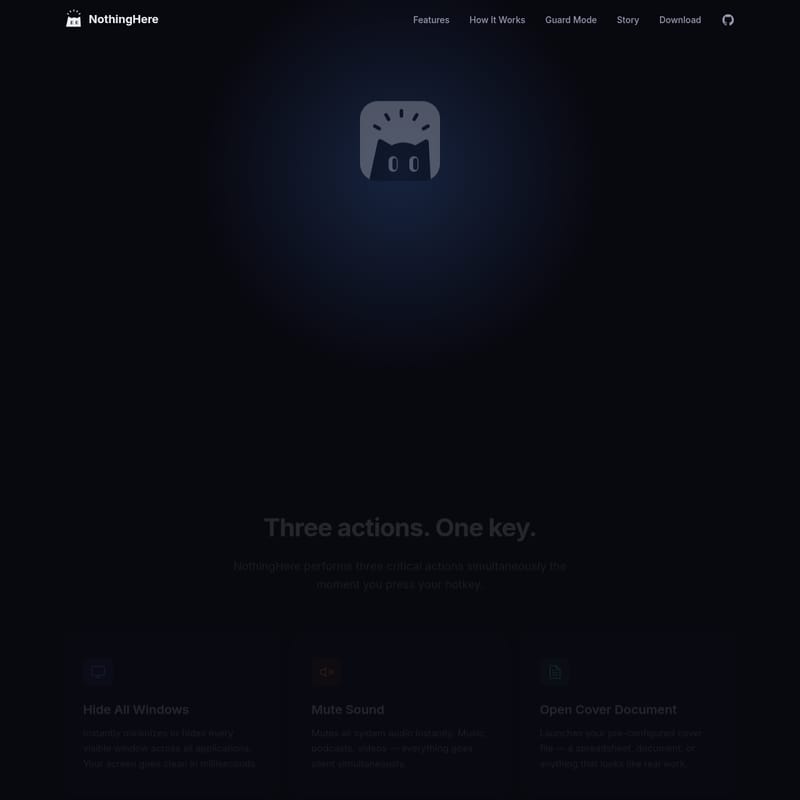
NothingHere is built around three critical actions triggered by a single interaction. When the panic button is activated, NothingHere performs the following tasks simultaneously:
1. Hide All Windows
The primary function of NothingHere is to ensure your screen goes clean instantly. It minimizes or hides every single visible window across all open applications. This leaves no trace of what you were previously browsing or working on.
2. Mute Sound
Visual privacy is only half the battle. NothingHere ensures auditory privacy by immediately muting all system audio. Whether you are listening to a podcast, watching a video, or playing music, NothingHere silences everything the moment you hit your hotkey.
3. Open Cover Document
To make your transition look natural, NothingHere doesn't just leave you with a blank desktop. It launches a pre-configured cover file. This could be a spreadsheet, a professional document, or any file that looks like legitimate work, providing you with an instant "cover story."
Guard Mode (New in v1.1)
Version 1.1 introduces Guard Mode, a menu bar utility that ensures NothingHere is always ready.
- Armed State: When armed, the app watches for your key press and is ready to act.
- Visual Indicators: The menu bar icon changes state so you always know if your screen protection is active.
- One-Click Toggle: Easily enable or disable the guard with a single click.
How It Works: Setting Up NothingHere
Getting started with NothingHere is straightforward. The philosophy behind the app is "set up once, use forever." Follow these three simple steps to secure your workspace:
- Set Your Hotkey: Open the NothingHere settings and choose a key combination that feels natural to you, such as
⌘ ⇧ H. - Configure Your Cover: Select the document or file you want to appear when the panic button is pressed. Choose something that looks like your standard work output.
- Press and Relax: Once configured, a single press of your hotkey triggers NothingHere to hide windows, mute sound, and open your cover document in milliseconds.
Use Case: Why You Need NothingHere
The creator of NothingHere built the app based on a universal experience: the "shoulder surf" moment. We have all been in a situation where a colleague or supervisor walks behind us while we are deep in a YouTube rabbit hole, browsing Reddit, or online shopping.
The traditional "panic dance"—manually pressing ⌘H or ⌘M while trying to click onto a different tab—is often too slow and looks suspicious. NothingHere replaces this awkward scramble with a clean, professional transition. It is the perfect tool for anyone who values their privacy and wants to maintain a professional appearance regardless of what is actually on their screen.
FAQ
Is NothingHere free to use?
Yes, NothingHere is completely free and open-source. You can even view the source code on GitHub.
What are the system requirements for NothingHere?
NothingHere requires macOS 15.0 or later. It is a lightweight application with a file size of approximately 5.9 MB.
Can I choose any file as a cover document?
Absolutely. You can configure NothingHere to open any file—be it a PDF, an Excel spreadsheet, or a Word document—that serves as your "real work" cover.
How do I know if Guard Mode is active?
NothingHere features a menu bar icon that changes its appearance based on whether Guard Mode is armed or disarmed, giving you a quick visual confirmation of your protection status.
Where can I download NothingHere?
You can download the latest version of NothingHere for macOS through the official download links or check the Releases section on GitHub. If you find the tool useful, you can also support the developer on Ko-fi.