Memmy Agent
Memmy: The Open-Source AI Memory Manager for Seamless Cross-Tool Context and Persistent Personal AI Preferences
Memmy is a revolutionary open-source desktop application designed for power users who interact with multiple AI tools daily. By scanning local conversation histories from tools like Cursor and Claude, Memmy builds a structured, local memory vault of your technical decisions and style preferences. It ensures that your AI agents always remember the same 'you,' allowing for seamless context relay across platforms while keeping all data securely on your device.
2026-08-01
--K
Memmy Agent Product Information
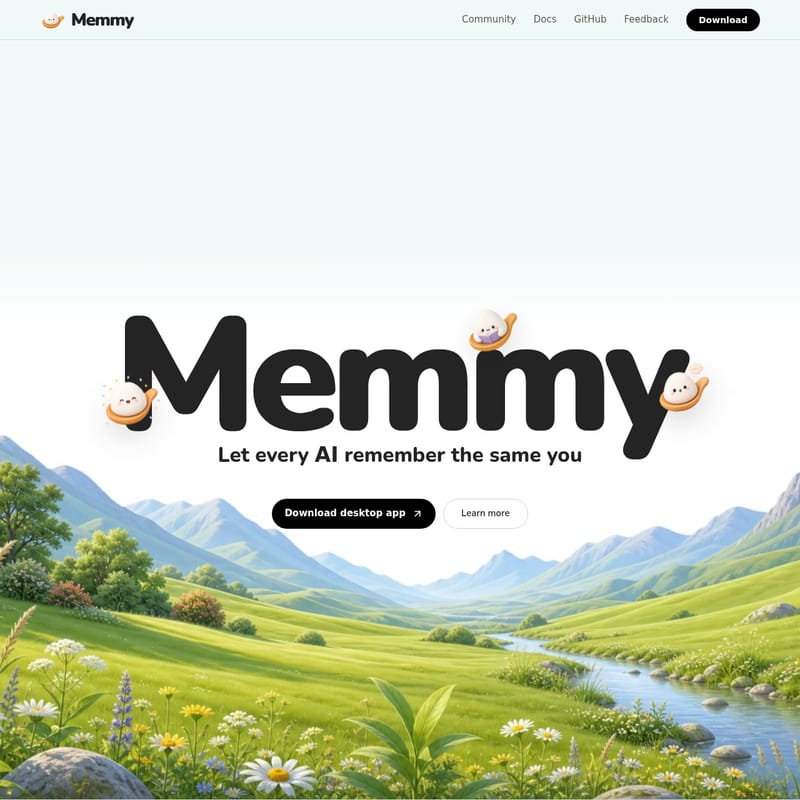
Memmy: Let Every AI Remember the Same You
In the rapidly evolving landscape of artificial intelligence, the biggest hurdle for power users is the fragmentation of context. If you work with several AI tools every day, you likely find yourself repeating your preferences, technical decisions, and project backgrounds every time you switch platforms. Memmy is designed to solve this exact problem. By serving as a unified memory layer, Memmy ensures that every AI you interact with understands the same version of you, your style, and your project requirements.
Memmy is a specialized desktop application built for people who want their AI to possess a continuous evolution of understanding. Whether you are a developer, a writer, or a project manager, Memmy keeps what you said, decided, and care about organized and ready for use across your entire AI ecosystem.
What’s Memmy?
Memmy is more than just a storage tool; it is the memory that powers preference understanding, task relay, and continuous evolution. At its core, Memmy is a local memory manager that bridges the gap between different AI agents.
Many users find that their technical decisions are scattered across different chats in tools like Cursor, Claude, or Codex. Memmy acts as a centralized hub that automatically reads your local AI collaboration history. It takes these scattered conversations and transforms them into a structured memory vault. This allows you to maintain a consistent identity and context, ensuring that no matter which tool you use, the AI is always in sync with your latest decisions.
Key Features of Memmy
1. Advanced Memory Retention
Memmy remembers what you said so you don't have to repeat yourself. It captures specific instructions, such as "Use Tauri for this project, not Electron" or "My style is clean and restrained." By automatically reading your local collaboration history, Memmy turns these technical decisions and preferences into structured data that is easily accessible for future interactions.
2. Intelligent Context Relay
One of the most powerful features of Memmy is its ability to relay memory between different tools. If you run out of Cursor credits and need to switch to Claude, you usually lose all your project context. With Memmy, your memory stays online. It carries your project progress, preferences, and technical background over to the new tool, allowing for a seamless transition without a loss in productivity.
3. Autonomous Agent Capabilities
Memmy is not just a passive manager; it is an agent itself. You can hand tasks directly to Memmy, such as:
- Merging plans discussed across different agents into a single cohesive document.
- Turning a week’s worth of technical decisions into a formal documentation file.
- Organizing materials or continuing tasks you left unfinished.
How to Use Memmy: Three Steps to Synchronization
Getting started with Memmy is a straightforward process designed to move you from being a stranger to your AI to being perfectly in sync in just three steps.
Step 01: Scan
Once you authorize the application, Memmy begins by scanning the conversation history of the AI tools already on your device. This includes popular platforms like Cursor, Claude, and Codex. This scan is performed locally to identify the wealth of information hidden in your past interactions.
Step 02: Organize
After the scan, Memmy distills the scattered information. It deduplicates data, categorizes it, and makes it fully searchable. This results in a structured memory that includes your specific preferences, project backgrounds, pitfalls to avoid, and key decisions.
Step 03: Inject
When you switch to any AI tool, Memmy performs precise on-demand matching. Instead of a full data dump that might overwhelm the AI's context window, Memmy hands the AI only the most relevant memory needed for the current task. This ensures the AI stays focused and informed.
Use Cases for Memmy
Memmy is essential for high-intensity AI workflows. Here are a few ways users are leveraging its power:
- Cross-Platform Development: A developer might start a project in Cursor and later need to use Claude for deep architectural analysis. Memmy ensures the architectural decisions made in Cursor are immediately known to Claude.
- Style Consistency: Writers can tell Memmy, "Don't write overly sugary copy for me," and that preference will be respected across all connected AI agents.
- Project Consolidation: When working with multiple specialized agents, a user can command Memmy to "Merge the plans we discussed across agents into one," saving hours of manual copying and pasting.
- Technical Documentation: By tracking decisions over time, Memmy can automatically generate a doc based on a week's worth of technical choices made during AI pair-programming sessions.
Uncompromising Data Security
Because your memory is personal, Memmy is built with a "security-first" architecture. Your memory belongs to you alone.
- All Memory Stays Local: Every piece of data is stored on your own device. It is never uploaded to a remote server. Your computer effectively becomes your private memory vault.
- Consent-Based Scanning: Memmy never reads or processes your history without your knowledge. Every scan requires explicit authorization, which you can revoke at any any time.
- Granular Control: You decide which agent can use each memory and exactly how much context is passed. You can view, edit, or delete any memory and turn off any source whenever you choose.
FAQ
What platforms does Memmy support?
Memmy is available for macOS 12+ (including Mac ARM64) and Windows 10+ (Windows x64).
Is Memmy free to use?
Yes, Memmy is free and open source. Users can even access a trial of GPT-5.6 Luna with 2M tokens to experience the full power of the memory-enhanced AI.
Where can I see the source code?
You can view the source, star the project, and contribute on GitHub.
How can I join the community?
You can chat with other users and developers on Discord or get the latest updates by following the official X (Twitter) account.
"Let every AI remember the same you. Built for people who work with several AI tools every day."
Download Memmy Today
Ready to stop repeating yourself to your AI? Download the Memmy desktop app for Mac ARM64 or Windows x64 and start building your persistent AI memory today. Check out the official Docs for more detailed setup instructions and community feedback.