Lacuna
Sponsored product video
See Lacuna in motion
Lacuna: The Comprehensive AI Song Generator for Professional Music, Lyrics, and Stem Separation
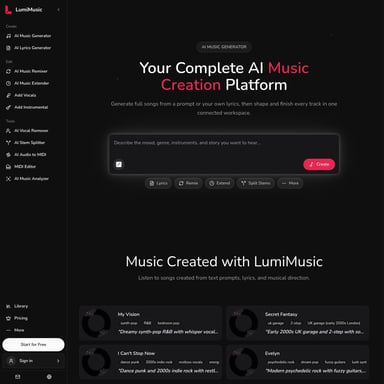
Lacuna is an all-in-one AI song generator and music creation platform designed to turn simple ideas into professional-quality tracks. Featuring tools for AI music generation, lyric writing, and clean stem splitting, Lacuna offers a visual workspace for creators, musicians, and marketers. With support for numerous genres, commercial licensing, and a built-in MIDI editor, it provides everything needed to produce royalty-free music in seconds.
2026-07-29
154.0K
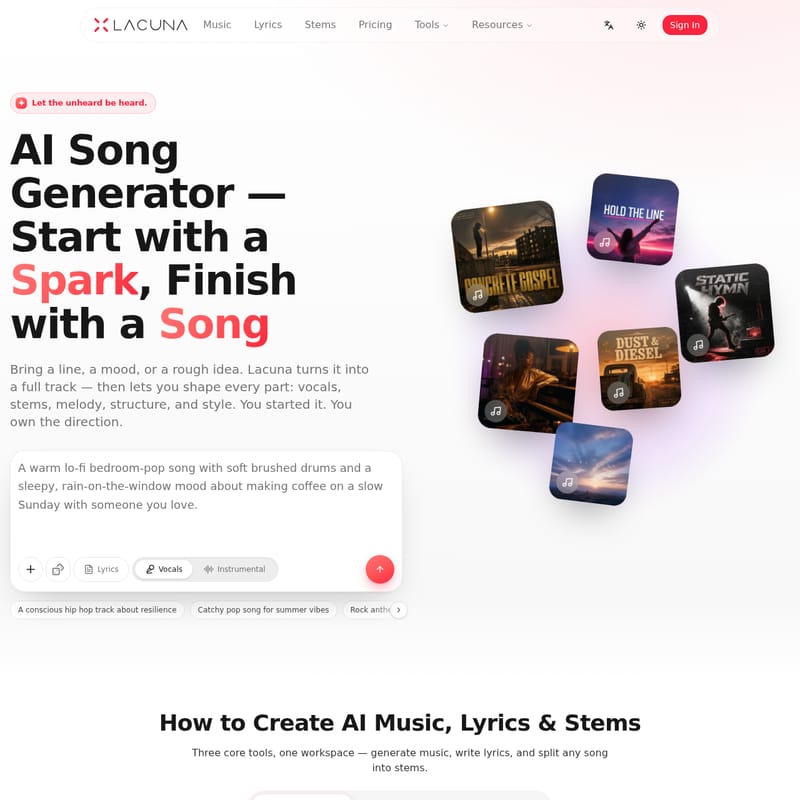
Lacuna Product Information
Lacuna: The Ultimate AI Song Generator for Professional Music, Lyrics, and Stems
In the modern digital landscape, the ability to create high-quality audio content quickly is essential for creators across all industries. Lacuna emerges as a premier AI song generator, offering a comprehensive suite of tools designed to turn a simple spark of an idea into a finished, professional track. With the philosophy of "Let the unheard be heard," Lacuna provides an intuitive workspace where users can generate music, write lyrics, and split stems without needing years of musical training or expensive studio equipment.
What is Lacuna?
Lacuna is an advanced AI music creation platform that serves as a creative partner for anyone looking to produce original audio. It is not just a simple generator; it is a full-featured studio that allows you to bring a line, a mood, or a rough idea and transform it into a full track. The platform allows you to shape every element of the production, from the vocals and melody to the structure and style.
Whether you are starting with a text prompt or an existing audio file, Lacuna provides the tools to refine, extend, and master your sound. It integrates multiple AI music models into one place, ensuring that you always have access to the right sound for any genre or mood.
Core Features of the Lacuna AI Music Workspace
Lacuna stands out by offering a unified canvas where music generation, arrangement, and editing happen seamlessly. Here are the primary features that make Lacuna a leading AI song generator:
1. AI Music Generation
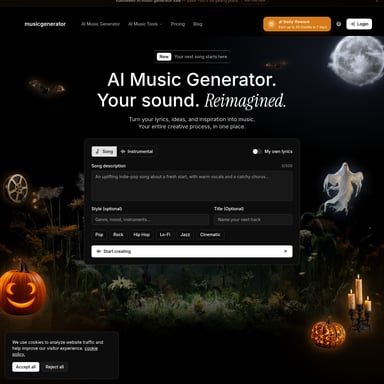
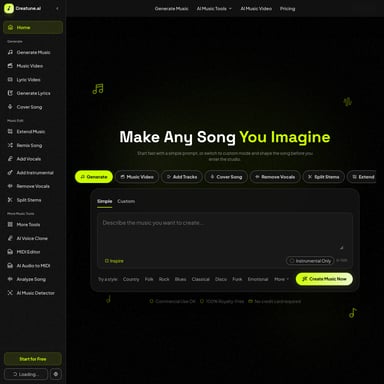
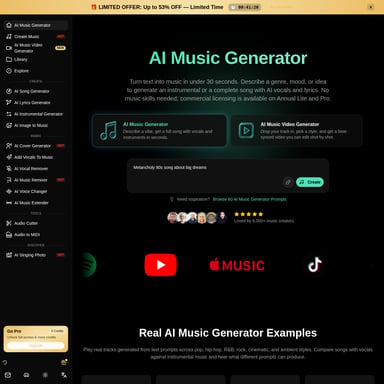
Lacuna allows you to generate music in under 30 seconds. By describing your vision in any language, the AI handles the heavy lifting, creating tracks with professional quality. You can choose from various styles including Hip-Hop, Lo-fi, Cinematic, R&B, Rock, Country, Pop, and Jazz.
2. Advanced Lyrics Studio
Writing the perfect words is easier with Lacuna’s built-in Lyrics Studio.
- Rhyme Generator: Find the perfect fit for every line.
- Syllable Counter: Ensure your lyrics match the beat perfectly.
- Lyric Refinement: Select specific lines and tell the AI to add metaphors, improve flow, or make the imagery more vivid.
3. Precision Stem Splitting
One of the most powerful features of Lacuna is the ability to split any song into clean, isolated stems. In one click, you can extract:
- Vocals (Acapella)
- Drums
- Bass
- Guitar
- Piano
- Instrumental layers
4. Online MIDI Editor
For those who want granular control, Lacuna includes a full online MIDI editor. This allows you to generate melodies inside the editor, refine every note, and export the results to any Digital Audio Workstation (DAW) for further production.
5. Track Analysis and Shaping
Every track generated or uploaded comes with instant data, including BPM (beats per minute), key, and tempo. Users can also use the "Remix" and "Extend" tools to change the style of a song or make it longer without starting from scratch.
How to Use Lacuna to Create AI Music
Lacuna is designed for a frictionless workflow. Depending on your goals, you can follow these simple steps:
To Create Music from Scratch:
- Describe: Enter a text prompt describing the mood, genre, and instruments (e.g., "An explosive alt-rock anthem with distorted guitars").
- Generate: The AI creates your track, providing details like style, BPM, and vocal gender.
- Shape: Use the tools to extend the song, replace sections, or remix the style.
To Create and Refine Lyrics:
- Prompt: Start with an idea or a theme for your song.
- Preview: Review the AI-drafted lyrics.
- Refine: Select specific lines to improve rhymes, add metaphors, or enhance the overall flow.
To Split Stems from an Existing File:
- Upload: Drag and drop an MP3, WAV, or M4A file (up to 500MB).
- Separate: The AI splits the audio into up to 6 distinct stems.
- Use: Download the isolated parts to remix, sample, or use as a karaoke backing track.
Professional Use Cases for Lacuna
Lacuna is a versatile tool that fits into various creative workflows:
- Content Creators & YouTubers: Generate custom soundtracks that match the rhythm and mood of your videos without worrying about copyright strikes.
- Podcasters: Create unique intros, transitions, and background music that give your show a professional, branded feel.
- Independent Artists & Producers: Turn rough ideas into production-ready tracks. Use the stem separator to sample hooks or the MIDI editor to fine-tune arrangements.
- Indie Game Developers: Produce loopable background music and character themes across various genres like Ambient or Cinematic.
- Song Gifts & Personal Moments: Create heartfelt, custom songs with specific names and stories for special occasions.
- Marketers & Brands: Quickly develop ad soundtracks and product launch themes that are royalty-free and cleared for commercial use.
Why Lacuna is the Preferred Choice for AI Music
"Lacuna is a creative partner, not a replacement. You start the idea; you own the direction."
- 100% Ownership: Paid users receive full commercial rights to their creations. Your music is yours to use on Spotify, YouTube, or any other platform.
- No Theory Required: You don't need to read music or play an instrument to generate professional-sounding tracks.
- Royalty-Free: All music is cleared for commercial use, meaning no claims and no strikes on your content.
- Visual Canvas: Connect every step—writing, arranging, and generating—on one visual flow.
Frequently Asked Questions (FAQ)
How does AI music generation work? Simply describe your musical vision—genre, mood, tempo, and instruments—or provide your lyrics. Lacuna's AI analyzes your input and generates a complete, original song with vocals, melody, and instrumentation in seconds.
Can I generate songs with vocals? Yes! Lacuna generates complete songs with AI vocals. You can specify the vocal style, gender, and tone to match your specific vision.
What music genres does Lacuna support? Lacuna supports virtually every genre, including Pop, Rock, R&B, Hip-Hop, Country, Classical, Jazz, Electronic, and more. You can even blend genres for unique hybrid sounds.
Who owns the music I generate? You do! Paid users receive full commercial rights to all generated music and lyrics, allowing for use in any commercial project like games or podcasts.
Is it free to start? Yes. New users receive free credits to generate their first songs without requiring a credit card. You can even try it as a guest to generate your first track.
Can I edit the generated music? Absolutely. Lacuna provides tools to remix styles, extend tracks, rewrite specific sections, and even edit notes via a built-in MIDI editor.