Hey Noah
Hey Noah: AI Executive Assistant for Scheduling
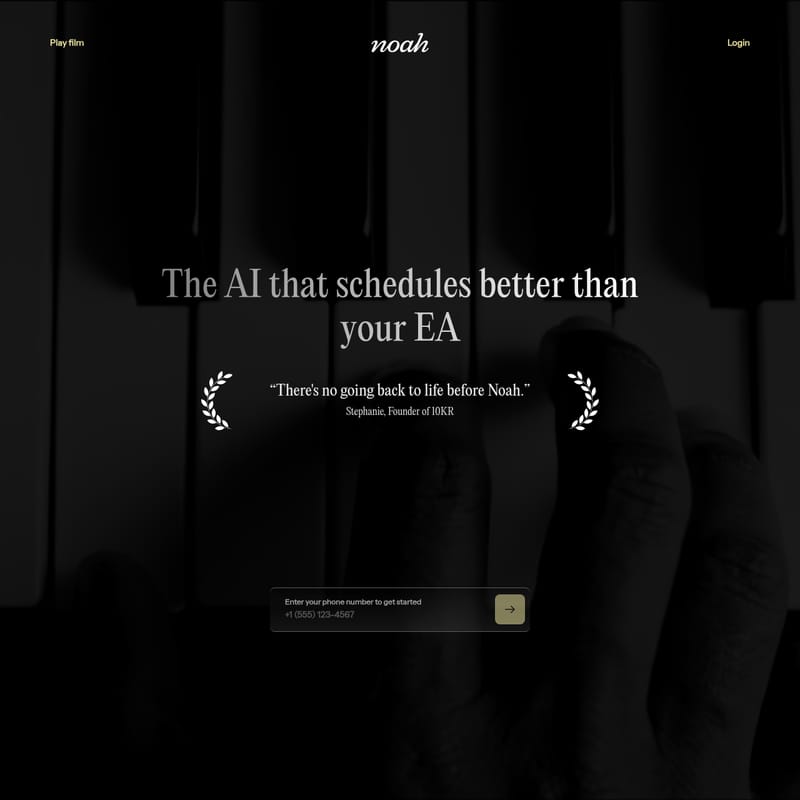
Hey Noah is an AI executive assistant that manages scheduling, coordinates availability, sends meeting briefings, and handles follow-ups via email and SMS.
2026-08-05
9.0K
Structured product information
Hey Noah: At a glance
Last checked: · Official source
Key features
Meeting Scheduling and Coordination
Schedules and reschedules meetings, coordinates availability, and proposes times based on real availability and preferences.
Email Integration
Handles scheduling, time zones, and back-and-forth communication when CC'd or added to an email thread.
SMS Task Management
Processes texted tasks to check calendars, send options, and confirm meeting times.
Post-Meeting Automation
Captures notes, identifies action items, sends follow-ups, and sets reminders after a meeting ends.
Meeting Prep Briefings
Sends briefings before meetings including participant details, funding history, and context from previous interactions.
Voice-Based Reservations
Makes phone calls to restaurants, doctors, and salons to book appointments and reservations.
Best for
- Founders
- CEOs
- Realtors
- Executives
Supported platforms
- SMS
- Calendar
Hey Noah Product Information
Hey Noah functions as an AI executive assistant designed to manage the administrative overhead associated with professional meetings and personal appointments. By integrating with existing communication channels like email and SMS, the tool handles the logistics of coordination without requiring the user to navigate a new software interface. It is built to support founders, CEOs, and other executives who manage high-volume calendars.
Hey Noah as an AI Executive Assistant for Scheduling
The core functionality of the platform involves managing a user's schedule by reading their calendar to propose times based on real availability and specific preferences. When users need to coordinate a meeting via email, they can CC Noah and walk away from the thread. The assistant then manages the back-and-forth communication, handles time zone adjustments, and automatically generates a calendar invite once a time is finalized.
For mobile coordination, the AI scheduling assistant processes tasks sent via SMS. A user can text a brief instruction, such as "Coffee with Sarah Thursday," and the system will check the calendar, send options to the recipient, and confirm the final time. This multi-channel approach allows for AI calendar management across different contexts, whether the user is at a desk or on the move.
Meeting Briefings and Relationship Context
To assist with preparation, Hey Noah provides briefings before scheduled meetings. These briefings are designed to ensure the user shows up prepared by providing context on the participants. According to the provider, these summaries include details on who you’re meeting, their funding history, and notes from the last interaction. This feature positions the tool as a virtual assistant for founders who require background information to maintain relationship continuity without manual research.
Post-Meeting Notes and Action Items
The assistant continues to function after a meeting concludes. As an automated meeting coordinator, Hey Noah captures the notes from the session and identifies action items that require attention. The system is built to send follow-up messages, schedule any necessary subsequent meetings, and set reminders for the identified tasks. This process is intended to prevent details from being overlooked during the transition between appointments.
Voice-Based Appointment Bookings
Beyond digital coordination, Hey Noah includes a voice-based feature for handling real-world appointments. The assistant makes the call, waits on hold, and speaks with hosts or receptionists to confirm bookings. This capability extends to various service providers, including restaurants, doctors, and salons. If a reservation requires a phone call, the assistant manages the entire verbal interaction on behalf of the user. As an AI executive assistant, the tool integrates into the user's existing workflow by plugging into email and calendar tools without requiring the installation of new applications.
Frequently Asked Questions
How do I use Noah to schedule meetings via email?
You can CC Noah or add it to an email thread. Noah automatically handles the scheduling, time zone adjustments, and back-and-forth communication. Once finalized, the calendar invite appears automatically.
Can I schedule meetings using text messages?
Yes. You can text a task such as 'Coffee with Sarah Thursday' to Noah. Noah will check calendars, send options, confirm the time, and schedule the meeting.
What does Noah do after a meeting ends?
Immediately after a meeting, Noah captures notes, identifies action items, and sends follow-up messages. It also schedules subsequent meetings and sets reminders.
How does Noah help me prepare for upcoming meetings?
Noah sends a briefing before every meeting that includes information on who you are meeting, their funding history, your last interaction, and other relevant context.
Can Noah make phone calls for appointments?
Yes. Noah can make real phone calls to handle reservations and appointments for restaurants, doctors, and salons, including speaking with hosts and waiting on hold.